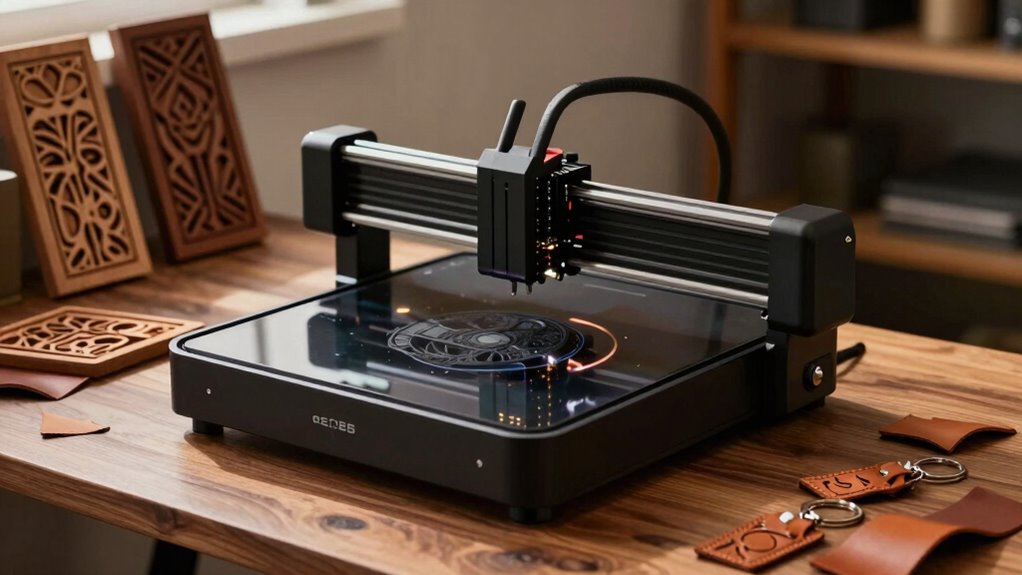

For wood and leather crafts, I’d choose the xTool M2 10W as the best overall pick for its enclosed design and dual cameras, while the Creality Falcon A1 10W stands out for shoppers who want an enclosed machine, and the ACMER S1 2500 mW suits smaller engraving projects. The main tradeoff is between a compact, simpler machine for marking and a more powerful or enclosed setup for broader work and added workflow convenience. Leather also calls for care: material composition and coatings affect whether a project is suitable for laser engraving. I ranked these options by how their features align with wood and leather crafting needs, along with usability, build, and versatility. Read on for the full comparison and help matching a machine to your projects.

Prime made for students and young adults
- Fast, free delivery for dorm and study essentials
- Prime Video and Amazon Music included
- Member-only deals
Key Takeaways
- The xTool M2 10W is the most balanced pick in this lineup, pairing an enclosure with dual cameras for a more guided workspace and setup.
- Enclosed designs are a distinct advantage for home craft spaces: the xTool M2, BlazeX M3, and Creality Falcon A1 models include enclosures, while many other picks use open-frame or portable formats.
- Power varies widely, so the products do not serve the same jobs. The 2500 mW ACMER S1 and 2.5W LASERGRACE X2 are more suited to engraving-focused tasks than buyers seeking stronger cutting capability.
- Portability and work area involve a tradeoff. The foldable Artilume T1-P models and handheld LaserPecker LP2 prioritize easier storage or movement, while the LASERGRACE X2 specifies a 200 × 200 mm work area.
- The LP4 is the specialized material pick: its diode and infrared laser combination offers a different approach from the lineup’s diode-only machines, but its feature set makes it less of a default choice for wood-focused crafting.
| ACMER S1 Laser Engraver and Cutter, 2500 mW |  | Best Compact Starter | Laser power: 2500 mW | Machine output: 24 W | Wavelength: 455 ± 5 nm | VIEW ON AMAZON | See Our Full Breakdown |
| ARTILUME A4 Laser Engraver, 7W, Wi-Fi App Control |  | Best for Large Flat Projects | Laser power: 7W | Laser type: 450 nm blue diode | Work area: 400 × 400 mm | VIEW ON AMAZON | See Our Full Breakdown |
| xTool M2 10W Enclosed Laser Engraver with Dual Cameras |  | Best Enclosed Choice for Beginners | Laser type: 10W diode laser | Laser output power: 10,000 mW | Safety class: Class 1 | VIEW ON AMAZON | See Our Full Breakdown |
| Artilume T1-P Foldable 12W Laser Engraver |  | Best for Portable Craft Setups | Laser power: 12W | Working area: 200 × 150 mm | Engraving precision: 0.01 mm | VIEW ON AMAZON | See Our Full Breakdown |
| BlazeX M3 10W Laser Engraver and Cutter with Enclosure and Honeycomb Bed |  | Best Starter Kit | Laser power: 10W | Precision: 0.01 mm | Item weight: 8 pounds | VIEW ON AMAZON | See Our Full Breakdown |
| Aliencell X1 Lite 40W Laser Engraver and Cutter |  | Best for Large Projects and Batch Work | Laser power: 40 W | Maximum speed: 600 mm/s | Acceleration: 20,000 mm/s² | VIEW ON AMAZON | See Our Full Breakdown |
| LaserPecker LP2 Portable Handheld Laser Engraver |  | Best Portable Pick | Weight: 1 kg | Engraving speed: Up to 36,000 mm/min | Laser spot precision: 0.05 mm | VIEW ON AMAZON | See Our Full Breakdown |
| Creality Falcon A1C 10W AI Laser Engraver with Camera |  | Best for Easy Layout and Setup | Included laser module: 10 W | Compatible modules: 5 W, 10 W, and 1.2 W | Work area: 150 × 150 × 148 mm (5.9 × 5.9 × 5.8 in) | VIEW ON AMAZON | See Our Full Breakdown |
| LaserPecker LP4 Dual-Laser Engraver, 10W Diode + 2W IR |  | Best for Material Range | Laser types: 10W diode and 2W infrared | Engraving speed: Up to 2000 mm/s | Work area: 160 × 120 mm | VIEW ON AMAZON | See Our Full Breakdown |
| LASERGRACE X2 2.5W Desktop Laser Engraver, 200 × 200 mm |  | Best for Beginners | Laser power: 2500 mW (2.5 W) | Workspace: 200 × 200 mm | Precision: 0.01 mm | VIEW ON AMAZON | See Our Full Breakdown |
| ACMER K1 12W Desktop Laser Engraver |  | Best Enclosed Compact Pick | Laser output options: 3.5W, 7W, and 12W | Laser type: 455 ± 5 nm blue diode | Work area: 150 × 150 mm | VIEW ON AMAZON | See Our Full Breakdown |
| Creality Falcon A1 10W Enclosed Laser Engraver and Cutter |  | Best for Camera-Assisted Setup | Laser power: 10W | Laser spot size: 0.06 × 0.08 mm | Maximum wood cutting thickness: 6 mm in one pass | VIEW ON AMAZON | See Our Full Breakdown |
| ARTILUME A4 7W Laser Engraver with App Control |  | Best for Large Craft Pieces | Laser type: 450 nm blue diode | Laser power: 7W | Work area: 400 × 400 mm | VIEW ON AMAZON | See Our Full Breakdown |
| Artilume T1-P Foldable 7W Laser Engraver |  | Best Portable Detail Pick | Laser power: 7W | Working area: 200 × 150 mm | Engraving precision: Up to 0.01 mm | VIEW ON AMAZON | See Our Full Breakdown |
| 7W Diode Laser Engraver |  | Best Basic Foldable Pick | Laser output: 7W | Engraving accuracy: 0.01 mm | Maximum engraving speed: 10,000 mm/min | VIEW ON AMAZON | See Our Full Breakdown |
More Details on Our Top Picks
ACMER S1 Laser Engraver and Cutter, 2500 mW
The ACMER S1 suits small wood and leather crafts where a compact footprint matters more than a large work area. Its 130 × 130 mm bed fits tags, patches, and small ornaments, while the 2.5W laser is described for engraving and cutting thin sheet materials. At 2 kg and 99% preassembled, it is easier to move and set up than the larger ARTILUME A4, whose 400 × 400 mm bed is better for oversized projects. The S1 also gives software flexibility through Acmerstudio, LightBurn, and LaserGRBL across macOS, Windows, and Linux. Its main compromise is room to grow: project size is limited, and the supplied details describe cutting only for thin plywood, MDF, and acrylic. Choose it for small craft runs, not broad panels or demanding cuts.
Pros:- Compact 130 × 130 mm footprint and 2 kg weight make it easy to place or move
- 99% preassembled design helps shorten setup
- Supports Acmerstudio, LightBurn, and LaserGRBL
- Works with macOS, Windows, and Linux
Cons:- Small work area restricts project dimensions
- Cutting is specified for thin plywood, MDF, and acrylic
- 2.5W laser offers less cutting headroom than the 7W ARTILUME A4
Best for: Makers starting with small wood ornaments, leather patches, and tags who need a lightweight machine and broad desktop OS support
Not ideal for: Crafters who want to engrave large panels or regularly cut thicker stock, since its work area is small and cutting is specified for thin sheets
- Laser power:2500 mW
- Machine output:24 W
- Wavelength:455 ± 5 nm
- Working area:130 × 130 mm
- Maximum engraving speed:10,000 mm/min
- Repeatable positioning accuracy:0.01 mm
- Weight:2 kg
- Compatible software:Acmerstudio, LightBurn, LaserGRBL
Our verdict“Pick the ACMER S1 for compact, small-format wood and leather engraving; choose the ARTILUME A4 if your projects need a much larger bed.”
ARTILUME A4 Laser Engraver, 7W, Wi-Fi App Control
The ARTILUME A4 stands out for its 400 × 400 mm work area, giving wood and leather crafters room for signs, larger panels, and batches of smaller pieces without constant repositioning. That bed is substantially larger than the ACMER S1’s 130 × 130 mm area, though the A4’s 7W laser is described as an entry-level version and higher-power models are offered for stronger cutting. For engraving, its Wi-Fi phone control can make quick jobs convenient, while LaserGRBL and LightBurn support more familiar desktop workflows. The aluminum alloy frame and 14-month warranty add practical appeal. Its versatility has limits: the rotary and air-assist modules are optional, and this 7W version is a better fit for engraving and light work than buyers seeking substantial cutting capacity.
Pros:- Large 400 × 400 mm bed accommodates broad panels and batch layouts
- Wi-Fi smartphone control sits alongside desktop software support
- Engraves wood, leather, paper, plastic, coated metal, ceramic, and glass
- 14-month warranty and lifetime email support are included
Cons:- 7W version is described as entry-level, with higher-power versions for stronger cutting
- Rotary and air-assist modules are optional
- Its large work area takes more room than the compact ACMER S1
Best for: Home crafters making larger flat wood signs, leather panels, or repeated small designs who value app control and desktop software options
Not ideal for: Makers focused on stronger or frequent cutting, or rotary projects who expect the needed air-assist and rotary hardware in the box
- Laser power:7W
- Laser type:450 nm blue diode
- Work area:400 × 400 mm
- Maximum engraving speed:10,000 mm/min
- Controller:32-bit ESP32
- Frame material:Anodized aluminum alloy with ABS components
- Control and software:Wi-Fi smartphone app; LaserGRBL for Windows; LightBurn for Windows and macOS
- Warranty:14 months
Our verdict“Choose the ARTILUME A4 if a generous flat work area matters more than stronger cutting power or a compact footprint.”
xTool M2 10W Enclosed Laser Engraver with Dual Cameras
For a beginner who wants a more contained workspace, the xTool M2 pairs a fully enclosed Class 1 design with dual cameras that preview the work area and help place designs. That combination makes setup more approachable than the open-frame Artilume T1-P, which calls for good ventilation and constant supervision. Its 10W diode supports engraving and cutting across craft materials including wood and leather, plus felt, fabric, and paper. The xTool Studio software adds templates and an AI image generator, which can help newcomers move from an idea to a layout. The tradeoff is an ecosystem with add-ons: rotary engraving and full-color printing require separate modules, as does 3W IR engraving. Buyers who only need straightforward wood and leather work may not need those extensions.
Pros:- Fully enclosed Class 1 design with real-time monitoring
- Dual cameras support workspace previews and accurate placement
- 10W diode handles engraving and cutting on listed craft materials
- xTool Studio includes templates and an AI image generator
Cons:- Rotary engraving requires the optional RA3 Lite Rotary
- Full-color printing and 3W IR engraving also require optional modules
- Its focus on an enclosed camera guided workflow may be more than needed for simple small projects like those suited to the ACMER S1
Best for: Newer home makers who want an enclosed machine, camera-assisted placement, and guided software for wood and leather projects
Not ideal for: Buyers seeking a low-complexity setup with rotary, full-color, or IR functions included, since those modules are optional
- Laser type:10W diode laser
- Laser output power:10,000 mW
- Safety class:Class 1
- Enclosure:Fully enclosed
- Cameras:Built-in dual cameras
- Compatible materials:300+ materials, including wood, leather, felt, fabric, and paper
- Software:xTool Studio
- Optional accessories:CMYK Inkjet module, RA3 Lite Rotary, 3W IR laser
Our verdict“The xTool M2 is a strong fit for beginners who value an enclosed workspace and camera placement help, provided they are comfortable adding modules for expanded functions.”
Artilume T1-P Foldable 12W Laser Engraver
The Artilume T1-P is the portable pick for crafters who need to store their engraver between sessions or move it between workspaces. Its foldable design weighs 4.62 pounds, and the 12W laser is described for engraving and light cutting across wood, leather, acrylic, coated metal, and cardboard. Starter materials and safety goggles are included, and users can choose mobile app control or desktop software such as LightBurn and LaserGRBL. Compared with the ARTILUME A4, the T1-P gives up substantial work area: 200 × 150 mm rather than 400 × 400 mm. It also calls for good ventilation and constant supervision, so portability does not make it a set-and-forget appliance. This is better for mobile small-project makers than for large signs or unattended workflows.
Pros:- Foldable design makes storage and transport easier
- 12W laser supports engraving and light cutting on listed craft materials
- App control and LightBurn and LaserGRBL compatibility offer workflow choice
- Starter materials and safety goggles are included
Cons:- 200 × 150 mm work area limits project size
- Use requires good ventilation and constant supervision
- Smaller bed is less suited to broad layouts than the ARTILUME A4
Best for: Makers with limited storage who carry out small wood and leather projects in a shared or temporary workspace
Not ideal for: Crafters producing large panels or seeking a machine for use without close supervision and good ventilation
- Laser power:12W
- Working area:200 × 150 mm
- Engraving precision:0.01 mm
- Product dimensions:14.29 × 3.94 × 6.38 inches
- Item weight:4.62 pounds
- Control:Mobile app; compatible with LightBurn and LaserGRBL
- Included accessories:Power adapter, USB cable, safety goggles, beginner materials, setup accessories
Our verdict“Choose the T1-P if foldability and included starter supplies matter more than a large bed or less hands-on operation.”
BlazeX M3 10W Laser Engraver and Cutter with Enclosure and Honeycomb Bed
The BlazeX M3 earns its place for buyers who want a ready-to-start package for wood and leather crafts. The kit includes an enclosure, honeycomb bed, tool kit, and 13 engraving materials; automatic stops activate if the lid opens or the machine tilts. A smoke exhaust fan is also listed, making the included enclosure more purposeful for a desktop setup. Its 10W laser and 0.01 mm precision are specified for engraving and cutting compatible materials, though the supplied details do not state the work area or cutting thickness. That missing information makes it harder to judge whether it fits larger work or repeated cutting jobs than the ARTILUME A4, whose 400 × 400 mm bed is explicit. The BlazeX is the more complete starter bundle, but buyers should verify the bed dimensions against their projects.
Pros:- Starter kit includes enclosure, honeycomb bed, tool kit, and 13 materials
- Automatic stops respond to an opened lid or machine tilt
- Smoke exhaust fan is included
- Works with LightBurn, LaserGRBL, and CutLabX across desktop and mobile operating systems
Cons:- Work area is not specified in the provided product details
- Cutting thickness is not specified
- Rotary roller, risers, air assist, and purifier are optional
Best for: First-time craft engravers who want an enclosure, honeycomb bed, safety stops, and sample materials together
Not ideal for: Buyers who need a confirmed large work area or defined cutting thickness before choosing a machine
- Laser power:10W
- Precision:0.01 mm
- Item weight:8 pounds
- Power source:Corded electric
- Included accessories:Enclosure, honeycomb bed, tool kit, 13 engraving materials
- Software compatibility:LightBurn, LaserGRBL, CutLabX
- Operating systems:Windows, macOS, iOS, Android
Our verdict“Pick the BlazeX M3 for its bundled enclosure and starter materials, but confirm its work area and cutting limits suit your craft projects.”
Aliencell X1 Lite 40W Laser Engraver and Cutter
The X1 Lite is the clear choice here when project size and batch capacity matter most: its 26 × 21 in bed is far larger than the compact work areas of the Creality Falcon A1C and LaserPecker LP4. Its 40W laser, auto-focus, crosshair alignment, and simulation preview give makers several tools for preparing wood and leather jobs across that broad surface. LightBurn support also gives it a familiar software option for users who want control over their designs. The Class 1 enclosure and ten flame sensors add built-in safeguards for a desktop setup. The tradeoff is its substantial footprint, and the provided details do not specify supported material thicknesses. This makes more sense for a dedicated workshop than a small craft desk.
Pros:- 26 × 21 in engraving bed accommodates large pieces and batch layouts
- One-touch auto-focus and crosshair alignment help with setup
- Supports LightBurn as well as Aliencell Space
- Class 1 enclosure includes ten flame sensors
Cons:- Large bed requires substantial workspace
- Supported material thicknesses are not specified
Best for: Wood and leather crafters with room for a large machine who make oversized pieces or batch multiple small projects
Not ideal for: Apartment makers or occasional crafters with limited desk space who mostly engrave small, simple items
- Laser power:40 W
- Maximum speed:600 mm/s
- Acceleration:20,000 mm/s²
- Engraving bed:26 × 21 in
- Focus:One-touch auto-focus with manual override
- Software compatibility:LightBurn; Aliencell Space
- Safety classification:Class 1 enclosed
- Flame sensors:10
Our verdict“Choose the X1 Lite if a large work area for wood and leather projects outweighs the space its enclosed design requires.”
LaserPecker LP2 Portable Handheld Laser Engraver
For makers who want to take engraving beyond a fixed desk, the LP2 stands apart from enclosed machines such as the Creality Falcon A1C: it weighs 1 kg and offers trolley mode for projects up to 78 inches long. That flexibility suits long wood or leather pieces that would not fit on a small desktop bed. App control and several resolution settings also make it approachable for quick personalization jobs. Its 0.05 mm spot precision and stated speed of up to 36,000 mm/min support detailed, fast work, while the listed cutting capacity covers wood and paper up to 0.2 inches thick. The tradeoff is that this portable format is less like a contained desktop workspace. It also cannot engrave pure or shiny metal, and light-colored or transparent materials need a dark coating.
Pros:- Light 1 kg body is easy to transport
- Trolley mode supports projects up to 78 inches long
- 0.05 mm spot precision and multiple resolution settings suit detailed designs
- App control and listed safety accessories simplify setup
Cons:- Cannot engrave pure or shiny metal
- Light-colored and transparent materials require black paint or spray
- Portable handheld format does not provide the enclosed work area of the Creality Falcon A1C
Best for: Craft fair sellers and mobile makers who personalize wood or leather goods in different locations
Not ideal for: Crafters seeking an enclosed, fixed desktop machine or planning to mark bare shiny metal
- Weight:1 kg
- Engraving speed:Up to 36,000 mm/min
- Laser spot precision:0.05 mm
- Supported resolutions:1K, 1.3K, 2K
- Trolley mode project length:Up to 78 in
- Cutting capability:Wood and paper up to 0.2 in thick
- Safety features:Overheat protection, motion sensors, password lock, safety goggles
- Warranty:12 months
Our verdict“Pick the LP2 if portability and long workpieces matter more than having an enclosed desktop engraver.”
Creality Falcon A1C 10W AI Laser Engraver with Camera
The Falcon A1C is aimed at crafters who want help placing designs before the laser starts. Its built-in AI HD camera and design tools make layout a central part of the experience, while auto-focus and positioning accuracy up to 0.1 mm support repeatable placement on wood and leather. Compared with the LASERGRACE X2, it adds an enclosed Class 1 design and camera-assisted workflow; the X2 offers a larger stated workspace at 200 × 200 mm. The A1C’s 150 × 150 mm work area is more restrictive for larger craft pieces, but its compact enclosure may fit better in a home, classroom, or shared studio. The included 10W module is compatible with other listed module options, though only one module comes with the package.
Pros:- AI camera and design tools assist with artwork layout
- Auto-focus reduces manual setup steps
- Enclosed design meets FDA Class 1 laser safety requirements
- Compatible with 5W, 10W, and 1.2W modules
Cons:- 150 × 150 mm work area limits project size compared with the LASERGRACE X2
- Only one laser module is included
- Maximum engraving speed is lower than the listed speeds of the LaserPecker models
Best for: Home and classroom crafters who value camera-assisted placement and an enclosed machine for small wood and leather designs
Not ideal for: Makers who regularly engrave pieces larger than its 150 × 150 mm work area or want multiple laser modules included
- Included laser module:10 W
- Compatible modules:5 W, 10 W, and 1.2 W
- Work area:150 × 150 × 148 mm (5.9 × 5.9 × 5.8 in)
- Maximum engraving speed:15,000 mm/min
- Positioning accuracy:Up to 0.1 mm
- Focusing:Auto focus
- Camera:Built-in AI HD camera
- Safety:Enclosed structure; FDA Class 1 laser safety requirements
Our verdict“Choose the Falcon A1C for camera-assisted setup and an enclosed format when your wood and leather projects fit its compact work area.”
LaserPecker LP4 Dual-Laser Engraver, 10W Diode + 2W IR
The LP4 earns its place for crafters who want one portable unit for more than wood and leather. Its 10W diode and 2W infrared lasers are described as compatible with more than 300 materials, giving it broader material reach than the wood-and-leather focus of the Creality Falcon A1C. The 160 × 120 mm work area is slightly larger than the A1C’s, and dual infrared positioning plus a touchscreen support hands-on setup. LightBurn compatibility may also appeal to users who want a software option beyond LaserPecker Design Space. Speed and cutting capacity depend on material and project, so the headline figures do not describe every job. The compact work area remains a constraint for larger craft pieces, and the X1 Lite is a better fit when bed size takes priority.
Pros:- Diode and infrared lasers support a broad range of listed materials
- 160 × 120 mm work area is larger than the Creality Falcon A1C’s
- Touchscreen and dual infrared positioning support direct setup
- Compatible with both LaserPecker Design Space and LightBurn
Cons:- 160 × 120 mm work area can constrain larger pieces
- Maximum speed and cutting capacity vary by material and project
- Compact work area is much smaller than the Aliencell X1 Lite’s
Best for: Makers who engrave wood and leather alongside varied materials and want both diode and infrared laser options
Not ideal for: Crafters working on large panels or prioritizing a broad desktop bed over portability and material range
- Laser types:10W diode and 2W infrared
- Engraving speed:Up to 2000 mm/s
- Work area:160 × 120 mm
- Engraving precision:Detail down to 0.003 mm; advertised as 8K resolution
- Cutting capacity:Wood up to 8 mm; dark opaque acrylic up to 5 mm
- Material compatibility:300+ materials
- Controls:HD LED touchscreen
- Software compatibility:LaserPecker Design Space and LightBurn
Our verdict“Choose the LP4 if you want wood and leather engraving plus wider material options in a portable machine with a compact work area.”
LASERGRACE X2 2.5W Desktop Laser Engraver, 200 × 200 mm
The X2 keeps the feature set straightforward for a first wood and leather engraver: it offers a 200 × 200 mm workspace, listed precision of 0.01 mm, and support for several craft materials including coated metal. Its larger stated workspace gives it an advantage over the Creality Falcon A1C for designs that need more room, while the A1C offers a camera, auto-focus, and an enclosure. The X2’s 2.5W laser is the main constraint: compared with the 10W Falcon A1C or the 40W Aliencell X1 Lite, it has less stated power for demanding engraving or cutting work. That makes it a more sensible match for small decorative projects than a machine bought for heavier production. The one-year warranty is a useful ownership detail, but does not change the power tradeoff.
Pros:- 200 × 200 mm workspace accommodates a range of small craft designs
- Listed 0.01 mm precision supports detailed artwork
- Compatible with wood, leather, acrylic, cardboard, and coated metal
- Includes a one-year warranty
Cons:- 2.5W laser power is far below the Creality Falcon A1C and Aliencell X1 Lite
- No camera or auto-focus is listed to assist with setup
- Maximum speed is lower than the listed speeds of the LaserPecker LP2 and LP4
Best for: First-time hobby crafters making modest wood and leather designs who want a 200 × 200 mm work area
Not ideal for: Makers expecting demanding cutting work, high throughput, or the more guided setup of a camera-equipped engraver
- Laser power:2500 mW (2.5 W)
- Workspace:200 × 200 mm
- Precision:0.01 mm
- Maximum speed:10,000 mm/min
- Compatible materials:Wood, leather, acrylic, cardboard, coated metal
- Model:X2
- Color:Black
- Warranty:1 year
Our verdict“Pick the X2 for beginner wood and leather engraving if its modest laser power suits your projects better than an enclosed, higher-powered alternative.”
ACMER K1 12W Desktop Laser Engraver
The ACMER K1 suits wood and leather crafters who want a small enclosed machine with room for fine detail. Its 0.08 × 0.08 mm spot and 0.01 mm repeat positioning accuracy support crisp lettering and repeated small designs, while the Class 1 body and built-in exhaust fan make it a more contained desktop option than the open-frame Artilume T1-P. The 150 × 150 mm work area is the main constraint: wallets, tags, and ornaments fit more naturally than larger panels. The 12W version is listed to cut up to 8 mm Paulownia in one pass, but that capacity depends on output and material, so buyers choosing lower-power versions should expect less cutting ability. I’d pick it for compact craft batches, not oversized projects.
Pros:- Class 1 enclosed body with built-in exhaust fan
- Fine 0.08 × 0.08 mm laser spot for detailed designs
- Supports Acmerstudio, LightBurn, and LaserGRBL
- Lightweight 2.4 kg design is easy to move
Cons:- Small 150 × 150 mm work area restricts larger craft pieces
- Cutting capacity varies by laser output and material
Best for: Leatherworkers and wood crafters making small tags, patches, and ornaments who want an enclosed desktop setup.
Not ideal for: Makers who engrave large signs or need a roomy bed, since its 150 × 150 mm work area limits project size.
- Laser output options:3.5W, 7W, and 12W
- Laser type:455 ± 5 nm blue diode
- Work area:150 × 150 mm
- Laser spot size:0.08 × 0.08 mm
- Repeat positioning accuracy:0.01 mm
- Maximum motion speed:10,000 mm/min
- Safety design:Class 1 enclosed body
- Software compatibility:Acmerstudio, LightBurn, and LaserGRBL
- 12W cutting capacity:Up to 8 mm Paulownia wood in one pass
Our verdict“Choose the ACMER K1 for detailed small crafts when an enclosed footprint matters more than a large work area.”
Creality Falcon A1 10W Enclosed Laser Engraver and Cutter
The Falcon A1 makes sense for craft buyers who want help placing artwork on wood blanks or leather pieces. Its HD panoramic camera supports positioning, and the enclosed Class 1 design adds an emergency stop and lid-open stop. That gives it a more guided workflow than the open-frame Artilume T1-P, though the camera needs a computer connection. For projects that also involve cutting, the listed one-pass capacity reaches 6 mm wood and 10 mm acrylic; air assist can support cleaner cutting, but extraction still needs an outdoor duct or air purifier. Compared with the compact ACMER K1, the Falcon’s camera and cutting setup are the stronger fit for varied jobs, while its computer and exhaust requirements add setup dependencies.
Pros:- Panoramic camera helps position designs on materials
- Enclosure includes emergency stop and lid-open stop
- Air assist supports cutting work
- Compatible with Creality Falcon Design Space, LightBurn, and LaserGRBL
Cons:- Camera positioning requires a computer connection
- Exhaust must connect outdoors or to an air purifier
Best for: Desktop makers who frequently position small designs on wood and leather blanks and want an enclosed machine with a camera workflow.
Not ideal for: Crafters who need a self-contained setup without a connected computer or a way to route exhaust outdoors or to an air purifier.
- Laser power:10W
- Laser spot size:0.06 × 0.08 mm
- Maximum wood cutting thickness:6 mm in one pass
- Maximum acrylic cutting thickness:10 mm in one pass
- Safety class:Class 1
- Positioning:HD panoramic camera; computer connection required
- Compatible software:Creality Falcon Design Space, LightBurn, and LaserGRBL
- Safety features:Protective covers filter 99% of laser light; emergency stop; lid-open stop
- Smoke removal:Internal fan; exhaust must connect outdoors or to an air purifier
Our verdict“Pick the Falcon A1 if camera-assisted placement and enclosed cutting features matter more than a simpler setup.”
ARTILUME A4 7W Laser Engraver with App Control
The ARTILUME A4’s 400 × 400 mm work area gives wood and leather crafters far more room than the 150 × 150 mm ACMER K1 or the 200 × 150 mm Artilume T1-P. That extra space suits larger panels, multi-piece layouts, and work that would otherwise need repositioning. Wi-Fi app control offers a phone-based route into jobs, while LightBurn and LaserGRBL remain available for desktop workflows. Its 7W output is described as an entry-level option, so the broad bed should not be mistaken for strong cutting performance; the optional air assist and rotary module also add capabilities only if purchased separately. For detail-heavy small work, the T1-P’s listed 0.04 mm spot is finer. I’d choose this A4 when material size matters more than portability or cutting depth.
Pros:- Large 400 × 400 mm work area accommodates bigger pieces
- Wi-Fi smartphone app control plus desktop software support
- Supports common image and vector file formats
- Includes a listed 14-month warranty and lifetime email support
Cons:- 7W output is positioned as an entry-level option
- Rotary module and air assist pump are optional accessories
Best for: Wood and leather makers who engrave large panels or arrange multiple smaller pieces in one job and want app or desktop control.
Not ideal for: Buyers focused on thick-material cutting or a portable, ready-to-go setup, since this is a 7W frame and key accessories are optional.
- Laser type:450 nm blue diode
- Laser power:7W
- Work area:400 × 400 mm
- Maximum engraving speed:10,000 mm/min
- Spot size:40 × 140 μm
- Controller:32-bit ESP32
- Connectivity and control:Wi-Fi; smartphone app, LaserGRBL on Windows, and LightBurn on Windows or macOS
- Supported file formats:NC, DXF, BMP, JPG, PNG, and SVG
- Optional accessories:Rotary module and adjustable 30 L/min air assist pump
Our verdict“Choose the ARTILUME A4 when a generous work area for wood and leather layouts outweighs portability and higher cutting output.”
Artilume T1-P Foldable 7W Laser Engraver
The foldable T1-P is aimed at makers who need to store their engraver between projects or bring it to a shared workspace. Its 0.04 × 0.04 mm spot and stated 0.01 mm precision suit detailed leather marks and fine wood lettering, with smartphone or tablet connectivity alongside LightBurn and LaserGRBL. It occupies a useful middle ground between the very small enclosed ACMER K1 and the much larger ARTILUME A4: the 200 × 150 mm bed handles compact craft pieces, and the frame folds for storage. The tradeoff is an open-style portable setup that needs good ventilation when engraving, unlike the K1’s enclosed body and built-in exhaust fan. Its safety features and included goggles help, but they do not remove the need to manage fumes.
Pros:- Foldable and portable, with near-complete assembly and calibration
- Fine 0.04 × 0.04 mm laser spot
- Supports smartphone or tablet use plus LightBurn and LaserGRBL
- Includes protective cover, goggles, and several safety features
Cons:- Engraving fumes require a well-ventilated workspace
- Working area is limited to 200 × 150 mm
Best for: Leather crafters and hobby woodworkers with limited storage who want a foldable machine for small, detailed projects.
Not ideal for: Makers seeking enclosed fume management or a large work bed; it needs good ventilation and has a 200 × 150 mm area.
- Laser power:7W
- Working area:200 × 150 mm
- Engraving precision:Up to 0.01 mm
- Engraving speed:Up to 10,000 mm/min
- Laser spot size:0.04 × 0.04 mm
- Dimensions:14 × 14 × 6 in
- Weight:5.9 lb
- Connectivity and software:Smartphone or tablet; LaserGRBL and LightBurn
- Safety features:Emergency shutdown, motion protection, overheating detection, protective cover, and goggles
Our verdict“Choose the T1-P for portable, detailed wood and leather work if you can provide good ventilation.”
7W Diode Laser Engraver
This 7W diode engraver offers a straightforward way into small wood and leather projects: its 200 × 150 mm bed handles tags, patches, and compact panels, while the foldable aluminum frame can be put away between sessions. It shares the T1-P’s portable format and 0.01 mm stated accuracy, but the supplied details list fewer setup and safety features, and its cutting claim is modest: up to 4 mm basswood requires multiple passes. That makes it better suited to engraving and occasional thin-stock cutting than to production cutting. The T1-P lists a finer 0.04 × 0.04 mm spot and smartphone connectivity, whereas this model’s appeal is a simple craft-focused feature set. Bare metal also needs marking spray for best results.
Pros:- Foldable aluminum frame saves workspace
- 0.01 mm stated engraving accuracy supports detailed designs
- Works with wood, leather, paper, bamboo, dark acrylic, and coated metal
- Can cut basswood up to 4 mm with multiple passes
Cons:- 200 × 150 mm work area limits project dimensions
- Cutting is limited to thin stock and needs multiple passes
- Bare metal works best with marking spray
Best for: Beginners making small leather and wood gifts who want a foldable frame and only occasional thin basswood cutting.
Not ideal for: Crafters who need a larger bed, substantial cutting capacity, or direct bare-metal engraving without marking spray.
- Laser output:7W
- Engraving accuracy:0.01 mm
- Maximum engraving speed:10,000 mm/min
- Working area:200 × 150 mm
- Cutting capacity:Up to 4 mm basswood with multiple passes
- Compatible materials:Wood, leather, kraft paper, bamboo, dark acrylic, and coated metal
- Frame:Aluminum
- Design:Foldable
Our verdict“Choose this model for compact engraving and occasional thin-basswood cuts when a simple foldable frame fits your workspace.”

How We Picked
I compared each machine against the needs of wood and leather crafts, giving the most weight to engraving and cutting capability, workspace practicality, and how clearly the product’s design supports a repeatable craft workflow. Power was treated as one signal rather than a guarantee of results: material, thickness, focus, settings, and the specific task all matter. I also considered whether an enclosure, camera, app control, or foldable frame could make setup and placement easier for a home workshop.
The ranking favors machines with a useful balance for common craft projects, then gives specialized roles to products that trade versatility for portability, a distinct laser type, a defined work area, or a simpler engraving-focused setup. Products with duplicate or closely related listings are judged by their stated differences rather than treated as wholly separate categories. Where the supplied product details do not specify a feature, I do not assume it is included.
Factors to Consider When Choosing Desktop Laser Engraver For Wood And Leather Crafts
Before choosing a desktop engraver, start with the projects and workspace you actually have. A higher wattage label or longer feature list cannot answer whether a machine fits your material, design size, ventilation plan, or comfort with setup. These factors can help narrow the field beyond the individual product differences above.
Match the machine to the task, not just the wattage
Engraving a logo into a wood tag and cutting shapes from thicker stock ask different things of a laser. Higher stated power can expand what is practical, but it does not by itself predict finish quality or cut speed across different materials. Look for clear information about supported material thickness and whether the machine is intended for engraving, cutting, or both. If most of your work is surface marking, a lower-power unit may be enough and can leave more room in the budget for a useful work surface or ventilation. If cutting is central to your craft, check the maker’s guidance for the exact material and thickness you plan to use. Avoid buying on wattage alone when the product page does not explain the machine’s capabilities.
Check the usable work area against your largest design
The advertised work area determines the size of a project you can handle in one setup, but the frame’s outside dimensions determine whether the machine fits your bench. Measure both before buying, including space to load material and open any cover. Think about the largest item you expect to make, not just the smaller samples that are easiest to engrave. A larger bed can save repositioning for batch work, while a compact unit may be easier to store between occasional projects. For long or irregular pieces, check whether the design allows material to extend beyond the marked work zone. A nominal area is useful only if your stock can sit flat and stay aligned.
Treat leather choice as a material-safety decision
“Leather” can describe natural hides as well as synthetic materials with coatings or adhesives, and those behave differently under a laser. Confirm the composition with the supplier before engraving; avoid processing unknown material. Read the engraver maker’s safety instructions and material restrictions, and arrange suitable ventilation for the process. A test on a small offcut can reveal changes in color, edge appearance, and marking depth before you commit a finished piece. Keep a record of settings that work for each material batch, since finishes and thickness can vary. Do not assume a setting that works on one leather item will transfer cleanly to another.
Decide whether an enclosure and camera fit your workflow
An enclosure can help contain light and keep a workspace more orderly, but it does not remove the need to follow ventilation and fire-safety instructions. Check how the machine is meant to be vented and whether its cover provides a clear view of the job. Cameras can help position a design on a specific piece, though alignment still depends on calibration and how the material is placed. For repeated names, logos, or small leather goods, that convenience may save setup time. For occasional simple projects, manual positioning may be acceptable and a simpler machine can suit the work. Consider these features in relation to your routine rather than treating them as automatic measures of engraving quality.
Plan for ventilation, fire watch, and maintenance
Laser work can produce smoke and residue, so plan where the machine will run before setting it on a desk. Follow the manufacturer’s guidance on exhaust, filters, and room ventilation, and keep the work area clear of combustible clutter. Stay with the machine during operation and know how the manufacturer recommends handling a flare-up. Dust and residue can affect lenses, rails, and moving parts, so check the cleaning schedule and whether routine access is straightforward. Also look for replacement lens or module availability and clear maintenance instructions. A machine that is easy to keep clean may be a better fit for frequent crafting than one with more headline features.
Choose software and controls you will actually use
App or Wi-Fi control can make a compact craft setup convenient, but check which file types, devices, and operating systems are supported. Consider whether the workflow allows you to preview placement and adjust settings without repeated trial runs. Beginners may value clear presets and straightforward focus steps; experienced users may care more about control over speed, power, and passes. Find out whether the software requires an account or an internet connection for ordinary jobs. If you already design in a particular program, confirm compatibility before purchasing. A feature-rich machine can still slow you down if its software does not fit the way you prepare artwork.
Frequently Asked Questions
Can one desktop laser engraver handle both wood and leather crafts?
Many diode engravers are marketed for both materials, but the same machine settings will not work across wood types and leather finishes. Check the manufacturer’s supported materials, then confirm the composition of any leather before processing it. A test on scrap helps you judge contrast and edge quality without risking a finished item. If your projects include cutting as well as marking, verify the specific material thickness the machine is rated to handle. Choose based on the least forgiving task you expect to do regularly.
Should I choose an enclosed engraver for a home craft room?
An enclosure can make it easier to contain laser light and organize the work area, which may suit a shared or small room. It does not replace ventilation, supervision, or the safety steps in the machine’s instructions. Check how fumes are exhausted and whether you have a practical route for venting them. Also compare the enclosure’s footprint and access to the work bed, since a cover can add bulk. For a home setup, the full installation plan matters as much as the enclosure label.
Is a 10W engraver enough if I want to cut craft materials too?
It may be suitable for some cutting jobs, but the wattage number alone cannot establish which materials or thicknesses are practical. Look for the manufacturer’s stated cutting guidance for the material you plan to use, and account for the number of passes and finish you can accept. Wood species, moisture, and thickness can change results, while leather composition adds its own variation. If cutting is occasional, a mid-power machine may serve a mixed workflow; frequent cutting calls for closer scrutiny of tested capacity and cooling. Do not infer a cutting limit from engraving performance.
What should I check before using a laser on leather?
First identify whether the item is natural leather or a synthetic material and check for coatings, adhesives, or other treatments. Consult both the material supplier and the engraver’s safety guidance before processing it. Unknown or unsuitable materials can produce hazardous fumes, so do not rely on appearance alone. Use appropriate ventilation and remain present while the machine runs. A small offcut test can help with settings, but it does not replace confirming the material is suitable.
When does a camera or dual-laser system justify choosing a more specialized machine?
A camera can help place artwork on individual blanks, which is useful when designs need to land in a precise location on finished goods. Its value is lower if you mostly engrave centered designs on repeatable stock and can use a jig. A dual-laser system is worth examining when its laser types match the materials you intend to mark; the combination does not make every material suitable. Check what each laser is designed to process and how the software switches between them. These features pay off when they solve a recurring workflow problem, not simply because they add options.
Conclusion
For the best overall balance, I’d start with the xTool M2 10W, particularly if an enclosed machine and dual cameras fit your workflow. For value-oriented engraving projects, compare the ACMER S1 2500 mW and the 7W options against your material and cutting needs before choosing; the lower-power S1 is best suited to a narrower engraving role. For beginners, the enclosed Creality Falcon A1 10W is a sensible place to focus if its workflow and safety setup match your space. For a premium or specialized route, consider the LaserPecker LP4 when its diode and infrared combination serves a specific material need. If storage or portability matters most, look at the foldable Artilume T1-P models or handheld LP2; if you want a stated 200 × 200 mm work area, the LASERGRACE X2 is the lineup’s defined-size option.