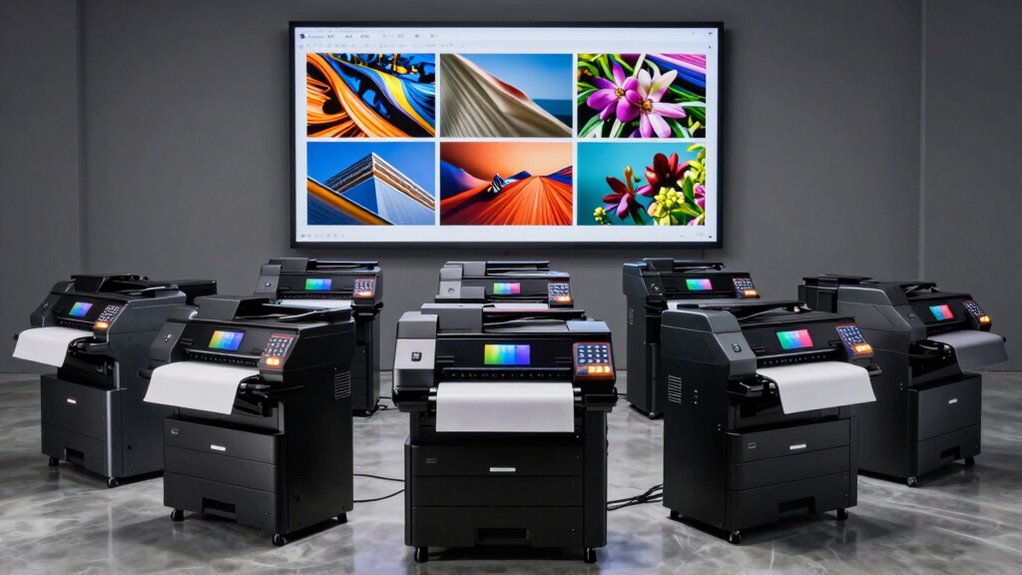

For archival prints, I’d choose the Canon imagePROGRAF PRO-4600 as the best overall option here: its professional 44-inch format and pigment-ink system suit large, carefully managed print workflows. The Canon PRO-2100 offers a more compact 24-inch route into that professional class, while the Epson EcoTank Photo ET-8550 is a flexible choice for smaller prints and everyday use. The main tradeoffs are print longevity and media control versus printer size, ink costs, convenience, and non-printing features. A wide-format label alone does not mean a printer is designed for archival output, so I compare ink systems and intended workloads alongside maximum print width. Read on for the full breakdown and guidance on choosing for your print sizes and workflow.

Prime made for students and young adults
- Fast, free delivery for dorm and study essentials
- Prime Video and Amazon Music included
- Member-only deals
Key Takeaways
The PRO-4600 leads for demanding large prints: it combines a 44-inch width with a professional pigment-ink platform, making it the strongest fit for buyers prioritizing print control and archival-oriented materials.
The PRO-2100 is the professional pick for narrower work: its 24-inch maximum width can handle many serious print projects while taking up less room than the 44-inch PRO-4600 and PRO-4100.
The EcoTank Photo ET-8550 favors versatility: its all-in-one design suits people who want wide photo output alongside routine home tasks, though it is not the same kind of dedicated large-format system as the PRO printers.
Maximum width is not a measure of archival suitability: the 44-inch Canon models answer oversized-print needs, but buyers also need to check ink type, paper compatibility, and the print conditions their work requires.
The budget and compact models serve different jobs: the PIXMA iX6820, XP-15000, ET-15000, and XP-980 are easier fits for limited space or mixed home use, with tradeoffs in professional print workflow and archival-focused capability.
| Canon imagePROGRAF PRO-4600 44-Inch Professional Large-Format Printer |  | Best for Archival Fine Art | Printer type: Inkjet | Print width: 44 inches | Ink system: 11 colors plus Chroma Optimizer | VIEW ON AMAZON | See Our Full Breakdown |
| Epson EcoTank Photo ET-8550 Wireless Wide-Format All-in-One Printer |  | Best for Versatile Studio Use | Printer type: Wireless wide-format all-in-one printer | Functions: Print, scan, copy | Ink system: Cartridge-free, refillable ink bottles | VIEW ON AMAZON | See Our Full Breakdown |
| Canon PIXMA iX6820 Wireless Business Printer |  | Best Entry-Level Wide Prints | Printer type: Wireless inkjet | Ink system: Five individual ink tanks | Maximum print resolution: 9600 x 2400 dpi | VIEW ON AMAZON | See Our Full Breakdown |
| Canon imagePROGRAF PRO-4100 44-Inch Large-Format Inkjet Printer |  | Best for Color-Managed Production | Maximum print width: 44 inches | Maximum print resolution: 2400 x 1200 dpi | Print head: 1.28-inch, 12-channel integrated print head | VIEW ON AMAZON | See Our Full Breakdown |
| Epson Expression Photo HD XP-15000 Wireless Wide-Format Inkjet Printer |  | Best Compact Photo Pick | Print technology: Inkjet | Connectivity: Wireless | Maximum print size: 13 x 19 inches | VIEW ON AMAZON | See Our Full Breakdown |
| Canon imagePROGRAF PRO-2100 24-Inch Large-Format Printer |  | Best for Archival-Scale Prints | Printer type: Inkjet | Maximum print width: 24 inches | Ink system: 12-channel LUCIA PRO ink set with Chroma Optimizer | VIEW ON AMAZON | See Our Full Breakdown |
| Epson EcoTank ET-15000 Wireless Wide-Format All-in-One Supertank Printer |  | Best for Mixed Home-Studio Work | Functions: Print, copy, scan, fax | Print technology: Inkjet | Maximum print size: 13 × 19 inches | VIEW ON AMAZON | See Our Full Breakdown |
| Epson Expression Photo XP-980 Wireless Wide-Format All-in-One Printer |  | Best for Compact Photo Projects | Maximum print size: 11 × 17 inches | Print resolution: 5760 × 1440 dpi | Ink system: 6-color Claria Photo HD | VIEW ON AMAZON | See Our Full Breakdown |
| wide format photo printer for archival print | Ink system | Connectivity | Printer type |
|---|---|---|---|
| Canon imagePROGRAF PRO-4600 44 | 11 colors plus Chroma Optimizer | — | Inkjet |
| Epson EcoTank Photo ET-8550 Wi | Cartridge-free, refillable ink bottles | — | Wireless wide-format all-in-one printer |
| Canon PIXMA iX6820 Wireless Bu | Five individual ink tanks | — | Wireless inkjet |
| Canon imagePROGRAF PRO-4100 44 | 12 individual LUCIA PRO pigment ink tanks with Chroma Optimizer | USB 2.0 High Speed, Gigabit Ethernet, Wi-Fi | — |
| Epson Expression Photo HD XP-1 | Six-color Claria Photo HD | Wireless | — |
| Canon imagePROGRAF PRO-2100 24 | 12-channel LUCIA PRO ink set with Chroma Optimizer | Ethernet | Inkjet |
| Epson EcoTank ET-15000 Wireles | — | USB 2.0, Ethernet, Wi-Fi | — |
| Epson Expression Photo XP-980 | 6-color Claria Photo HD | Wireless, Wi-Fi Direct | — |
More Details on Our Top Picks
Canon imagePROGRAF PRO-4600 44-Inch Professional Large-Format Printer
The PRO-4600 is the most archival-focused choice here: its 11-color ink system with Chroma Optimizer is designed for detailed fine art output, while the listed ink properties emphasize scratch resistance and lightfastness. Its 44-inch width suits studios producing large prints from their own color-managed workflows. Compared with the Canon imagePROGRAF PRO-4100, it offers a similarly expansive format and professional focus, while the PRO-4100 specifies a 12-channel head, pigment ink, and roll estimation features. The listing does not give a specific longevity rating or identify the ink as pigment, so buyers should confirm those details for conservation-critical work. At 274 pounds and 39 x 53 x 46 inches, it also needs a dedicated, sturdy workspace.
Pros:- 44-inch maximum print width accommodates large fine art and photo prints.
- 11-color ink system with Chroma Optimizer is designed for detailed color output.
- Ink is described as offering improved lightfastness and scratch resistance.
- Includes color calibration and intelligent media-handling features.
Cons:- Its large size and 274-pound weight call for dedicated installation space.
- The listing provides no specific print longevity figure or ink formulation details.
Best for: Fine art photographers and print studios that need prints up to 44 inches wide and prioritize stated lightfastness and scratch resistance.
Not ideal for: Home users, occasional printmakers, and anyone without room for a 274-pound, large-format printer.
- Printer type:Inkjet
- Print width:44 inches
- Ink system:11 colors plus Chroma Optimizer
- Resolution:4800 x 1200
- Media:Glossy photo paper
- Weight:274 pounds
- Dimensions:39 x 53 x 46 inches (D x W x H)
- Certifications:EPEAT Gold; ENERGY STAR
Our verdict“Choose the PRO-4600 for wide fine art prints and stated durability features if you have a dedicated studio and can verify the ink’s archival ratings for your needs.”
Epson EcoTank Photo ET-8550 Wireless Wide-Format All-in-One Printer
The ET-8550 is the practical pick for photographers who also scan, copy, and print everyday documents. Its six-color Claria ET Premium inks and refillable bottles support photo and graphic work, with listed capacity of up to 6,200 color pages; that high yield can reduce interruptions from replacing cartridges during mixed-use projects. In contrast to the Canon imagePROGRAF PRO-4600, it is an all-in-one built around versatility and ink economy rather than a 44-inch professional workflow. The supplied information does not state its maximum print width, print longevity, or archival certification, so I would not choose it for conservation-led large prints without checking those specifications. Refills are still part of ownership, and its six-color system is less specialized than the Canon PRO-4100’s 12-channel pigment setup.
Pros:- Print, scan, and copy functions suit mixed studio and household workloads.
- Six-color Claria ET Premium ink supports photo, graphic, and text output.
- Refillable ink bottles avoid cartridge-based replenishment.
- Listed capacity of up to 6,200 color pages supports longer runs between refills.
Cons:- The supplied product data does not state maximum print width or archival longevity.
- Ink refills remain necessary as photo and project printing adds up.
- Its six-color system is less specialized than the 12-channel pigment system listed for the Canon PRO-4100.
Best for: Photographers and home studios that want one refillable-ink machine for photo output, scanning, copying, and documents.
Not ideal for: Fine art printmakers who need a documented archival ink life or confirmed 44-inch output.
- Printer type:Wireless wide-format all-in-one printer
- Functions:Print, scan, copy
- Ink system:Cartridge-free, refillable ink bottles
- Ink colors:Six-color Claria ET Premium
- Listed print capacity:Up to 6,200 color pages
- Included ink:Up to two years
Our verdict“Pick the ET-8550 for refillable, all-in-one photo and document use, but verify print width and longevity before relying on it for archival work.”
Canon PIXMA iX6820 Wireless Business Printer
The PIXMA iX6820 suits buyers who want occasional wide photo or graphic prints without stepping up to a dedicated studio machine. Its five individual ink tanks let owners replace a depleted color separately, and the 150-sheet feeder is useful for keeping ordinary jobs ready. The listed 9600 x 2400 dpi maximum is high, but resolution alone does not establish print longevity or color accuracy for archival work. That makes this a more accessible choice for casual output than the Canon imagePROGRAF PRO-4600 or PRO-4100, both built for professional large-format production. The supplied data does not state maximum print size or ink lightfastness, and its listed Windows compatibility stops at Windows 8.1. I would treat it as a convenience printer, not a conservation-grade print system.
Pros:- Five separate ink tanks allow individual color replacement.
- 150-sheet auto feeder handles a stack of routine print jobs.
- Supports AirPrint, Google Cloud Print, and Canon PIXMA Printing Solutions.
- Listed maximum print resolution is 9600 x 2400 dpi.
Cons:- The supplied product data does not state maximum print size or archival ink longevity.
- Listed Windows compatibility only reaches Windows 8.1.
- No duplex printing capability is listed.
Best for: Photographers with modest print volumes who want wireless printing and a sheet feeder for home or small-office photo and graphic jobs.
Not ideal for: Fine art photographers who need a documented wide print size, pigment ink, or archival longevity information.
- Printer type:Wireless inkjet
- Ink system:Five individual ink tanks
- Maximum print resolution:9600 x 2400 dpi
- Auto sheet feeder:150 sheets
- Black print resolution:600 x 600 dpi
- Nozzle count:5,120 total
- Dimensions:23.0 x 12.3 x 6.3 inches (W x D x H)
- Printing services:AirPrint, Google Cloud Print, PIXMA Printing Solutions
Our verdict“Choose the PIXMA iX6820 for occasional wireless photo and graphic output, not for archival prints that require confirmed size and longevity specifications.”
Canon imagePROGRAF PRO-4100 44-Inch Large-Format Inkjet Printer
The PRO-4100 combines 44-inch output with a clearly specified 12-channel LUCIA PRO pigment ink system and Chroma Optimizer, making it a strong fit for studios that need repeatable large-format fine art or photo production. Automatic media detection and remaining-roll estimates can reduce setup guesswork when jobs move between paper types. Compared with the Canon PRO-4600, its supplied specifications spell out pigment ink and ink tank capacities, while the PRO-4600 lists a higher maximum resolution and calls out calibration features. The PRO-4100’s 2400 x 1200 dpi maximum is lower on paper, but resolution alone does not settle print quality or archival lifespan. Its 44-inch chassis and 12 ink tanks bring substantial space and ink-management demands.
Pros:- 44-inch maximum print width supports oversized photo and fine art work.
- 12 individual LUCIA PRO pigment ink tanks with Chroma Optimizer.
- Automatic media detection and remaining roll estimation simplify job setup.
- USB, Gigabit Ethernet, and Wi-Fi connectivity support varied studio setups.
Cons:- The large-format design requires substantial space.
- Managing 12 separate ink tanks adds ongoing maintenance and replenishment work.
- Listed maximum resolution is 2400 x 1200 dpi, lower than the PRO-4600’s listed figure.
Best for: Professional photographers and print studios that need 44-inch pigment output, media handling aids, and multiple connectivity options.
Not ideal for: Casual home printers or small workspaces that cannot accommodate a large-format machine and its ink system.
- Maximum print width:44 inches
- Maximum print resolution:2400 x 1200 dpi
- Print head:1.28-inch, 12-channel integrated print head
- Ink system:12 individual LUCIA PRO pigment ink tanks with Chroma Optimizer
- Ink tank capacities:160 ml, 330 ml, and 700 ml
- Connectivity:USB 2.0 High Speed, Gigabit Ethernet, Wi-Fi
- Display:4.3-inch LCD touch-screen panel
- Media handling:Automatic media detection and remaining roll estimation
Our verdict“Pick the PRO-4100 for wide pigment printing and helpful roll handling when your studio can support its footprint and 12-ink workflow.”
Epson Expression Photo HD XP-15000 Wireless Wide-Format Inkjet Printer
The XP-15000 is the more home-friendly route to wide photo prints, reaching 13 x 19 inches with a six-color Claria Photo HD system that includes red and gray inks. Those extra colors help distinguish it from the Canon PIXMA iX6820, whose listed five-tank system and print size do not specify the same photo-focused ink details. A 50-sheet rear tray also gives specialty media a separate feed path, while the 200-sheet front tray keeps everyday paper handy. For archival work, though, the supplied information does not state ink longevity or pigment formulation. It is also far narrower than the 44-inch Canon PRO-4100 and PRO-4600, and depends on genuine Epson cartridges. I see it as a compact photo printer for moderate prints, not a studio archival production system.
Pros:- Borderless photo printing up to 13 x 19 inches.
- Six-color Claria Photo HD ink includes red and gray.
- Rear tray supports specialty media such as cardstock.
- 200-sheet front tray and automatic two-sided document printing add everyday utility.
Cons:- Maximum print size is much smaller than the 44-inch Canon PRO models.
- The supplied specifications do not state ink longevity or pigment formulation.
- Designed for genuine Epson cartridges, with replenishment ordering requiring activation.
Best for: Home photographers who want borderless prints up to 13 x 19 inches and occasional specialty-media output.
Not ideal for: Print studios that need 24-inch or 44-inch output, or archival buyers who require documented ink longevity.
- Print technology:Inkjet
- Connectivity:Wireless
- Maximum print size:13 x 19 inches
- Ink system:Six-color Claria Photo HD
- Front tray capacity:200 sheets
- Rear tray capacity:50 sheets
- Automatic two-sided printing:Yes
- Sound pressure level:49 dB(A)
Our verdict“Choose the XP-15000 for home photo prints up to 13 x 19 inches, but look to a professional pigment model for documented archival output at larger widths.”
Canon imagePROGRAF PRO-2100 24-Inch Large-Format Printer
The 24-inch format and 12-channel LUCIA PRO ink system make the PRO-2100 the strongest fit here for photographers preparing large exhibition prints or a repeatable archival workflow. Chroma Optimizer helps produce a more even-looking finish across glossy media, while intelligent media handling and borderless printing support presentation-ready output. Compared with the Epson EcoTank ET-15000, this is built around large-format image production rather than office versatility: it gives up scanning and copying, but offers a wider print path and a more specialized ink system. That focus comes with real demands: its 35 × 49 × 33-inch footprint needs dedicated space, and the Canon ink design limits flexibility with third-party supplies. It makes the most sense for a studio that values controlled color and large prints over an all-in-one setup.
Pros:- 24-inch maximum print width supports substantially larger work than the ET-15000 or XP-980.
- 12-channel LUCIA PRO ink system with Chroma Optimizer is designed for detailed, consistent color and surface appearance.
- Borderless printing and intelligent media handling suit finished photographic prints.
- Stand and 160 ml starter ink tanks are included.
Cons:- Large dimensions require a dedicated studio area.
- Designed for Canon ink cartridges, limiting third-party ink options.
- Print-focused design lacks the scanning and copying functions of the Epson all-in-ones.
Best for: Photographers and print studios making large, color-managed prints for portfolios, exhibitions, or long-term storage.
Not ideal for: Home users with limited space or buyers who need scanning, copying, and lower-commitment 13 × 19-inch printing.
- Printer type:Inkjet
- Maximum print width:24 inches
- Ink system:12-channel LUCIA PRO ink set with Chroma Optimizer
- Print output:Color
- Connectivity:Ethernet
- Dimensions:35 × 49 × 33 inches (D × W × H)
- Included print head:PF-10
- Included starter ink:160 ml
Our verdict“Choose the PRO-2100 if large, carefully managed photographic prints matter more than compact size or all-in-one convenience.”
Epson EcoTank ET-15000 Wireless Wide-Format All-in-One Supertank Printer
The ET-15000 suits a photographer who also needs a day-to-day office machine. It prints up to 13 × 19 inches and adds scanning, copying, and faxing, so one device can handle contact sheets and routine documents alongside larger photo projects. Its refillable ink tanks avoid disposable cartridges, and the front tray plus rear specialty-paper feed give different media a place. Compared with the Canon imagePROGRAF PRO-2100, it is much more versatile for a shared workspace, but the 13 × 19-inch ceiling and general-purpose feature set make it a less specialized choice for large archival displays. Color output is also slower than black-and-white output. I’d choose it when convenience and broad utility matter more than a dedicated large-format print workflow.
Pros:- Prints up to 13 × 19 inches, larger than the XP-980’s 11 × 17-inch limit.
- Print, scan, copy, and fax functions cover mixed home-studio and office tasks.
- Refillable ink tanks reduce reliance on disposable cartridges.
- Includes USB, Ethernet, and Wi-Fi connectivity.
Cons:- 13 × 19-inch maximum is far narrower than the PRO-2100’s 24-inch format.
- Color print speed is listed at 9 ppm, slower than its black-and-white speed.
- A multifunction design is less specialized for large archival photo production.
Best for: Photographers working from a home studio who need occasional 13 × 19-inch prints plus scanning, copying, and office functions.
Not ideal for: Fine-art printmakers producing larger exhibition work or buyers who want a printer dedicated to archival photo output.
- Functions:Print, copy, scan, fax
- Print technology:Inkjet
- Maximum print size:13 × 19 inches
- Maximum resolution:4800 × 2400 dpi
- Print speed:17 ppm black and white; 9 ppm color
- Paper capacity:250-sheet front tray, plus rear specialty-paper feed
- Connectivity:USB 2.0, Ethernet, Wi-Fi
- Display:2.7-inch color touchscreen
Our verdict“Pick the ET-15000 if your photo printing tops out at 13 × 19 inches and you also want a capable home-office all-in-one.”
Epson Expression Photo XP-980 Wireless Wide-Format All-in-One Printer
For someone whose largest prints are usually 11 × 17 inches, the XP-980 keeps photo printing and everyday scanning or copying in one wireless device. Its six-color Claria Photo HD ink system is aimed at detailed photo output, and separate plain- and photo-paper trays reduce the need to swap paper for routine jobs. Compared with the ET-15000, the XP-980 is more explicitly photo-oriented and offers a higher listed print resolution, but it gives up the ET-15000’s larger 13 × 19-inch format, refillable tanks, and fax function. Its genuine-cartridge design may also be less appealing to buyers prioritizing refill flexibility, while specialty media must use the rear feed. I’d place it below the larger-format options for archival ambitions, but it fits a home photographer focused on smaller prints.
Pros:- Six-color Claria Photo HD ink system is designed for photo output.
- Supports borderless photo printing up to 11 × 17 inches.
- Separate plain- and photo-paper trays make routine paper changes easier.
- Wireless and Wi-Fi Direct support flexible printing.
Cons:- Maximum 11 × 17-inch print size is smaller than the ET-15000 and far below the PRO-2100.
- Designed for Epson genuine cartridges rather than refillable tanks.
- Specialty paper uses the rear feed.
Best for: Home photographers who want detailed prints up to 11 × 17 inches, plus wireless scanning and copying.
Not ideal for: Photographers who need 13 × 19-inch or wider prints, refillable ink tanks, or a dedicated large-format archival printer.
- Maximum print size:11 × 17 inches
- Print resolution:5760 × 1440 dpi
- Ink system:6-color Claria Photo HD
- Photo print speed:4 × 6-inch borderless photo in as fast as 11 seconds
- Functions:Print, scan, copy
- Connectivity:Wireless, Wi-Fi Direct
- Display:4.3-inch color touchscreen
- Paper handling:Separate plain and photo paper trays; rear specialty-paper feed
Our verdict“Choose the XP-980 for photo-focused home printing up to 11 × 17 inches when wireless convenience matters more than a wider archival format.”

How We Picked
I ranked these printers by how well their stated formats, ink systems, and intended roles match archival photo printing. I gave the most weight to professional photo-print capability, pigment-ink positioning, media and workflow suitability, and the ability to produce larger prints. I also weighed footprint and everyday usability, since a 44-inch printer can be a poor fit for a home studio with limited space. All-in-one functions and refillable tanks count as practical advantages, but they do not by themselves establish archival performance.
The ranking puts the Canon PRO-4600 first for its combination of professional format and purpose, then distinguishes the PRO-4100 and PRO-2100 by width and workspace demands. The ET-8550 ranks as a versatile alternative for smaller output, while the remaining consumer and business models are better matched to mixed-use printing or tighter budgets than to a dedicated archival workflow. I treat model names and product positioning as guides, not proof of permanence: buyers should verify the manufacturer’s ink and paper guidance for their intended display and storage conditions.
| wide format photo printer for archival print | Printer type | Connectivity |
|---|---|---|
| Canon imagePROGRAF PRO-4600 44 | Inkjet | — |
| Epson EcoTank Photo ET-8550 Wi | Wireless wide-format all-in-one printer | — |
| Canon PIXMA iX6820 Wireless Bu | Wireless inkjet | — |
| Canon imagePROGRAF PRO-4100 44 | — | USB 2.0 High Speed, Gigabit Ethernet, Wi-Fi |
| Epson Expression Photo HD XP-1 | — | Wireless |
| Canon imagePROGRAF PRO-2100 24 | Inkjet | Ethernet |
| Epson EcoTank ET-15000 Wireles | — | USB 2.0, Ethernet, Wi-Fi |
| Epson Expression Photo XP-980 | — | Wireless, Wi-Fi Direct |
Factors to Consider When Choosing Wide Format Photo Printer For Archival Prints
Choosing a printer for archival work takes more than matching paper width to a frame. I’d start with the materials and conditions behind the print, then check whether the printer fits the workload and space available.
Match ink chemistry to the print’s purpose
Ink type affects how a print performs over time, but the word “archival” is not a guarantee on its own. Pigment inks are commonly used in fine-art workflows, while dye-based systems can appeal for their color and convenience. Check the specific ink set, paper pairing, and any permanence information the manufacturer provides. Print longevity can vary with light exposure, humidity, framing, and storage, so published claims may depend on conditions. A common mistake is to compare printer names without checking the consumables used for the actual print. If longevity is central to the job, verify the complete ink-and-paper combination before buying.
Choose width from the prints you actually make
A 44-inch printer can produce very large work, but its width brings a larger footprint and a more demanding paper-handling setup. A 24-inch model may cover common portfolio and wall-art sizes without requiring as much studio space. Before shopping, list the largest finished print you expect to make and allow room for margins, trimming, and handling. Also check roll support and sheet sizes; maximum width does not tell you every way a printer accepts media. Buying far beyond your usual size can leave you paying in space and maintenance for capacity you rarely use. If oversized pieces are occasional, a narrower printer or an outside print service may make more sense.
Check paper compatibility before committing
Archival output depends on the paper as much as the printer. Look for compatibility with the surface and weight you want, such as matte fine-art stock or glossy photo paper, and confirm how that media loads. Thick or textured sheets can require a straighter feed path and more careful handling than ordinary office paper. A printer’s supported media list is more useful than assuming that any paper marketed for fine art will work. Consider whether you need sheets, rolls, or both, since that choice changes how you print and store supplies. Test a small amount of your preferred paper before building a workflow around it.
Plan for maintenance and print volume
Photo printers can consume ink during cleaning and upkeep, especially when they sit unused for long stretches. A high-capacity professional machine may fit a studio that prints regularly, while an occasional user may value a simpler setup more. Refillable tanks can reduce interruptions for frequent mixed-use printing, but tank capacity alone says little about fine-art workflow or print permanence. Ask how often you expect to print and whether you can keep the printer in a stable environment. Long gaps between print sessions can change which model is practical. Factor in replacement inks, paper storage, and time spent managing the printer, not only the initial setup.
Separate archival needs from all-in-one convenience
A scanner, copier, or office connectivity can be useful, but those features do not improve print permanence. For a dedicated photo workflow, prioritize ink, media handling, color-management options, and the print sizes you need. For a household that also scans documents and prints routine pages, an all-in-one may earn its space even if it is less specialized. Decide which tasks need to happen on this machine and which can be handled elsewhere. A common buying error is paying for features that never get used while overlooking paper-feed limits. Choose convenience when it solves a regular problem, not as a substitute for print-specific capability.
Frequently Asked Questions
Does a wide-format printer automatically make archival prints?
No. Wide format describes the size of media a printer can handle, not how long a print will last. Longevity depends on the ink and paper combination, print handling, and display or storage conditions. Check the manufacturer’s information for the exact inks and papers you plan to use. For important work, test the finished print under the conditions where it will be kept.
Should I choose a 24-inch or 44-inch printer for fine-art prints?
Start with your largest regular print, then add room for the paper and handling method you expect to use. A 24-inch printer can serve many portfolio and wall-art sizes, while a 44-inch model allows substantially wider output. The larger format also asks more of your workspace and media storage. If you only need oversized prints occasionally, compare the cost and effort of outsourcing those jobs with keeping a large printer ready.
Can an EcoTank or other refillable printer be a good archival choice?
It can suit a buyer who values refill convenience and wants to handle photo and household printing on one machine, but refillable tanks alone do not establish archival suitability. Check the ink technology, supported fine-art papers, and manufacturer guidance for longevity. Also weigh whether its media handling and print sizes match your work. For a dedicated archival workflow, compare those details with a professional photo printer before deciding.
How much should paper choice affect my printer decision?
Paper choice should shape the decision early because surface, thickness, and feed requirements can limit what a printer handles well. Make a shortlist of the papers you expect to use, then verify the printer supports their sizes and weights. The same printer may produce different results across papers, and permanence information can apply only to particular combinations. Buying a printer first and checking paper later can leave you unable to use your preferred stock reliably.
Is a professional 44-inch printer practical for a home studio?
It can be practical if you regularly print very large work and have enough room for the machine, media, and safe handling. Measure the installation space and account for access needed to load and remove paper. A professional model may be excessive for occasional small prints, even if its capabilities are appealing. If your routine work fits within 24 inches, a narrower professional printer can preserve a serious workflow with less space demand.
Conclusion
For a dedicated large-format archival workflow, I’d choose the Canon imagePROGRAF PRO-4600 as best overall and best premium, provided its 44-inch footprint suits the studio. The Canon PRO-2100 is my pick for buyers who want a professional printer but do not need that width. For beginners who also need an all-in-one, the Epson EcoTank Photo ET-8550 is the more approachable mixed-use option, while the Canon PIXMA iX6820 is the value-minded choice for basic wide photo printing with fewer professional workflow demands. Choose the XP-15000, ET-15000, or XP-980 when compact size or household versatility matters more than a dedicated archival setup. Before committing, confirm that your chosen model supports the exact ink, paper, and print size your work requires.
Halloween Picks
halloween
As an affiliate, we earn on qualifying purchases.