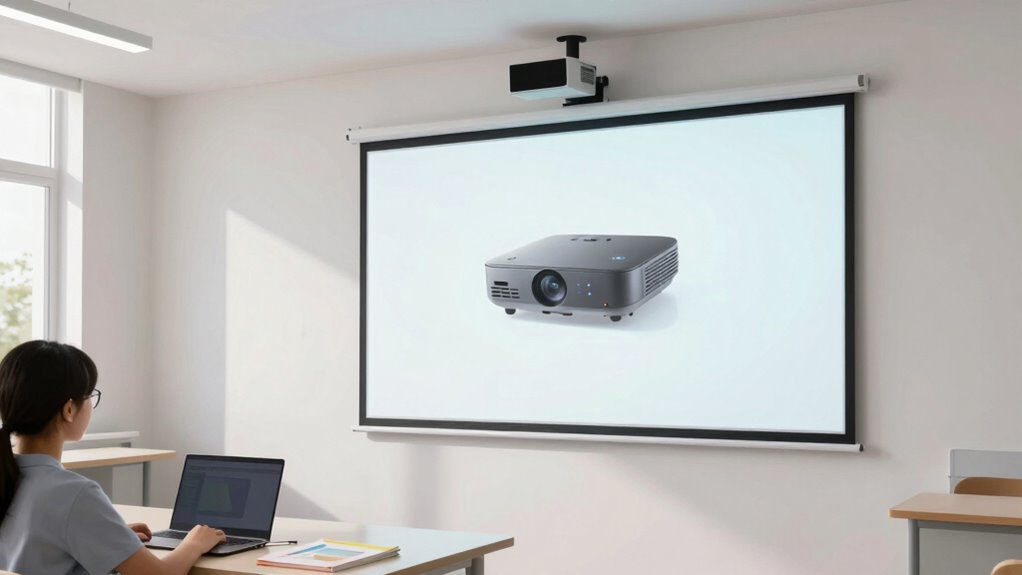

For most classrooms, I’d start with the Epson PowerLite L210SF: its short throw, laser light source, and 3LCD design suit frequent teaching use. The ViewSonic PS502W is a straightforward alternative for rooms that need a bright WXGA image, while the BrightLink 595Wi adds interactive teaching features. The main tradeoffs are resolution and aspect ratio, installation distance, and whether a lamp-free laser model is worth prioritizing. Older or renewed options may fit a tighter equipment plan, but can bring compromises in format or support. Read on for how each model fits a different classroom and where I’d draw the line.

Prime made for students and young adults
- Fast, free delivery for dorm and study essentials
- Prime Video and Amazon Music included
- Member-only deals
Key Takeaways
- Epson PowerLite L210SF is the strongest all-around fit here for regular classroom use, pairing short throw with a laser light source and 3LCD imaging.
- ViewSonic PS502W emphasizes practical classroom brightness and dual HDMI, while its WXGA resolution is a step below Full HD options.
- Optoma EH412ST and Photon Go ML1080UST bring Full HD resolution, but their different formats and use cases make them less direct substitutes for fixed teaching setups.
- BrightLink 595Wi and Epson PowerLite 760W are more compelling when ultra-short placement or interactive instruction matters more than newer hardware.
- NEC UM361X Renewed has the clearest age and condition tradeoff: its XGA format and renewed status call for a careful check of support and condition.
| Optoma EH412ST Short Throw 1080p HDR Professional Projector |  | Best Overall | Native resolution: 1080p | Brightness: 4,000 lumens | Throw ratio: 0.5:1 | VIEW ON AMAZON | See Our Full Breakdown |
| ViewSonic PS502W WXGA Short Throw Projector – 4000 Lumens, Dual HDMI | 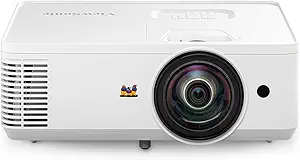 | Best for Simple Classroom Setup | Resolution: WXGA (1280 × 800) | Brightness: 4,000 ANSI lumens | Throw ratio: 0.52:1 | VIEW ON AMAZON | See Our Full Breakdown |
| BrightLink 595Wi WXGA 3300 ANSI Interactive Projector 3LCD Ultra Short Throw HDMI, Bundle: Remote Control, HDMI Cable, Power Cable |  | Best for Interactive Lessons | Resolution: WXGA (1280 × 800) | Brightness: 3,300 ANSI lumens | Contrast ratio: 10,000:1 | VIEW ON AMAZON | See Our Full Breakdown |
| Optoma Photon Go ML1080UST 1080p Ultra Short Throw Triple Laser Projector |  | Best Portable Ultra-Short-Throw Pick | Native resolution: 1920 × 1080 | Brightness: 650 ANSI lumens | Light source: RGB triple laser | VIEW ON AMAZON | See Our Full Breakdown |
| Epson PowerLite L210SW Short-Throw 3LCD Projector, 16:10 |  | Best for 16:10 Classroom Content | Brightness: 4,000 lumens | Contrast ratio: 2,500,000:1 | Aspect ratio: 16:10 | VIEW ON AMAZON | See Our Full Breakdown |
| Epson PowerLite L210SF Short-Throw 3LCD Laser Projector |  | Best Overall for Full HD Classrooms | Native resolution: 1920 × 1080 | Brightness: 4,000 lumens | Display technology: 3LCD | VIEW ON AMAZON | See Our Full Breakdown |
| Optoma ZW350ST WXGA Short-Throw Laser Projector |  | Best for Compact, High-Use Classrooms | Native resolution: 1280 × 800 (WXGA) | Maximum display resolution: 1920 × 1080 | Brightness: 3,600 lumens | VIEW ON AMAZON | See Our Full Breakdown |
| Epson PowerLite 760W Ultra Short Throw 3LCD Projector |  | Best for Fixed Front-of-Class Placement | Resolution: WXGA (1280 × 800) | Brightness: 4,100 lumens | Contrast ratio: Up to 2,500,000:1 | VIEW ON AMAZON | See Our Full Breakdown |
| NEC UM361X LCD Ultra Short Throw Projector, XGA, 3600 Lumens (Renewed) |  | Best for Basic, Close-Range Lessons | Native resolution: 1024 × 768 (XGA) | Maximum display resolution: 1920 × 1080 | Brightness: 3,600 lumens | VIEW ON AMAZON | See Our Full Breakdown |
| short throw projector for classroom | Brightness | Connectivity | Native resolution | Contrast ratio |
|---|---|---|---|---|
| Optoma EH412ST Short Throw 108 | 4,000 lumens | 2 HDMI, VGA in and out, audio in and out, RS232, USB-A | 1080p | 50,000:1 |
| ViewSonic PS502W WXGA Short Th | 4,000 ANSI lumens | Dual HDMI, USB-A | — | — |
| BrightLink 595Wi WXGA 3300 ANS | 3,300 ANSI lumens | HDMI, VGA, USB | — | 10,000:1 |
| Optoma Photon Go ML1080UST 108 | 650 ANSI lumens | — | 1920 × 1080 | — |
| Epson PowerLite L210SW Short-T | 4,000 lumens | HDMI, USB | — | 2,500,000:1 |
| Epson PowerLite L210SF Short-T | 4,000 lumens | Ethernet, HDMI, USB, Wi-Fi | 1920 × 1080 | — |
| Optoma ZW350ST WXGA Short-Thro | 3,600 lumens | 2 × HDMI, USB-A power, Ethernet, RS232 | 1280 × 800 (WXGA) | — |
| Epson PowerLite 760W Ultra Sho | 4,100 lumens | HDMI, USB | — | Up to 2,500,000:1 |
| NEC UM361X LCD Ultra Short Thr | 3,600 lumens | HDMI | 1024 × 768 (XGA) | 4,000:1 |
More Details on Our Top Picks
Optoma EH412ST Short Throw 1080p HDR Professional Projector
The Optoma EH412ST is the strongest all-round classroom fit here for teachers who need readable detail and a bright image without placing the projector far from the screen. Its 1080p resolution gives text and diagrams more definition than the WXGA ViewSonic PS502W, while 4,000 lumens suit rooms where some lights stay on. The 0.5:1 throw ratio produces a 120-inch image from 4.5 feet, and its range of ports can accommodate both newer HDMI sources and older VGA equipment. At under 8 pounds, it is also easier to move between rooms than a fixed interactive setup such as the Epson BrightLink 595Wi. The tradeoff is that it lacks the BrightLink’s touch and pen interaction, and the EH412ST’s 3D glasses are sold separately.
Pros:- Full HD resolution provides finer detail for text, charts, and video than WXGA models.
- 4,000 lumens help maintain a usable image in rooms with moderate ambient light.
- 0.5:1 throw ratio projects a 120-inch image from 4.5 feet.
- Broad HDMI, VGA, audio, RS232, and USB-A connectivity supports varied classroom equipment.
Cons:- 3D glasses are required for 3D content and must be purchased separately.
- It does not provide the direct finger-touch or pen interaction available on the Epson BrightLink 595Wi.
Best for: Teachers and school staff who move a bright, full HD projector between classrooms and connect a mix of HDMI and VGA devices.
Not ideal for: Teachers who want students to write directly on the projected image, or schools looking for an interactive ultra-short-throw installation.
- Native resolution:1080p
- Brightness:4,000 lumens
- Throw ratio:0.5:1
- Projection size:120 inches from 4.5 feet
- Contrast ratio:50,000:1
- Connectivity:2 HDMI, VGA in and out, audio in and out, RS232, USB-A
- Speaker:Built-in 10-watt
- Lamp life:Up to 15,000 hours
- Weight:Less than 8 pounds
Our verdict“Choose the EH412ST for a portable, bright classroom projector with full HD detail and flexible wired connections.”
ViewSonic PS502W WXGA Short Throw Projector – 4000 Lumens, Dual HDMI
The ViewSonic PS502W makes sense for classrooms that value quick placement and straightforward source switching over full HD detail. Its 0.52 throw ratio puts a 100-inch image 4.5 feet from the screen, while vertical auto-keystone correction and digital zoom help teachers square the picture when the projector cannot sit perfectly centered. Dual HDMI ports are handy for leaving a teacher laptop and a classroom device connected at once. Compared with the Optoma EH412ST, the ViewSonic gives up 1080p for WXGA, so fine text and detailed video will look less defined; both list 4,000 lumens, making brightness less of a differentiator. It also lacks the Epson BrightLink 595Wi’s interactive tools. Buyers should plan for wired sources or an external streaming dongle, since wireless streaming is not built in.
Pros:- 0.52 throw ratio places a 100-inch image 4.5 feet from the screen.
- 4,000 ANSI lumens support use with moderate ambient light.
- Dual HDMI ports make it easy to keep two sources connected.
- Vertical auto-keystone and digital zoom simplify positioning.
Cons:- WXGA resolution has less detail than the Optoma EH412ST’s 1080p image.
- Wireless streaming is not built in, so untethered playback needs an external device.
Best for: Teachers who want a bright short-throw projector with quick HDMI switching and easy image adjustment in a standard classroom.
Not ideal for: Classrooms that display small text or detailed video as a priority, or teachers who need built-in wireless streaming or interactive writing.
- Resolution:WXGA (1280 × 800)
- Brightness:4,000 ANSI lumens
- Throw ratio:0.52:1
- Image size at 4.5 feet:100 inches
- Maximum image size:300 inches
- Connectivity:Dual HDMI, USB-A
- Image adjustment:Vertical auto-keystone, digital zoom
Our verdict“Pick the PS502W when easy setup and dual HDMI connections matter more than full HD resolution or wireless playback.”
BrightLink 595Wi WXGA 3300 ANSI Interactive Projector 3LCD Ultra Short Throw HDMI, Bundle: Remote Control, HDMI Cable, Power Cable
The Epson BrightLink 595Wi earns its place through classroom interaction: its ultra-short-throw lens lets teachers and students annotate on a projected surface with finger-touch or dual-pen input, reducing the shadows and glare that can get in the way of board work. That capability separates it from the Optoma EH412ST and ViewSonic PS502W, which project lessons but do not offer built-in interactive input. Its 3LCD system and 3,300 lumens of color and white brightness suit presentations and diagrams, though the 4,000-lumen Optoma and ViewSonic options have more listed brightness for brighter rooms. WXGA resolution is adequate for common lesson materials but trails the Optoma’s 1080p detail. This is a better fit for a dedicated interactive teaching station than for staff who need a lightweight projector to carry between rooms.
Pros:- Finger-touch and dual-pen input support direct interaction with projected lessons.
- Ultra-short-throw design keeps the projector close to the wall or board.
- 3LCD technology provides 3,300 lumens of color and white brightness.
- Built-in 16-watt speaker and HDMI and VGA inputs support classroom presentations.
Cons:- WXGA resolution provides less detail than the Optoma EH412ST’s 1080p output.
- Its 3,300-lumen brightness is below the 4,000-lumen Optoma EH412ST and ViewSonic PS502W.
- Interactive features make it more suited to a fixed teaching station than frequent room-to-room moves.
Best for: Teachers building lessons around a whiteboard or wall where students need to write, draw, and annotate on screen.
Not ideal for: Schools seeking a portable projector for rotating classroom use, or rooms that need the highest listed brightness and full HD resolution.
- Resolution:WXGA (1280 × 800)
- Brightness:3,300 ANSI lumens
- Contrast ratio:10,000:1
- Projection technology:3LCD
- Interactivity:Finger-touch and dual-pen input
- Speaker:Built-in 16-watt
- Connectivity:HDMI, VGA, USB
- Lamp life:Up to 10,000 hours in ECO mode
Our verdict“Choose the BrightLink 595Wi when touch and pen interaction are central to teaching and the projector can stay installed near the board.”
Optoma Photon Go ML1080UST 1080p Ultra Short Throw Triple Laser Projector
The Optoma Photon Go ML1080UST suits teachers who need a projector that can travel and set up close to a wall, with autofocus and automatic keystone correction doing much of the image adjustment. Its 1080p resolution matches the EH412ST’s listed resolution, and Google TV, Wi-Fi, and Bluetooth give it more self-contained playback options than the wired ViewSonic PS502W. The tradeoff is classroom brightness: at 650 ANSI lumens, it is far below the 3,300-lumen Epson BrightLink 595Wi and the 4,000-lumen EH412ST, so it is better suited to a dimmed room than a sunlit lesson. Its image tops out at 100 inches, smaller than the EH412ST’s listed 120 inches. The battery lasts up to 1.5 hours, useful for short sessions but limiting for a full school day.
Pros:- Ultra-short-throw range allows placement very close to the projection surface.
- Native 1080p resolution provides more detail than WXGA classroom models.
- Google TV, Wi-Fi, and Bluetooth offer playback options beyond the ViewSonic PS502W’s wired connections.
- Autofocus, auto keystone, and a built-in battery support flexible placement.
Cons:- 650 ANSI lumens is substantially lower than the brightness listed for the other classroom projectors here.
- Maximum image size is 100 inches, smaller than the Optoma EH412ST’s 120-inch projection listing.
- Battery life is rated for up to 1.5 hours, limiting untethered use to shorter sessions.
Best for: Teachers who carry a projector between smaller rooms and can dim the lights for short lessons or media sessions.
Not ideal for: Classrooms that keep lights on, need a screen larger than 100 inches, or run lessons longer than the battery’s stated runtime without nearby power.
- Native resolution:1920 × 1080
- Brightness:650 ANSI lumens
- Light source:RGB triple laser
- Light source life:20,000 hours
- Throw distance:0.34–0.81 feet
- Image size:60–100 inches
- Speakers:20-watt stereo
- Battery life:Up to 1.5 hours
- Connectivity and features:HDMI, Wi-Fi, Bluetooth, RCA; Google TV, autofocus, auto keystone, HDR10
Our verdict“Choose the Photon Go for portable, close-wall projection in dim rooms when streaming features and quick setup matter more than brightness or screen size.”
Epson PowerLite L210SW Short-Throw 3LCD Projector, 16:10
The Epson PowerLite L210SW is a classroom-oriented choice for schools that want 3LCD projection and a widescreen 16:10 format for lesson slides and computer content. Its 4,000 lumens match the Optoma EH412ST and ViewSonic PS502W on listed brightness, while 3LCD sets it apart from the Optoma’s DLP-based specification profile. That format can make better use of common WXGA classroom materials than a 16:9 screen, but the supplied product data does not state native resolution, throw ratio, or projection distance. Those gaps make it harder to judge placement and fine-detail performance against the EH412ST’s 1080p image or the ViewSonic’s specified 100-inch image at 4.5 feet. HDMI and USB cover basic wired connections, but the listed details do not establish built-in speakers or wireless playback.
Pros:- 4,000 lumens are suited to classroom use with some ambient light.
- 3LCD projection technology is specified for presentations and lesson content.
- 16:10 aspect ratio aligns with common computer and classroom material formats.
- HDMI and USB support basic wired connections to computers and other devices.
Cons:- Native resolution and throw ratio are not provided in the supplied product data, making image detail and placement harder to compare.
- The listed connectivity is limited to HDMI and USB, with no wireless streaming specified.
- No built-in speaker information is provided, unlike the EH412ST and BrightLink 595Wi.
Best for: Schools using 16:10 computer content that want a bright 3LCD projector with basic HDMI and USB connections.
Not ideal for: Buyers who need confirmed throw distance, native resolution, wireless streaming, or a specified speaker system before choosing classroom equipment.
- Brightness:4,000 lumens
- Contrast ratio:2,500,000:1
- Aspect ratio:16:10
- Projection type:Short-throw
- Display technology:3LCD
- Connectivity:HDMI, USB
Our verdict“The L210SW is a sensible 16:10 classroom option when 3LCD brightness matters and the seller can confirm its resolution and throw distance.”
Epson PowerLite L210SF Short-Throw 3LCD Laser Projector
The Epson PowerLite L210SF is my strongest fit for classrooms where text detail and bright-room visibility both matter. Its native 1080p resolution gives spreadsheets, diagrams, and small labels more definition than the WXGA Epson PowerLite 760W, while 4,000 lumens help keep lessons legible with some lights on. The laser light source is rated for 20,000 hours, which avoids routine lamp replacement, and wireless casting for up to 50 devices can simplify sharing in a busy class. Its short-throw range is useful near a front wall, though the supplied specs do not give a throw ratio, so placement needs checking against the room. The tradeoff is a 125-inch maximum image, smaller than the Optoma ZW350ST’s listed 300 inches, and it draws 272 watts in operation.
Pros:- Native Full HD resolution keeps lesson text and detailed diagrams sharper than WXGA models.
- 4,000 lumens supports readable images in classrooms with ambient light.
- Laser light source rated for 20,000 hours avoids routine lamp changes.
- Wireless casting supports up to 50 devices for classroom sharing.
Cons:- Maximum image size of about 125 inches is smaller than the Optoma ZW350ST’s listed maximum.
- 272-watt operating draw is higher than the Optoma ZW350ST’s listed 139 watts.
Best for: Teachers and school IT teams who need native Full HD detail, bright output, and wireless sharing for multiple classroom devices.
Not ideal for: Schools that need a very large projected image or prioritize lower operating power; the listed maximum is 125 inches and operation draws 272 watts.
- Native resolution:1920 × 1080
- Brightness:4,000 lumens
- Display technology:3LCD
- Light source:Laser diode
- Light source life:20,000 hours
- Maximum image size:125.04 inches
- Throw distance:1.8–4.3 feet
- Connectivity:Ethernet, HDMI, USB, Wi-Fi
Our verdict“Choose the L210SF when Full HD detail and multi-device sharing matter more than the biggest possible image or lower power draw.”
Optoma ZW350ST WXGA Short-Throw Laser Projector
The Optoma ZW350ST suits a classroom that needs a large image from a compact setup and may leave its projector running for long stretches. Its 0.52:1 throw ratio helps keep the unit near the screen, while IP6X dust resistance and support for 24/7 operation make it more purpose-built for demanding shared spaces than the Epson PowerLite L210SF. The laser source is rated for up to 30,000 hours, and dual HDMI inputs plus a 15-watt speaker reduce the need for extra switching or audio hardware. The main compromise is WXGA native resolution: it cannot match the L210SF’s Full HD detail for dense text or fine diagrams. Its 300-inch maximum is a stated capability, not a guarantee that every classroom can use that size well.
Pros:- 0.52:1 throw ratio helps produce a large image in a space-saving installation.
- IP6X dust resistance suits shared classrooms and demanding operating conditions.
- Laser light source rated for up to 30,000 hours.
- Dual HDMI inputs and a built-in 15-watt speaker support straightforward classroom setups.
Cons:- Native WXGA resolution has less detail than the Epson PowerLite L210SF’s Full HD image.
- The 300-inch maximum image size depends on room and screen conditions.
- 3,600 lumens is lower than the brightness listed for the Epson PowerLite 760W.
Best for: Schools with compact rooms, frequent long operating hours, and a need for a large projected image from near the screen.
Not ideal for: Teachers presenting fine text or detailed graphics who want native Full HD sharpness.
- Native resolution:1280 × 800 (WXGA)
- Maximum display resolution:1920 × 1080
- Brightness:3,600 lumens
- Throw ratio:0.52:1
- Light source life:Up to 30,000 hours
- Dust resistance:IP6X
- Maximum image size:300 inches
- Connectivity:2 × HDMI, USB-A power, Ethernet, RS232
Our verdict“Pick the ZW350ST for a compact, dust-resistant installation and long operating hours if WXGA detail is sufficient.”
Epson PowerLite 760W Ultra Short Throw 3LCD Projector
The Epson PowerLite 760W is a practical choice when the projector needs to sit very close to the screen, such as on a wall mount above a whiteboard or a table at the front of class. Its ultra-short-throw design can reduce the chance of a teacher or student blocking the beam, and 4,100 lumens is the highest brightness figure among these four listed models. Wall or tabletop mounting gives schools flexibility when room layouts differ. Compared with the Full HD Epson PowerLite L210SF, though, the 760W’s WXGA resolution gives up fine detail, and its supplied connectivity is limited to HDMI and USB. The product data does not state a throw distance or light-source life, so buyers should confirm placement and maintenance expectations before choosing it for a permanent installation.
Pros:- Ultra-short-throw design supports placement close to the screen.
- 4,100 lumens is the highest listed brightness among these four projectors.
- Wall-mount and tabletop options accommodate different classroom layouts.
- 16:10 aspect ratio suits common WXGA classroom content.
Cons:- Native WXGA resolution has less detail than the Epson PowerLite L210SF’s Full HD resolution.
- Connectivity is limited to HDMI and USB in the supplied specifications.
- The supplied product data does not state light-source life or throw distance.
Best for: Teachers fitting a projector close to a whiteboard or screen who value bright output and wall or tabletop placement.
Not ideal for: Classrooms that show detailed Full HD content or need wireless casting, network control, or a stated long-life light source.
- Resolution:WXGA (1280 × 800)
- Brightness:4,100 lumens
- Contrast ratio:Up to 2,500,000:1
- Aspect ratio:16:10
- Throw type:Ultra short throw
- Mounting options:Wall mountable, tabletop
- Connectivity:HDMI, USB
Our verdict“Choose the 760W when close placement and bright output lead your priorities, and WXGA resolution fits your teaching material.”
NEC UM361X LCD Ultra Short Throw Projector, XGA, 3600 Lumens (Renewed)
The renewed NEC UM361X is best treated as a basic close-range teaching option: its stated maximum throw distance is just one foot, which can keep the projector near the display in a small room. Its 3,600-lumen output is in the same range as the Optoma ZW350ST, but the NEC’s native XGA resolution is lower than that model’s WXGA and well below the Epson PowerLite L210SF’s Full HD. It can accept signals up to 1920 × 1080, yet that does not change its native pixel count. The listed HDMI input covers a common classroom source, though the data gives no wireless, network, or USB connectivity. Since this is renewed and carries a 90-day limited warranty, it makes more sense for a school comfortable with refurbished equipment than for a room that needs a new long-term fleet standard.
Pros:- Ultra-short-throw setup is listed for a maximum throw distance of one foot.
- 3,600 lumens provides usable brightness for classroom presentations.
- Tabletop mounting offers a simple placement option.
- Accepts input resolutions up to 1920 × 1080.
Cons:- Native XGA resolution is lower than the Optoma ZW350ST’s WXGA and the Epson PowerLite L210SF’s Full HD.
- Only HDMI connectivity is listed, with no stated wireless or network features.
- Renewed condition and a 90-day limited warranty may not suit long-term school deployments.
Best for: A school or teacher seeking a renewed, HDMI-based projector for basic slides in a very small room with close tabletop placement.
Not ideal for: Classrooms that rely on crisp small text, wireless sharing, multiple inputs, or a longer warranty for a permanent installation.
- Native resolution:1024 × 768 (XGA)
- Maximum display resolution:1920 × 1080
- Brightness:3,600 lumens
- Contrast ratio:4,000:1
- Maximum throw distance:1 foot
- Connectivity:HDMI
- Mounting type:Tabletop
- Condition and warranty:Renewed; 90-day limited warranty
Our verdict“Consider the renewed UM361X for simple slides and very close tabletop placement if its lower native resolution and short warranty fit your needs.”
How We Picked
I compared these projectors on the details that change classroom use: throw distance, resolution and aspect ratio, light source, stated brightness, connectivity, and features such as interactive input. Short throw alone did not determine the order; I gave more weight to a practical match for a fixed teaching room and the demands of regular use. Laser models have an operational advantage for schools that want to reduce lamp replacement, while 3LCD models can suit buyers who value that imaging approach.
The Epson PowerLite L210SF ranks first because its combination of short throw, laser illumination, and classroom-oriented design is the most balanced in this lineup. The ViewSonic and Optoma EH412ST follow for buyers with different priorities around brightness, connections, or Full HD detail. Interactive and ultra-short-throw models earn their place for specialized room layouts and teaching styles; older, lower-resolution, or renewed models rank lower when their tradeoffs matter to a broad range of classrooms.
Factors to Consider When Choosing Short Throw Projector For Classrooms
Before choosing a model, I’d match the projector to the room and teaching routine. These decisions often matter more than a single headline specification.
Measure the Throw Distance in the Actual Room
Short throw describes how close a projector can sit to the screen for a given image size, but the exact distance varies by model. Measure the intended screen width and the available mounting point, including any board, ceiling fixture, or cable route that could interfere. A unit placed close to the wall can reduce the chance of a teacher blocking the image or casting shadows. Ultra-short-throw designs sit closer still, though they need a suitable, flat surface and careful alignment. A common mistake is buying by the label alone and discovering the lens cannot fill the classroom’s screen from the planned position. Check the manufacturer’s throw chart for your target image size before settling on a mount.
Choose Resolution for the Material You Teach
WXGA and XGA can show slides and diagrams, but small labels, dense spreadsheets, and detailed maps benefit from more pixels. Full HD can make fine content easier to read when the source material and screen size justify it. Aspect ratio matters too: a 16:10 image may fit school laptops and presentation slides more naturally than a 16:9 setup, depending on what teachers use. Older classroom materials may be formatted differently, so check whether the projector will add unused space or crop content. Paying for higher resolution is most useful when detail is part of instruction, rather than for simple large text and video. I’d prioritize a clear match to existing devices and lesson content over a resolution upgrade that the room cannot take advantage of.
Compare Laser and Lamp Ownership Needs
A projector’s light source affects maintenance planning as well as installation. Laser models can avoid routine lamp replacement, which may suit rooms used throughout the school week or installations where access is difficult. Lamp-based units may still be a reasonable fit when the room sees occasional use or a school already has a replacement and service process. Compare the published light-source life and warranty terms with the school’s expected operating hours. A low upfront equipment cost can become less appealing if maintenance requires extra downtime or staff effort. Also check how accessible filters are and what cleaning the manufacturer calls for, since classroom dust can affect upkeep.
Treat Brightness as a Room-Matching Spec
Brightness needs depend on ambient light, screen size, wall color, and whether staff can dim the room. A bright specification can help preserve a visible image during lessons, but it does not guarantee good readability if sunlight lands on the screen. Closing blinds or moving the screen can improve contrast more than choosing a brighter projector alone. For classrooms with lights that stay on, consider how much light reaches the projected surface rather than relying only on the room’s total brightness. Bigger images also spread the available light across more area. Match the image size and room controls first, then use brightness as a comparison among models that fit those conditions.
Decide Whether Interactivity Earns Its Setup
Interactive projection can let a teacher annotate or manipulate lesson content at the board, but it changes more than the projector choice. Confirm which computer, software, pens, cables, and calibration steps the system needs. Multiple instructors may benefit from a setup that works consistently without a lengthy handoff. If teachers mostly present slides, interactive hardware may add setup and training without changing lessons much. A regular short-throw projector can be simpler to share across rooms, while an interactive model can justify its added complexity when board work is central to instruction. Ask the people who will teach in the room which tasks they need to perform before choosing that feature.
Check Support, Connections, and Replacement Plans
Classroom gear is often shared, so ports and support can shape the day-to-day experience. Check that the projector accepts the school’s current devices and that adapters will not become a recurring source of trouble. Dual HDMI can help teachers switch sources, while older models may depend on connections or interactive systems that need extra verification. For renewed equipment, confirm condition, included accessories, warranty coverage, and return terms with the seller before purchase. Also ask whether the district can get service and parts for the model over the expected installation period. These checks are especially useful when comparing an older unit’s lower-resolution image with a newer option designed for longer use.
Frequently Asked Questions
Is WXGA resolution enough for a classroom projector?
WXGA can work well for lessons built around large text, slides, and diagrams, especially when students sit close enough to read the projected image. Dense tables, small labels, and detailed technical material benefit from higher resolution. Check the content teachers actually display and the screen size before deciding. If school laptops commonly use a 16:10 format, compare how the projector handles that image shape. A higher-resolution model is most useful when it improves readability in the room, rather than just matching a newer spec sheet.
Should a school choose a laser projector over a lamp model?
Laser illumination can reduce lamp replacement work, which is valuable when a projector runs often or is mounted where maintenance access is difficult. The better choice depends on operating hours, service arrangements, and the school’s equipment budget. A lamp model can make sense for a lightly used room if replacement is straightforward. Compare expected light-source life, warranty coverage, and filter care for the specific model. The ownership plan matters more than assuming one light source is always right for every classroom.
Will a short throw projector prevent shadows on the screen?
Placing the projector closer to the screen can reduce the area where a presenter casts a shadow, particularly compared with a standard-throw installation behind the room. It does not remove shadows in every setup: the projector’s position, screen height, and where a teacher stands still matter. Ultra-short-throw models can keep the beam near the wall, but they need accurate placement and a suitable surface. Plan the screen and teaching position together. If possible, use the manufacturer’s placement guidance for the intended image size before mounting equipment.
Is an ultra-short-throw projector a good choice for an existing whiteboard?
It can be, provided the board is flat enough and its surface works well with projected images. Glossy or uneven surfaces may create distracting reflections or distortions, and raised frames can complicate alignment. Some ultra-short-throw setups are designed around an interactive board, so check what hardware and calibration they require. Measure the available wall area and confirm the image will not overlap board trim or classroom fixtures. A conventional short-throw model may be easier to place when the wall surface or furniture cannot be adjusted.
What should I verify before buying a renewed classroom projector?
Check the seller’s description of condition, what accessories are included, warranty terms, and the return process. Ask whether the lamp or light source has documented usage information and whether the unit’s ports and remote are included and working. For an older model, confirm it supports the computers and cables teachers currently use. Compare its resolution and aspect ratio with the lesson material the room needs to display. A renewed projector may suit a room with modest needs, but it is a weaker fit when long-term support and consistent use are the priority.
Conclusion
I’d choose the Epson PowerLite L210SF as the best overall fit for classrooms that need a short-throw projector for regular use. For a value-focused setup centered on practical brightness and dual HDMI, I’d look at the ViewSonic PS502W, while accepting WXGA resolution. The Optoma Photon Go ML1080UST is the premium pick for buyers who want a Full HD ultra-short-throw design, and the BrightLink 595Wi is the beginner-friendly route for teachers who specifically need interactive lessons and can support its setup. For a specific need, choose the Optoma EH412ST when Full HD short throw is the priority, or the Epson PowerLite 760W for an ultra-short installation; I’d reserve the renewed NEC for buyers comfortable checking its age, condition, and support closely.
Halloween Picks
halloween
As an affiliate, we earn on qualifying purchases.