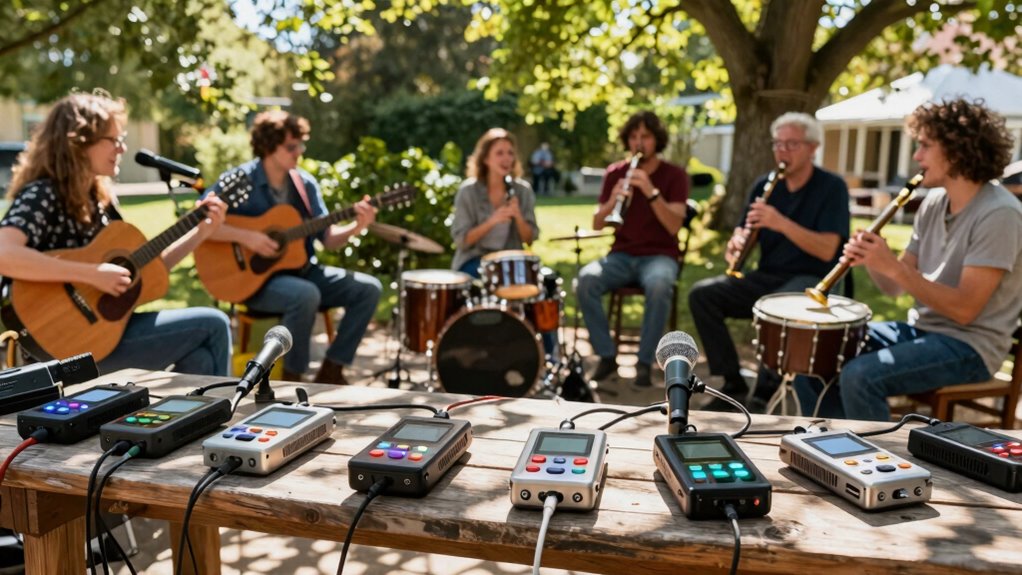

For community music sessions, I’d choose the Zoom R12 as the best overall fit: its multitrack workflow is aimed at musicians, without the complexity of a large field rig. The Zoom H6 Essential suits smaller groups that need a portable handheld recorder, while the Zoom F6 is a stronger match when recording flexibility and independent inputs matter most. The main tradeoff is between easy setup and the number of microphones or instruments you can capture separately. Larger recorders offer more input capacity, but add setup demands and are less convenient to carry around a shared session. Read on for the full breakdown and recommendations by recording style.

Prime made for students and young adults
- Fast, free delivery for dorm and study essentials
- Prime Video and Amazon Music included
- Member-only deals
Key Takeaways
- The Zoom R12 leads for many music groups because it pairs a musician-focused multitrack workflow with a portable format; it is a more natural starting point for session recording than the more production-oriented F-series field recorders.
- Input count should follow the group’s actual microphone plan. The Zoom R20 and F8n Pro have more room for separate sources, while the compact F3 and R4 fit smaller, more deliberate setups.
- Handheld convenience and multitrack control are different priorities. The H4 Essential and H6 Essential are easier to bring into an informal gathering, while the R12 and R20 are better suited to managing a recording as a music project.
- The Zoom F6 and F8n Pro favor flexible field capture over the straightforward musician workflow of the R-series; their strengths matter most when a session needs dedicated inputs and a more involved recording setup.
- The Tascam DP-006 has a distinct small-scale role for simple, self-contained recording, but it is a less natural fit than higher-input options when a community session needs many performers captured independently.
| Tascam DP-006 6-Track Digital Pocketstudio Audio Recorder |  | Best for Capturing Song Ideas | Maximum tracks: 6 | Simultaneous recording: 2 tracks | Simultaneous playback: 6 tracks | VIEW ON AMAZON | See Our Full Breakdown |
| Zoom F6 Professional Field Recorder for Filmmakers and Musicians |  | Best for Large Ensembles | Recording format: 32-bit float | Inputs: 6 XLR | Maximum tracks: 14 | VIEW ON AMAZON | See Our Full Breakdown |
| Zoom R12 Portable 8-Track Recorder for Musicians |  | Best for Computer-Free Arrangement | Tracks: 8 | Inputs: 2 XLR/TRS | Display: Full-color touchscreen | VIEW ON AMAZON | See Our Full Breakdown |
| Zoom F3 Professional Field Recorder |  | Best Compact Field Capture | Recording format: 32-bit float | Inputs: Dual locking XLR | Preamps: Ultra-low-noise | VIEW ON AMAZON | See Our Full Breakdown |
| Zoom H4 Essential Handheld Recorder |  | Best Beginner Handheld | Tracks: 4 | Built-in microphones: Stereo | Inputs: 2 XLR/TRS | VIEW ON AMAZON | See Our Full Breakdown |
| Zoom R4 Multi-Track Recorder with 2 XLR/TRS Inputs |  | Best for Layered Song Sketches | Track capacity: Up to 4 tracks | Inputs: 2 XLR/TRS combo inputs | Recording format: 32-bit float | VIEW ON AMAZON | See Our Full Breakdown |
| Zoom R20 Tabletop Recorder for Musicians with 16 Tracks & 6 XLR Inputs |  | Best for Larger Groups | Channels: 16 | Simultaneous recording: Up to 8 tracks | Inputs: 6 XLR inputs and 2 XLR/TRS combo inputs | VIEW ON AMAZON | See Our Full Breakdown |
| Zoom H6 Essential Handheld Recorder for Musicians, Podcasters, and Filmmakers |  | Best Compact All-in-One | Recording: 6-track, 32-bit float | Built-in microphones: X/Y, up to 135 dB SPL | Inputs: 4 XLR/TRS combo inputs | VIEW ON AMAZON | See Our Full Breakdown |
| Zoom F8n Pro Field Recorder with 8 Inputs and 10 Tracks |  | Best for Reliable Multimic Field Capture | Inputs: 8 | Tracks: 10 | Recording format: 32-bit float | VIEW ON AMAZON | See Our Full Breakdown |
| multitrack field recorder for community music session | Inputs |
|---|---|
| Tascam DP-006 6-Track Digital | — |
| Zoom F6 Professional Field Rec | 6 XLR |
| Zoom R12 Portable 8-Track Reco | 2 XLR/TRS |
| Zoom F3 Professional Field Rec | Dual locking XLR |
| Zoom H4 Essential Handheld Rec | 2 XLR/TRS |
| Zoom R4 Multi-Track Recorder w | 2 XLR/TRS combo inputs |
| Zoom R20 Tabletop Recorder for | 6 XLR inputs and 2 XLR/TRS combo inputs |
| Zoom H6 Essential Handheld Rec | 4 XLR/TRS combo inputs |
| Zoom F8n Pro Field Recorder wi | 8 |
More Details on Our Top Picks
Tascam DP-006 6-Track Digital Pocketstudio Audio Recorder
The Tascam DP-006 suits small community sessions where the goal is to capture a song sketch with minimal setup. Its built-in omnidirectional microphones let a group start recording without bringing external mics, while six-track playback gives room to layer parts after the session. The tradeoff is that it records only two tracks at once at 16-bit/44.1 kHz, so it cannot capture a larger ensemble on separate channels in one pass. Compared with the Zoom H4 Essential, the DP-006 offers more playback tracks for building arrangements, but the H4 Essential has XLR/TRS inputs and USB-C connectivity. Choose the Tascam for portable songwriting and overdubs; skip it if you need isolated recordings of several performers playing together.
Pros:- Built-in microphones allow quick recording without external mic setup
- Six-track playback supports layering and arranging parts
- Dedicated stereo master track provides a place for the finished mix
Cons:- Only two tracks can be recorded simultaneously
- 16-bit/44.1 kHz recording offers less headroom than the 32-bit float Zoom F3 and F6
- No external input or connectivity details are provided in the product data
Best for: Songwriting groups and acoustic duos that want to capture ideas quickly and add parts later
Not ideal for: Ensembles that need three or more independent inputs recorded simultaneously
- Maximum tracks:6
- Simultaneous recording:2 tracks
- Simultaneous playback:6 tracks
- Recording quality:16-bit/44.1 kHz
- Built-in microphones:2 omnidirectional condenser microphones
- Master track:Dedicated stereo master track
Our verdict“Pick the DP-006 for quick group song sketches and overdubs, but choose a recorder with more simultaneous inputs for full ensemble capture.”
Zoom F6 Professional Field Recorder for Filmmakers and Musicians
For a community session with several instruments or vocalists, the Zoom F6 stands out because its six XLR inputs can capture separate sources while its track capacity reaches 14. That gives a mixer more control over voices and instruments than the two-input Zoom F3 or Zoom R12. Its 32-bit float recording is designed to handle a wide range of levels without clipping, a useful cushion when a lively group gets louder than expected. The tradeoff is a field-recorder workflow rather than the R12’s touchscreen-based recording and editing tools; the F6 also adds timecode features aimed at syncing with video. It makes most sense when clean multichannel capture matters more than built-in song-production features.
Pros:- Six XLR inputs capture multiple microphones or instruments simultaneously
- Supports up to 14 tracks for flexible recording and mixing
- 32-bit float format is designed to handle quiet sources and sudden peaks
- Can operate as a standalone recorder or USB audio interface
Cons:- No built-in microphones are listed, so a session requires external microphones
- Timecode and video-sync features may add complexity for music-only groups
- The product data does not specify battery life or detailed onboard editing features
Best for: Community music leaders recording several performers on separate microphones for later mixing
Not ideal for: Beginners who want built-in editing, accompaniment tools, or a simple all-in-one songwriting workflow
- Recording format:32-bit float
- Inputs:6 XLR
- Maximum tracks:14
- Timecode:Timecode I/O
- Connectivity:USB audio interface
- Power:Multiple power options
Our verdict“Choose the F6 when your group needs six isolated XLR sources and flexible post-session mixing, and skip it if you want a self-contained songwriting recorder.”
Zoom R12 Portable 8-Track Recorder for Musicians
The Zoom R12 is the most arrangement-focused pick here: it records and edits up to eight tracks without a computer, then adds drum loops, FM synths, and MIDI support for shaping a session into a fuller song. Its color touchscreen makes those tools more accessible than the small, more capture-focused Tascam DP-006. For a community group, the central limitation is its two XLR/TRS inputs; the F6 can capture six separate sources at once, while the R12 suits a couple of live inputs plus parts added later. Battery operation helps when the group meets away from outlets, though up to five hours may not cover an extended session. This is a portable production hub, not the strongest choice for recording a whole ensemble in one take.
Pros:- Records and edits up to eight tracks without a computer
- Touchscreen, drum loops, and FM synths support hands-on arrangement
- USB-C audio interface and DAW control functions extend its studio use
- Runs on four AA batteries for portable sessions
Cons:- Two XLR/TRS inputs limit simultaneous capture of a group
- Battery life is listed as up to five hours, which may constrain longer sessions
- Its built-in production tools add complexity compared with the simpler DP-006
Best for: Small songwriting groups that want to record, edit, and arrange songs without bringing a computer
Not ideal for: Choirs, bands, or workshop leaders who need more than two external sources recorded at the same time
- Tracks:8
- Inputs:2 XLR/TRS
- Display:Full-color touchscreen
- Drum loops:150
- FM synth instruments:18
- USB connection:USB-C
- Phantom power:48V on both inputs
- Battery life:Up to 5 hours on four AA batteries
Our verdict“Pick the R12 for portable, computer-free songwriting and layered arrangements, but use a mult input field recorder for full-band capture.”
Zoom F3 Professional Field Recorder
The Zoom F3 is a compact choice for sessions where two carefully placed microphones can represent the group, such as an acoustic circle or a rehearsal room reference recording. Its 32-bit float recording is designed to accommodate shifts from quiet passages to sudden peaks without constant level adjustments, and locking XLR inputs help keep cables connected during a busy setup. Compared with the six-input Zoom F6, the F3 is more limited for separating performers into individual tracks; compared with the handheld H4 Essential, it has no built-in microphones listed. Its low-noise preamps favor clean external-mic capture, but the sparse product details leave battery life and exact connectivity options unclear. Pick it for a small, deliberate mic setup rather than broad ensemble coverage.
Pros:- 32-bit float recording is designed to handle wide changes in sound level
- Dual locking XLR inputs help secure microphone connections
- Ultra-low-noise preamps support clean capture from external microphones
- Supports standalone and USB workflows
Cons:- Only two XLR inputs are specified, limiting isolated ensemble capture
- Built-in microphones are not listed, so external mics are needed
- The product data does not specify battery life or detailed connectivity options
Best for: Small acoustic groups and session recordists who rely on two external XLR microphones
Not ideal for: Large ensembles needing separate channels for many performers or beginners seeking built-in microphones
- Recording format:32-bit float
- Inputs:Dual locking XLR
- Preamps:Ultra-low-noise
- Workflows:Standalone or USB
- Power:Flexible power options
- Input count:2
Our verdict“Choose the F3 for clean, compact two-microphone field recording, and choose the F6 when your group needs more isolated inputs.”
Zoom H4 Essential Handheld Recorder
The Zoom H4 Essential offers a straightforward entry point for groups that want both a handheld stereo recording and a couple of external sources. Its built-in stereo microphones can capture the room, while two XLR/TRS inputs let a leader add a vocal mic or instrument feed. Spoken menu guidance is a practical accessibility feature, including for visually impaired users. Against the Tascam DP-006, the H4 Essential has fewer tracks for playback and layering, but its external inputs and USB-C connection make it more flexible as a recorder or streaming device. The four-track design still leaves larger sessions short of independent channels, and the product data does not specify recording format or battery life. It suits quick documentation better than detailed ensemble production.
Pros:- Built-in stereo microphones capture a room or performance without extra gear
- Two XLR/TRS inputs accommodate external microphones or instrument sources
- Spoken menu guidance supports accessible operation
- USB-C connectivity supports recording or streaming, with SD card backup
Cons:- Four-track capacity limits separation of performers compared with the Zoom F6
- Only two external XLR/TRS inputs are specified
- Recording format and battery life are not provided in the product data
Best for: Community organizers and beginner musicians who want a handheld recorder for room audio plus up to two external sources
Not ideal for: Groups that need many isolated tracks for later mixing or extensive onboard song arrangement
- Tracks:4
- Built-in microphones:Stereo
- Inputs:2 XLR/TRS
- Connectivity:USB-C
- Storage:SD card
- Menu guidance:Spoken menu guidance
Our verdict“Pick the H4 Essential for accessible handheld recording of a room and a couple of sources, but choose the F6 for multichannel ensemble mixing.”
Zoom R4 Multi-Track Recorder with 2 XLR/TRS Inputs
The Zoom R4 suits community sessions built around a few live sources and parts added over time. It records up to four tracks, then lets you bounce a mix to free space for more layers; undo support gives newcomers room to experiment. Its 32-bit float format reduces the need to set recording gain precisely, while two combo inputs handle a pair of microphones or instruments. Compared with the Zoom R20, it is much simpler and easier to power from AA batteries, but its four-track limit and two inputs make it a poor fit for capturing a larger ensemble at once. Built-in rhythms and effects can help shape a rough arrangement, though they do not replace extra mic inputs when the goal is recording several players live.
Pros:- 32-bit float recording reduces the need for careful gain setting
- Bounce and undo support make layered recording and revisions manageable
- Two XLR/TRS combo inputs accommodate microphones or instruments
- AA battery or USB-C power supports portable sessions
Cons:- Two inputs limit how many performers can be recorded at once
- Four-track capacity requires bouncing for larger arrangements
- A small track count is less flexible than the Zoom R20 for group projects
Best for: Small community groups that record a singer and one instrument, then build arrangements through overdubs
Not ideal for: Ensembles that need to capture more than two external sources at once or keep many independent tracks without bouncing
- Track capacity:Up to 4 tracks
- Inputs:2 XLR/TRS combo inputs
- Recording format:32-bit float
- USB audio interface:2-in/2-out
- Built-in rhythm patterns:Over 80
- Power:4 AA batteries or USB-C
Our verdict“Choose the R4 for portable, overdub-based sessions with a small group; choose a recorder with more inputs for full-ensemble capture.”
Zoom R20 Tabletop Recorder for Musicians with 16 Tracks & 6 XLR Inputs
For a community band or workshop where several players need separate tracks, the Zoom R20 offers the most direct route in this batch: six XLR inputs and recording of up to eight sources at once, with room for 16 tracks overall. Its touchscreen supports recording, editing, and mixing on the unit, so a group can work without keeping a computer in the session. Compared with the Zoom R4, it handles a much broader live setup; compared with the Zoom F8n Pro, it is more geared toward musician-friendly arrangement tools than location sound features such as timecode and redundant SD recording. The tradeoffs are its 44.1 kHz maximum sample rate and a larger tabletop footprint. Built-in effects, rhythms, and synth sounds add arranging options, but the available details do not specify internal storage.
Pros:- Six XLR inputs and eight simultaneous recording channels support group capture
- Sixteen-track capacity leaves room for edits and added parts
- Touchscreen enables on-device recording, editing, and mixing
- Rhythms, synth sounds, and effects support arranging without extra gear
Cons:- 44.1 kHz maximum sample rate may not suit projects requiring higher rates
- The 15-inch-wide tabletop design is less convenient to carry than a handheld recorder
- Storage capacity is not specified in the supplied product details
Best for: Community bands and music leaders who want to record several performers simultaneously and edit tracks on a tabletop unit
Not ideal for: Field crews needing precise timecode, redundant card recording, or a compact handheld recorder
- Channels:16
- Simultaneous recording:Up to 8 tracks
- Inputs:6 XLR inputs and 2 XLR/TRS combo inputs
- Maximum sample rate:44.1 kHz
- Dimensions:8 × 15 × 2 inches
- Weight:4.3 pounds
- Rhythm patterns:150
- Synth sounds:18
Our verdict“Pick the R20 when a community group needs several simultaneous inputs and hands-on multitrack editing in one tabletop recorder.”
Zoom H6 Essential Handheld Recorder for Musicians, Podcasters, and Filmmakers
The Zoom H6 Essential balances a built-in stereo pickup with inputs for a small group’s microphones. Its X/Y microphones let a facilitator capture the room quickly, while four XLR/TRS combo inputs can record closer sources on separate tracks; 32-bit float recording offers flexibility when performers move between quiet and loud passages. The option to record to SD while using it as a USB interface can keep a session moving between field capture and computer work. Compared with the Zoom R20, the H6 is easier to carry and starts with built-in microphones, but it has fewer external inputs and less track capacity. Interchangeable capsules add flexibility, although extra capsules are optional, and the provided details give no battery-life or included-storage information.
Pros:- Built-in X/Y microphones make quick room recording possible without separate mics
- Four combo inputs allow separate recording of additional sources
- 32-bit float recording supports a wide range of performance levels
- Can record to SD while operating as a USB audio interface
Cons:- Four external inputs are fewer than the Zoom R20’s six XLR inputs
- Additional microphone capsules are optional
- Battery life and included storage are not specified in the supplied details
Best for: Community music facilitators who need a carryable recorder for room sound plus up to four close-miked sources
Not ideal for: Groups that need six or more external microphones recorded at once or extensive on-device track mixing
- Recording:6-track, 32-bit float
- Built-in microphones:X/Y, up to 135 dB SPL
- Inputs:4 XLR/TRS combo inputs
- Mic capsule system:Interchangeable 3.0 system
- USB audio interface compatibility:PC, Mac, iOS, and Android
- Simultaneous recording:USB interface use and SD card recording
- Accessibility:Spoken menu guidance
Our verdict“Choose the H6 Essential for portable sessions that need room microphones and a handful of separate sources in one recorder.”
Zoom F8n Pro Field Recorder with 8 Inputs and 10 Tracks
When a community session needs many microphones recorded separately and the files must be dependable, the Zoom F8n Pro brings eight inputs, ten tracks, and redundant recording across two SD card slots. Its 32-bit float format and high-gain, low-noise preamps give operators room to handle a wide range of sources, while precise timecode is useful when music is being recorded alongside video. The 8-in/4-out USB interface can operate while the recorder captures to SD. Compared with the musician-focused Zoom R20, the F8n Pro is better equipped for location workflows and syncing audio to picture, but it lacks the R20’s stated touchscreen arranging tools, rhythms, and synth sounds. Its professional feature set and timecode controls bring complexity that a casual workshop may not need.
Pros:- Eight inputs and ten tracks support complex multimik setups
- Dual SD slots provide redundant recording
- Precise timecode helps synchronize audio with video
- USB interface operation can continue alongside SD recording
Cons:- Professional location-sound features can add setup complexity for casual sessions
- Its workflow is less focused on built-in songwriting and arrangement tools than the Zoom R20
- The supplied details do not specify onboard microphones for quick room capture
Best for: Experienced community recording teams capturing a large ensemble with separate mics, backup recording, or synchronized video
Not ideal for: Casual groups seeking a simple recorder for songwriting, overdubs, or quick room capture
- Inputs:8
- Tracks:10
- Recording format:32-bit float
- Preamps:Up to 75 dB gain; -127 dBu EIN
- Timecode accuracy:0.2 ppm via TCXO
- SD card slots:2, up to 1 TB each
- USB audio interface:8-in/4-out, up to 96 kHz
- Outputs:3
Our verdict“Choose the F8n Pro when separate tracks, backup recording, and video sync matter more than a simple musician-oriented workflow.”
How We Picked
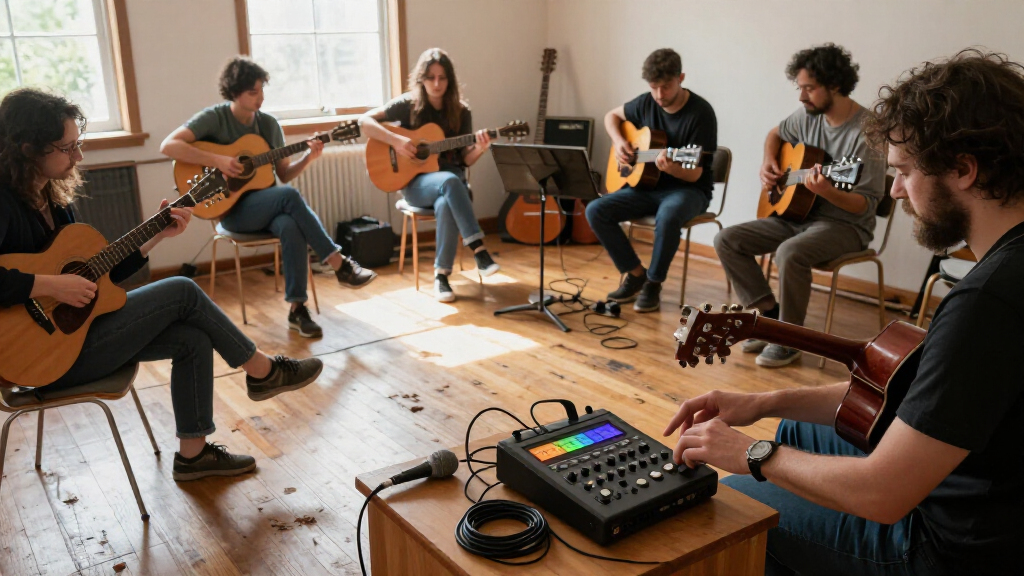
I ranked these recorders around the practical demands of a community music session: setting up without a full studio, capturing the sources that matter, keeping parts separate enough to edit later, and choosing a workflow that fits the person running the recording. Input and track capacity matter, but a high count alone does not make a recorder the right choice. A recorder also has to suit the group’s size, the available microphones, and the operator’s comfort with a more involved setup.
The Zoom R12 ranks first because it offers a musician-oriented multitrack path with less field-rig complexity than the F-series. I placed portable handheld options higher for informal, smaller sessions and larger-input recorders higher for groups that need more isolated sources. The DP-006 and F3 serve narrower setups, so their focused roles count in their favor while limiting their place in a broad community-session roundup. These rankings reflect stated product formats and capabilities, not hands-on testing.
Factors to Consider When Choosing Multitrack Field Recorder For Community Music Sessions
Before choosing a recorder, I’d map the session you actually expect to capture. A community gathering may range from a circle of singers around a pair of microphones to a larger group with percussion, instruments, and several vocal parts. That difference changes the value of extra inputs, separate tracks, and a more complex recording workflow.
Plan Inputs Around the Session, Not the Performer Count
Count sound sources that need separate microphones or direct connections, rather than counting people. A group of ten singers might work with a small number of shared microphones, while a smaller ensemble with drums and several instruments may need more isolated inputs. Decide which sources must be independently adjustable after recording and which can share a microphone. This prevents a common mistake: buying for the largest imagined setup and carrying unused capacity to every gathering. Leave room for one or two likely additions, but base the choice on a realistic session plan. If the group changes from week to week, flexible shared mic placement may matter more than maximum input count.
Choose How Much Separation You Need After Recording
Separate tracks let you adjust levels, mute a source, or address a problem without changing the whole ensemble recording. They do not automatically make the result sound better: microphone placement and room balance still shape what each track contains. For a simple record of a singalong, a stereo mix may be enough and simpler to manage. For arranging, mixing, or preserving individual contributions, separate tracks can save time later. Think through who will edit the files and what software or playback system they use before paying for extra recording flexibility. A useful test is to ask whether you would change one part independently after the session; if not, extra separation may add workflow without adding much value.
Match the Workflow to the Session Leader
In an informal group, the person recording may also be singing, playing, or helping others. A device that takes several menus and connections to prepare can distract from the session even if it offers extensive control. Dedicated multitrack controls can be helpful when the recorder is treated like part of the music-making setup. A handheld model may make more sense when someone needs to place it quickly and focus on documenting the room. Before choosing, consider who will start, monitor, and stop the recording, and how much attention that person can spare. A short setup checklist shared with another group member can also make a more capable recorder easier to use reliably.
Account for Room Sound and Microphone Placement
More tracks cannot remove a noisy room, distant placement, or a poor balance between voices and instruments. Community spaces often have hard surfaces, background conversation, and performers arranged in a circle rather than facing a conventional stage. Plan where the recorder and microphones can sit without blocking participation or creating a trip hazard. If the goal is an honest document of the gathering, a well-placed stereo pair may capture the shared sound more naturally than many close microphones. If individual parts need control, combine close mics with a room perspective where the setup allows it. Make a brief test recording before the session begins so the group can catch clipping, excessive room noise, or an awkward balance early.
Decide What Portability Means for Your Group
Portability can mean a recorder that fits in a small bag, a unit that can sit on a table, or a larger rig that travels with its own microphones and cables. The recorder is only one part of the load: stands, headphones, storage media, power, and adapters can take up more space than expected. A compact unit is easier to bring to rotating venues, but it may not offer the connection layout needed for a growing ensemble. A larger recorder can simplify a permanent setup if the group meets in one room and keeps equipment on hand. Consider who owns the supporting gear and who will transport it each time. A written packing list helps avoid arriving with enough recorder inputs but missing the cables or stands to use them.
Set a Practical Limit for Editing and File Management
Every separately recorded source adds decisions after the session: naming files, syncing takes, setting levels, and keeping backups. More tracks are useful only if someone has the time and tools to organize them. Agree on a simple file-naming routine and a backup destination before the first full recording. For recurring gatherings, decide whether one person owns the recordings or whether files are shared with participants. Keep an unedited original so later edits do not replace the only copy. If nobody wants to manage a multitrack project, a simpler recording can be the more dependable choice even when a larger recorder is available.
Frequently Asked Questions
Do I need one separate input for every person in the group?
No. Input needs depend on the number of sources you want to isolate, not the headcount. Several singers can share a microphone, and an ensemble can sometimes be captured with a small number of well-placed microphones. Separate inputs help when you expect to adjust or edit individual instruments later, but they add cables and setup work. Sketching the group’s layout before shopping is a better guide than counting performers.
Is a handheld recorder enough for a group that wants to make multitrack recordings?
It can be enough for a small group if its inputs and recording workflow match the planned setup. Handheld models are convenient to carry and place, but their compact format may limit how many sources you can connect at once. A recorder designed around musician multitracking can be easier to use when the goal is building a song from separate parts. Decide whether the group mainly wants a record of the room or editable tracks for later mixing. Those are different jobs, even when one device can help with both.
Should we record the whole ensemble in stereo or put each instrument on its own track?
Use stereo capture when the goal is to preserve the group’s shared sound and the room already has a balanced arrangement. Separate tracks make more sense when instruments need independent level changes, edits, or effects later. A multitrack recording can still have substantial sound bleed between microphones, especially when everyone plays in the same room. That means more tracks do not guarantee fully isolated instruments. A short trial recording can reveal whether separate mics provide useful control in your space.
What should I prioritize if different people will run the recorder?
Prioritize a repeatable setup with controls and connections the group can understand quickly. Agree on who checks levels, starts the recording, and confirms that it is running, since shared responsibility can otherwise leave those tasks unclear. Labeling cables and keeping a short setup guide with the recorder can reduce mistakes between sessions. A feature-rich unit may suit a technically confident operator, but it can slow down a rotating group of volunteers. Choose around the least experienced person likely to run an important recording.
When does a larger recorder make sense for a community group?
A larger-input recorder makes sense when the group regularly records ensembles that need many sources captured at once, or when the recorder will serve as a stable setup in one venue. It can also help when the session includes a dedicated operator who can manage the connections and monitoring. The added capacity may be wasted if most gatherings use only a couple of microphones. Check that the group has the cables, stands, storage, and editing time to support the setup. If those pieces are already available, extra inputs can give the group room to grow without changing its recording approach.
Conclusion
I’d choose the Zoom R12 as the best overall for groups that want a musician-focused multitrack setup without committing to a larger field rig. The Zoom R4 is my value pick for smaller, straightforward sessions, while the Zoom R20 is the premium choice when a group needs a higher-input tabletop workflow. Beginners who want a portable way to document a small gathering should look first at the Zoom H4 Essential; those who want more handheld flexibility can compare it with the H6 Essential. For specialized needs, I’d pick the Zoom F3 for a compact, focused field setup, the F6 for flexible field recording, or the F8n Pro when a larger input count takes priority. Choose the option that fits the group’s real source count and the person who will run it.
Halloween Picks
halloween
As an affiliate, we earn on qualifying purchases.