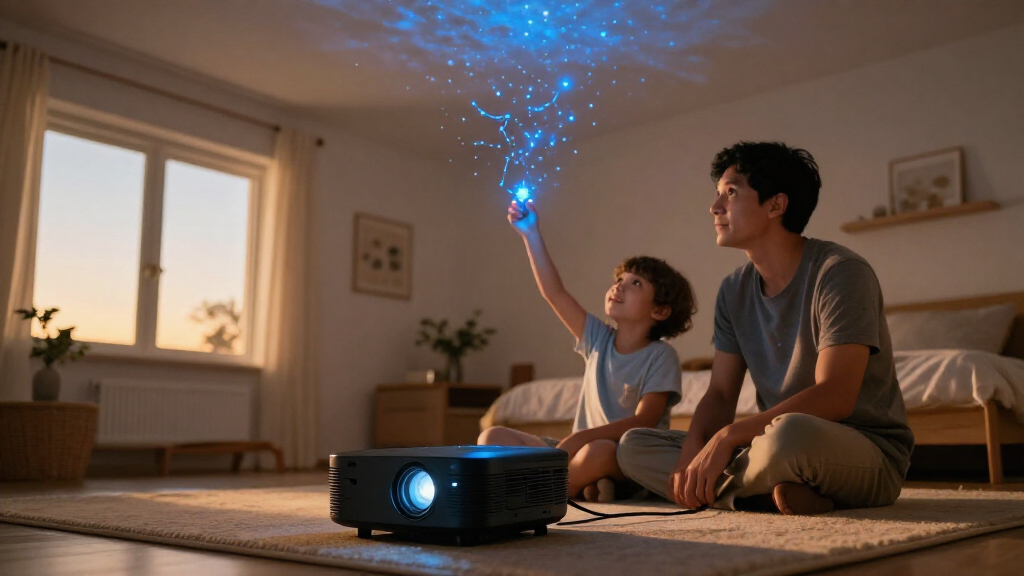
For most homes, I’d start with the Dark Skys DS-FX Home Planetarium Star Projector as the best overall pick, while the Govee 7-Zone Star Projector stands out for smart-home control and the Thames & Kosmos Planetarium Projector Astronomy Set for learning-focused use. Home planetarium projectors range from disc-based star displays to colorful nebula lights with speakers and app features, so the right choice depends on whether you want sky detail, room-filling atmosphere, or simple family entertainment. More scenes and sound effects can add variety, but they do not necessarily produce a more realistic night sky. I’d weigh projection clarity, control options, room fit, and how often you’ll use the extra features. Read on for the full breakdown of all 14 options and the tradeoffs behind each role.

Prime made for students and young adults
- Fast, free delivery for dorm and study essentials
- Prime Video and Amazon Music included
- Member-only deals
Key Takeaways
- The lineup splits into two main styles: disc-based models such as the POCOCO and Thames & Kosmos prioritize recognizable celestial images, while nebula-focused units such as Govee and Rovmiment lean toward colorful room ambience.
- Scene count is not the same as sky accuracy: models advertising 13, 25, or 66 scenes offer variety, but buyers seeking astronomy detail should focus on the projection source and available discs.
- Controls shape everyday convenience: timers, remotes, rotation, and smart-home compatibility can matter more than extra effects when a projector is used at bedtime.
- Built-in audio adds flexibility but creates compromises: speaker-equipped options can make a standalone entertainment setup, though buyers who already use a separate sound system may get little value from that feature.
- The most specialized choices serve different needs: rechargeable power favors portability, an astronomy set supports guided learning, and Matter compatibility suits a connected home rather than a strictly plug-in, set-and-forget setup.
| Dark Skys DS-FX Home Planetarium Star Projector |  | Best for Star-Field Realism | Brand and model: Dark Skys DS-FX | Display type: Star projector | Brightness: 400 lumens | VIEW LATEST PRICE | See Our Full Breakdown |
| Rossetta 3D Projector with 66 Scenes and Bluetooth Speaker |  | Best for Multi-Purpose Room Ambiance | Scenes and themes: 66 scenes across 20 themes | Functions: 3D projector, Christmas projector, night light, Bluetooth speaker | Projection distance: 10–20 feet | VIEW LATEST PRICE | See Our Full Breakdown |
| Galaxy Projector Pro with 13 Space Discs |  | Best for Guided Space-Scene Variety | Projection slides: 13 space scenes | Maximum projection distance: 16.4 feet | Recommended viewing distance: Up to 9.84 feet | VIEW LATEST PRICE | See Our Full Breakdown |
| FlyLily 13-in-1 Galaxy Planetarium Projector with 360° Rotation |  | Best Quiet Compact Pick | Display scenarios: 13 | Rotation: 360 degrees; two speeds | Maximum projection distance: 16.4 feet | VIEW LATEST PRICE | See Our Full Breakdown |
| FLEVO 2-in-1 Galaxy Projector Night Light |  | Best Compact Night-Light Projector | Brand and model: FLEVO BL-USB04 | Light source: LED | Power source: USB | VIEW LATEST PRICE | See Our Full Breakdown |
| 13-in-1 Planetarium Galaxy Projector with Adjustable Focus and Auto-Off Timer |  | Best for Flexible Room Placement | Projection scenes: 13 | Maximum projection distance: Up to 16.4 ft | Maximum projection area: Up to 754 sq ft | VIEW LATEST PRICE | See Our Full Breakdown |
| 13-in-1 Galaxy Projector Night Light, White |  | Best for Simple, Timed Bedtime Use | Projection scenes: 13 | Maximum projection distance: Up to 16.4 ft; recommended within 9.84 ft | Coverage area: 135–754 sq ft | VIEW LATEST PRICE | See Our Full Breakdown |
| Thames & Kosmos Planetarium Projector Astronomy Set |  | Best for Astronomy Learning | Brand and model: Thames & Kosmos 678004 | Age range: 8 years and up | Projector modes: Rotating star map and space-image projector | VIEW LATEST PRICE | See Our Full Breakdown |
| Galaxy Projector Pro, 25-in-1 Planetarium Projector with 360° Rotation and Timer |  | Best for Scene Variety | Disc collection: 25 projection discs | Maximum display resolution: 4K | Rotation: 360° | VIEW LATEST PRICE | See Our Full Breakdown |
| Govee 7-Zone Star Projector with Nebula Effects and Matter Compatibility |  | Best Smart Ambient Projector | Brand and model: Govee H6095 | Lighting zones: 7 | Maximum coverage: Up to 540 sq ft | VIEW LATEST PRICE | See Our Full Breakdown |
| Star Galaxy Projector with 16 HD Projection Scenes, 29 Sounds, Bluetooth Speaker, and Remote |  | Best for Built-In Audio Variety | Projection scenes: 16 HD scenes | Built-in sounds: 29 | Lens: 52-megapixel lens | VIEW LATEST PRICE | See Our Full Breakdown |
| POCOCO Galaxy Star Projector with Rechargeable Battery and 5K Discs |  | Best for Cordless Celestial Discs | Lens: 2-megapixel optical lens | Discs: 5K Ultra HD discs; includes 2 replacement optical film discs | Light source: LED, 1 watt | VIEW LATEST PRICE | See Our Full Breakdown |
| Galaxy Projector Pro, 13-in-1 Planetarium Star Projector with 360° Rotation and Timer |  | Best for Straightforward Disc-Based Projection | Projection discs: 13, including one built in | Projection distance: 1.5–16 ft; optimal distance 9.84 ft | Projection coverage: 135–754 sq ft | VIEW LATEST PRICE | See Our Full Breakdown |
| Rovmiment 3D Galaxy Ocean Projector with 65 HD Scenes |  | Best for Broad Scene Variety | Scenes: 65 dynamic scenes | Light source: LED, 1 watt | Power: Corded electric | VIEW LATEST PRICE | See Our Full Breakdown |
| home planetarium projector | Power | Rotation |
|---|---|---|
| Dark Skys DS-FX Home Planetari | — | — |
| Rossetta 3D Projector with 66 | Corded electric; 19 V DC; 38 watts | — |
| Galaxy Projector Pro with 13 S | — | 360 degrees; two speeds |
| FlyLily 13-in-1 Galaxy Planeta | — | 360 degrees; two speeds |
| FLEVO 2-in-1 Galaxy Projector | — | — |
| 13-in-1 Planetarium Galaxy Pro | 10 W; 5 V | 360° |
| 13-in-1 Galaxy Projector Night | 5 V DC, 10 W, USB-C; 5V/2A adapter required | 360° with two speeds |
| Thames & Kosmos Planetarium Pr | USB-C | — |
| Galaxy Projector Pro | — | 360° |
| Govee 7-Zone Star Projector wi | Corded electric; 120 V; 10 W | — |
| Star Galaxy Projector with 16 | — | 360° |
| POCOCO Galaxy Star Projector w | AC and rechargeable battery | — |
| Galaxy Projector Pro | USB-powered, corded electric | 360° |
| Rovmiment 3D Galaxy Ocean Proj | Corded electric | — |
More Details on Our Top Picks
Dark Skys DS-FX Home Planetarium Star Projector
For buyers who want a dense field of stars rather than varied galaxy effects, the Dark Skys DS-FX is the most astronomy-focused pick here. Its chrome-on-glass discs are designed to preserve clarity, and its slow rotation gives the ceiling display a steadier, more natural motion than a fast-changing effects projector like the Rossetta 3D Projector. The stated capacity of up to 3.1 million stars suits quiet viewing or a bedroom astronomy setup, while the rechargeable battery makes it easier to place away from an outlet. That portability comes with limits: the unit is rated for a 10-foot throw, and room light can wash out the projection, so a genuinely dark space matters. It also offers fewer entertainment extras than Rossetta and has a 90-day warranty.
Pros:- Projects a stated field of up to 3.1 million stars
- Chrome-on-glass star discs are designed to retain clarity
- Rechargeable battery supports placement away from an outlet
- Slow rotation creates a restrained, realistic viewing effect
Cons:- Stray room light can weaken the projection
- Maximum throw distance is limited to 10 feet
- 90-day warranty is relatively short
Best for: Buyers seeking a portable, astronomy-led star field for a dark bedroom or a small home viewing space.
Not ideal for: People who want colorful themed scenes, built-in audio, or a projector that stays clear with ambient room light.
- Brand and model:Dark Skys DS-FX
- Display type:Star projector
- Brightness:400 lumens
- Native resolution:1024 x 768
- Maximum throw distance:10 feet
- Light source operating life:2,000 hours
- Power and battery:5 watts; rechargeable lithium-ion battery
- Connectivity and control:HDMI and USB; buttons and remote
- Mounting and warranty:Tabletop; 90 days
Our verdict“Choose the DS-FX if a dense, slowly rotating star field matters more than colorful scenes or extra entertainment features.”
Rossetta 3D Projector with 66 Scenes and Bluetooth Speaker
The Rossetta 3D Projector is the most versatile pick in this group, though it is less of a traditional planetarium than the Dark Skys DS-FX. Its 66 scenes across 20 themes give buyers more variety for parties, relaxing, or seasonal displays, and the added night light and Bluetooth speaker mean it can serve as a room-ambiance device when a star projection is not needed. A 220-degree adjustable angle, focus and brightness controls, and a remote make it easier to adapt the image to different setups. The tradeoff is a corded, 38-watt design rather than the DS-FX’s rechargeable portability. Its broad scene selection also favors changing effects over a consistent, astronomy-focused star field. Coverage and clarity depend on the room and projection distance.
Pros:- Provides 66 scenes across 20 themes
- Combines projection, night light, and Bluetooth speaker functions
- Adjustable focus, brightness, and angle help adapt the image to a room
- Remote control and 1- or 2-hour timer support convenient use
Cons:- Corded power limits placement compared with the rechargeable Dark Skys DS-FX
- Projection coverage and clarity vary with room distance and setup
- The range of themed effects is less focused on astronomy
Best for: Households that want one corded device for varied themed projections, a night light, and Bluetooth audio.
Not ideal for: Buyers prioritizing portable use or a realistic, star-disc-based planetarium display over themed room effects.
- Scenes and themes:66 scenes across 20 themes
- Functions:3D projector, Christmas projector, night light, Bluetooth speaker
- Projection distance:10–20 feet
- Coverage area:130–385 sq. ft.
- Adjustable angle:220 degrees
- Timer:1 or 2 hours
- Power:Corded electric; 19 V DC; 38 watts
- Dimensions and material:7.76 × 5 × 5.59 inches; plastic
- Certifications:CE, FCC, RoHS
Our verdict“Pick Rossetta if you want a flexible ambiance projector with audio and themed scenes, not a dedicated star-field planetarium.”
Galaxy Projector Pro with 13 Space Discs
This Galaxy Projector Pro is a good fit for buyers who want a collection of distinct space images rather than the DS-FX’s dense, star-only presentation. Its 13 space-scene slides come with brief educational introductions, giving families a starting point for discussing what appears on the ceiling. Adjustable focus and two rotation speeds let users tune the projection to the room and mood, while the 1-, 2-, and 4-hour timer is more flexible than the shorter timer options on the FLEVO 2-in-1 Galaxy Projector Night Light. The stated maximum distance reaches 16.4 feet, but the recommended viewing distance is shorter, up to 9.84 feet. It requires a separate 5V/2A adapter, and image clarity still depends on a dark room.
Pros:- Includes 13 space-scene slides with brief educational introductions
- Adjustable focus and 360-degree projection angle aid setup
- Two rotation speeds allow a choice of motion
- Timer offers 1-, 2-, and 4-hour settings
Cons:- 5V/2A power adapter is not included
- Best image clarity requires a dark environment
- Recommended viewing distance is shorter than the maximum projection distance
Best for: Families and curious beginners who want varied space slides, simple focus adjustment, and a longer sleep timer.
Not ideal for: Buyers who need an all-in-one powered kit or want a bright projection that works with room lights on.
- Projection slides:13 space scenes
- Maximum projection distance:16.4 feet
- Recommended viewing distance:Up to 9.84 feet
- Projection coverage:135–754 sq. ft.
- Rotation:360 degrees; two speeds
- Timer:1, 2, or 4 hours
- Focus:Adjustable
- Power and connectivity:10 watts; 5 volts; USB Type-C
- Included accessories:USB-C cable, cleaning cloth, user manual; power adapter not included
Our verdict“Choose this model for guided variety and flexible timing, provided you have a compatible USB-C power adapter.”
FlyLily 13-in-1 Galaxy Planetarium Projector with 360° Rotation
The FlyLily 13-in-1 makes sense for bedrooms or smaller spaces where quiet operation and straightforward controls matter more than audio or extra lighting functions. Its 13 film discs cover subjects such as planets, constellations, nebulae, and the aurora, while 360-degree rotation and two speed settings add motion. Compared with the Galaxy Projector Pro with 13 Space Discs, FlyLily is similarly focused on slide-based space imagery and offers a compact 1.4-pound body, but the supplied details do not mention educational introductions. The adjustable focus and 1-, 2-, or 4-hour auto-off timer help tailor bedtime use. It remains USB-powered, so placement depends on access to a power source, and the stated coverage range does not remove the need to adjust focus and distance for a clear image.
Pros:- Thirteen space scenes cover several familiar astronomy themes
- 360-degree rotation has two speed settings
- Quiet operation suits bedroom viewing
- Three auto-off timer choices support bedtime use
Cons:- Requires a USB power connection
- Projection clarity depends on focus and distance
- No built-in speaker or rechargeable battery is listed
Best for: Bedroom users who want quiet, rotating space scenes in a compact tabletop projector with an auto-off timer.
Not ideal for: People who need battery operation, built-in speakers, or dependable image clarity without careful distance and focus adjustment.
- Display scenarios:13
- Rotation:360 degrees; two speeds
- Maximum projection distance:16.4 feet
- Optimal projection distance:9.84 feet
- Coverage area:135–754 sq. ft.
- Power and light source:USB-powered; LED
- Size and weight:5.03 × 4.64 × 4.72 inches; 1.4 lbs
- Timer:1-, 2-, or 4-hour auto-off
- Included:13 film discs, USB-C cable, user manual
Our verdict“Choose FlyLily for quiet, compact bedroom projections; pick Rossetta instead if audio and varied non-astronomy scenes matter more.”
FLEVO 2-in-1 Galaxy Projector Night Light
The FLEVO 2-in-1 is the smallest and simplest option in this set, aimed at buyers who want a modest galaxy effect alongside a night light rather than a full-room planetarium display. Its three modes—nebula, stars, or a combination—offer a quick way to change the look, and the adjustable stand can direct the image toward a wall or ceiling. At just 3 × 2 × 5 inches, it is easier to fit on a bedside table than the larger Rossetta, though it lacks Rossetta’s Bluetooth speaker, broad scene library, and adjustable focus and brightness. FLEVO includes 13 image options, but the discs must be swapped manually, making scene changes less convenient than using a remote. USB power is listed, but no adapter is specified, and its 30-day warranty is short.
Pros:- Three modes offer nebula, star, or combined projections
- Thirteen galaxy-themed image options provide some scene variety
- Adjustable stand supports ceiling or wall projection
- 1- and 2-hour timers can switch the unit off automatically
Cons:- Projection discs must be swapped manually
- USB power adapter is not specified
- 30-day warranty is short
Best for: Buyers seeking a small bedside night light with basic star and nebula projections and simple timed shutoff.
Not ideal for: People wanting detailed adjustable planetarium images, remote scene changes, built-in audio, or a rechargeable setup.
- Brand and model:FLEVO BL-USB04
- Light source:LED
- Power source:USB
- Projection modes:Nebula, star, and combination
- Projection images:13
- Stand adjustment:360 degrees
- Timer:1 or 2 hours
- Dimensions and material:3 × 2 × 5 inches; plastic
- Warranty:30 days
Our verdict“Choose FLEVO for a compact bedside light with basic galaxy effects, not for a feature-rich planetarium experience.”
13-in-1 Planetarium Galaxy Projector with Adjustable Focus and Auto-Off Timer
This model earns its place through straightforward, flexible projection: its 13 discs cover familiar subjects such as the Moon, Solar System, Milky Way, and Andromeda, while adjustable focus helps sharpen the image at different distances. The 360° angle and stated reach of up to 16.4 feet make it easier to aim at a ceiling, wall, or floor than a fixed-direction projector. Compared with the Thames & Kosmos Planetarium Projector Astronomy Set, this one offers more interchangeable space scenes, while the Thames & Kosmos set is the better fit for buyers who want hemisphere-specific star maps. Quiet operation and an auto-off timer suit bedtime use, but the slow rotation may disappoint anyone seeking brisk movement. Its corded power also limits placement, and it is not water resistant.
Pros:- Thirteen discs cover a range of recognizable space subjects
- Adjustable focus and 360° aiming support varied room layouts
- Quiet operation and auto-off timer suit nighttime use
- Projects onto ceilings, walls, and floors
Cons:- Slow image rotation may feel understated to buyers seeking more motion
- Corded power restricts placement away from an outlet
- Not water resistant
Best for: Bedroom users who want several familiar space scenes and the freedom to aim projections at different surfaces.
Not ideal for: Astronomy learners prioritizing accurate hemisphere star maps, or anyone who needs a battery-powered or water-resistant projector.
- Projection scenes:13
- Maximum projection distance:Up to 16.4 ft
- Maximum projection area:Up to 754 sq ft
- Rotation:360°
- Light source:LED
- Power:10 W; 5 V
- Controls:Remote and push button
- Included accessories:13 film discs, USB-C cable, user manual
Our verdict“Choose it for flexible placement and a varied set of space scenes; choose the Thames & Kosmos set instead for accurate star maps.”
13-in-1 Galaxy Projector Night Light, White
The appeal here is a simple bedtime setup with more control over rotation and shutoff than many basic disc projectors. Its 13 space discs, adjustable focus, and two rotation speeds let users tune the display without adding app setup. The one-, two-, and four-hour timer options also give it an advantage over the 13-in-1 Planetarium Galaxy Projector with Adjustable Focus and Auto-Off Timer, whose listed details do not specify multiple timer intervals. The tradeoff is that this model needs a separate 5V/2A adapter, which is not included. Its images can also lose clarity in a bright room, so it is better suited to a dim bedroom than a casually lit living space. A recommended distance under 9.84 feet gives buyers a practical placement target, despite a stated maximum reach of 16.4 feet.
Pros:- Thirteen discs provide varied space scenes with brief introductions
- Two rotation speeds offer more motion control than a single-speed projector
- One-, two-, and four-hour timer settings support different bedtime routines
- Compact 1.2-pound body is easy to reposition
Cons:- 5V/2A power adapter is required but not included
- Projection clarity can suffer in bright rooms
- Recommended viewing distance may be restrictive in smaller spaces
Best for: Parents and bedroom users who want a compact disc projector with selectable rotation speeds and several automatic shutoff intervals.
Not ideal for: Buyers who need an all-in-one power package or plan to use the projector in a bright room.
- Projection scenes:13
- Maximum projection distance:Up to 16.4 ft; recommended within 9.84 ft
- Coverage area:135–754 sq ft
- Rotation:360° with two speeds
- Auto-off timer:1, 2, or 4 hours
- Power:5 V DC, 10 W, USB-C; 5V/2A adapter required
- Dimensions:5.7 × 5.7 × 4.33 in
- Weight:1.2 lb
- Included accessories:13 discs, USB-C cable, cleaning cloth, user manual
Our verdict“Pick this for quiet bedroom use and flexible timers if you already have a compatible USB-C power adapter.”
Thames & Kosmos Planetarium Projector Astronomy Set
Unlike the disc-heavy galaxy lights in this roundup, the Thames & Kosmos set puts accurate northern and southern hemisphere star maps at the center of its design. Its rotating map mode gives learners a more astronomy-focused display than the 13-in-1 Galaxy Projector Night Light, while a second mode and four image disks add familiar space imagery. The tabletop or wall-mounted setup gives it placement flexibility, and its short timer choices suit a lesson or wind-down session. This is the strongest choice here for families who want a projector to support learning, not just atmosphere. The tradeoff is a smaller image-disk collection than the 13- and 25-disc alternatives, and the projections need a darkened room. Buyers seeking broad decorative variety may find the Galaxy Projector Pro, 25-in-1, a better match.
Pros:- Accurate star maps cover both northern and southern hemispheres
- Two modes combine star maps with space-themed images
- Can sit on a tabletop or mount on a wall
- Three short auto-off intervals support lessons and bedtime routines
Cons:- Four image disks offer less scene variety than the 13- and 25-disc projectors
- Projections require a darkened room
- USB-C power cord means it needs a nearby power source
Best for: Families with children aged eight and up who want hemisphere star maps and a clear educational purpose.
Not ideal for: Buyers seeking a large rotating collection of decorative scenes or a projector that works well in a lit room.
- Brand and model:Thames & Kosmos 678004
- Age range:8 years and up
- Projector modes:Rotating star map and space-image projector
- Image disks:4
- Auto-off timer:15, 30, or 60 minutes
- Power:USB-C
- Included components:Pre-assembled projector, USB-C cord, 2 star maps, 4 image disks, poster, instruction sheet
Our verdict“Choose this set for educational star maps and a two-mode format; choose a larger disc projector for broader decorative variety.”
Galaxy Projector Pro, 25-in-1 Planetarium Projector with 360° Rotation and Timer
With 25 projection discs, this is the lineup’s strongest pick for buyers who want to change the room’s look often. Its collection spans galaxies, the Solar System, constellations, and nature, giving it substantially more variety than the 13-disc models. The flexible stand and 360° rotation help direct those scenes across a bedroom or nursery, while its 9.6-ounce weight makes moving it between rooms easy. Compared with the Govee 7-Zone Star Projector, this model offers specific interchangeable images rather than app-controlled, layered lighting and smart-home control. That distinction also defines the tradeoff: it is a disc-based projector, not a connected ambient-light system. The listed 4K resolution is a product specification, but the supplied details do not explain how it affects individual disc images. USB power is required, and the recommended viewing distance may challenge smaller rooms.
Pros:- Twenty-five discs provide more scene variety than the 13-disc options
- Flexible stand and 360° rotation make aiming easier
- Lightweight design is convenient to move between rooms
- One- and two-hour shutoff timers suit bedroom use
Cons:- Requires a USB power supply
- Recommended viewing distance of about 9.84 feet may not suit small rooms
- No smart-home or app controls are listed
Best for: Families and decor-minded users who want a portable projector with a broad mix of interchangeable space and nature scenes.
Not ideal for: Smart-home users who want app or voice controls, or people with small rooms that cannot accommodate the recommended projection distance.
- Disc collection:25 projection discs
- Maximum display resolution:4K
- Rotation:360°
- Auto-off timer:1 or 2 hours
- Maximum throw distance:16.4 ft
- Recommended viewing distance:9.84 ft
- Projection area:135–754 sq ft
- Dimensions and weight:5 × 4 × 4 in; 9.6 oz
Our verdict“Choose it when interchangeable scene variety matters more than smart controls or compact-room placement.”
Govee 7-Zone Star Projector with Nebula Effects and Matter Compatibility
The Govee is the most connected option in this group, built around seven customizable lighting zones rather than interchangeable educational star maps or film discs. App control and compatibility with Matter, Alexa, and Google Assistant make it easier to adjust colors, brightness, speed, and motion without reaching for the unit. Its 50-plus scenes and 18 white-noise options also give it a broader ambient-light and sleep-sound role than the disc projectors, including the 25-in-1 Galaxy Projector Pro. That model remains the better choice for specific image discs and portability; Govee is better suited to a fixed bedroom setup where connected controls matter. The compromises are its corded power and dependence on room placement for coverage and effect. It covers up to 540 square feet, less than the stated maximum area of some disc models, and its lighting effects are not the same as an accurate star map.
Pros:- Seven lighting zones allow layered color and motion effects
- Supports Matter, Alexa, and Google Assistant
- More than 50 scenes and 18 white-noise options add bedroom versatility
- Quiet motor and sleep timer suit nighttime use
Cons:- Corded electric power limits placement
- Coverage and effects depend on room layout and projector position
- Nebula lighting is not a substitute for accurate star maps or disc images
Best for: Smart-home users who want app or voice control, customizable nebula lighting, and white noise in a stationary bedroom setup.
Not ideal for: Buyers seeking accurate constellation maps, interchangeable educational space images, or a projector they can use away from an outlet.
- Brand and model:Govee H6095
- Lighting zones:7
- Maximum coverage:Up to 540 sq ft
- Scene modes:50+
- White-noise options:18
- Smart-home compatibility:Matter, Alexa, Google Assistant
- Power:Corded electric; 120 V; 10 W
- Dimensions:6.18 × 5.51 × 8.93 in
- Mounting type:Table mount
Our verdict“Choose Govee for connected ambient lighting and sleep features, not for a traditional educational planetarium display.”
Star Galaxy Projector with 16 HD Projection Scenes, 29 Sounds, Bluetooth Speaker, and Remote
I’d choose this model when a home planetarium needs to do more than project stars. Its 16 HD scenes include space and dinosaur themes, while 29 built-in sounds and Bluetooth 5.3 let it double as a sound machine or speaker. That makes it more flexible for bedtime than the POCOCO Galaxy Star Projector, which focuses on detailed disc-based celestial imagery and cordless use rather than a broad sound feature set. The remote and 1-, 2-, or 4-hour timers also make adjustments easier from bed. The tradeoff is that this projector needs USB power throughout use, so it cannot match POCOCO’s battery-powered portability. Its stated best clarity is around 9.84 feet, which may also limit placement in smaller rooms.
Pros:- Pairs 16 projection scenes with 29 built-in sounds and Bluetooth 5.3 audio.
- Remote control and three timer settings support convenient bedtime use.
- 360° rotation and adjustable focus allow flexible aiming.
- Stated coverage spans 135–754 square feet.
Cons:- Requires a USB power connection while operating.
- Best projection clarity is specified at about 9.84 feet, which may not suit compact rooms.
Best for: Families who want a ceiling projector that can also play bedtime sounds or Bluetooth audio, with controls accessible from bed.
Not ideal for: Buyers who need cordless operation or have a small room that cannot accommodate the recommended projection distance of about 9.84 feet.
- Projection scenes:16 HD scenes
- Built-in sounds:29
- Lens:52-megapixel lens
- Bluetooth:Version 5.3
- Rotation:360°
- Projection distance:Up to 16.4 ft; optimal distance 9.84 ft
- Coverage area:135–754 sq ft
- Power and timer:USB; 1-, 2-, or 4-hour timers
Our verdict“Choose this if you want a versatile bedtime projector with plentiful sound options; choose the POCOCO instead if cordless use and disc-based celestial scenes matter more.”
POCOCO Galaxy Star Projector with Rechargeable Battery and 5K Discs
The POCOCO is the clearest fit here for someone who wants a disc-based celestial display without keeping the projector beside a power outlet. Its optical lens and 5K discs are aimed at detailed galaxy, constellation, and planetary imagery, while the rechargeable battery offers up to six hours of cordless operation. Compared with the Star Galaxy Projector with 16 HD Projection Scenes, POCOCO gives up built-in sounds and Bluetooth audio, but gains portability and a more focused astronomy theme. The adjustable angle and rotating discs help direct and animate the projection. Its listed timers are short, and the description also mentions automatic shutoff after two hours, creating some uncertainty about timer behavior. Buyers should also keep it indoors: it is not water resistant.
Pros:- 5K optical discs project galaxy, constellation, and planetary scenes.
- Rechargeable battery supports up to six hours of cordless use.
- Adjustable angle and rotating discs provide control over projection direction and movement.
- Includes two replacement optical film discs.
Cons:- No built-in sound machine or Bluetooth speaker is listed.
- Timer details conflict: settings are listed as 15, 30, and 60 minutes, while the description also mentions a two-hour shutoff.
- Not water resistant, limiting use to dry indoor settings.
Best for: People who want a portable, disc-based celestial projector for bedrooms or other indoor spaces without a nearby outlet.
Not ideal for: Buyers who want built-in audio, broad theme variety, or unambiguous timer controls; the product description gives conflicting timer information.
- Lens:2-megapixel optical lens
- Discs:5K Ultra HD discs; includes 2 replacement optical film discs
- Light source:LED, 1 watt
- Power:AC and rechargeable battery
- Battery life:Up to 6 hours
- Timer information:15-, 30-, and 60-minute settings; description also mentions automatic shutoff after 2 hours
- Adjustable angle:30 degrees
- Water resistance:Not water resistant
Our verdict“Pick POCOCO for portable, disc-based celestial projections; skip it if you want integrated audio or straightforward timer information.”
Galaxy Projector Pro, 13-in-1 Planetarium Star Projector with 360° Rotation and Timer
This is a focused choice for buyers who want a set of celestial scenes and basic projection controls, without paying attention to a long list of extra functions. The 13 film discs cover galaxies, planets, and related imagery; 360° rotation and adjustable focus help spread the display across a wall or ceiling. Compared with the Rovmiment 3D Galaxy Ocean Projector, this model leans more directly toward a planetarium-style collection rather than mixing cosmic scenes with ocean and nature themes, lights, and audio. Its stated reach and coverage are broad, but the projector still needs a dark room for a useful display and requires USB power while running. It also lacks the battery portability of the POCOCO Galaxy Star Projector.
Pros:- Includes 13 film discs, with celestial subjects such as galaxies and planets.
- 360° rotation and adjustable focus allow flexible placement and aiming.
- Specified projection distance ranges from 1.5 to 16 feet.
- Offers 1-hour and 2-hour timers plus automatic shutoff after 4 hours.
Cons:- Requires a corded USB power connection during use.
- Recommended for dark indoor environments, limiting use where room light cannot be reduced.
- Does not list Bluetooth audio or built-in sound options.
Best for: Buyers seeking a simple, USB-powered planetarium-style projector with multiple celestial discs, adjustable focus, and rotation.
Not ideal for: People who need cordless operation, integrated audio, or a projector that can compete with ambient room light.
- Projection discs:13, including one built in
- Projection distance:1.5–16 ft; optimal distance 9.84 ft
- Projection coverage:135–754 sq ft
- Rotation:360°
- Timer:1 hour, 2 hours, or automatic shutoff after 4 hours
- Power:USB-powered, corded electric
- Light source:LED
- Weight:0.62 kg
Our verdict“Choose this for a no-frills, disc-based celestial display with rotation and focus controls, but choose POCOCO if you need battery-powered portability.”
Rovmiment 3D Galaxy Ocean Projector with 65 HD Scenes
Rovmiment stands apart for buyers who want a room-filling visual mood rather than a strictly astronomy-focused planetarium. Its 65 dynamic scenes span cosmic, ocean, and nature themes, with twinkling and shooting-star effects, a night light, soundscapes, and Bluetooth audio. That is a broader entertainment setup than the Galaxy Projector Pro, 13-in-1 Planetarium Star Projector, which concentrates on celestial film discs and offers a simpler feature set. Five brightness levels, remote operation, and a 270-degree tilting bracket give this model flexibility for different walls and ceilings. The tradeoff is its size-of-room dependence: its recommended throw is 10–16 feet, so compact bedrooms may not deliver the sharpest image. It also needs corded power.
Pros:- Offers 65 dynamic scenes across cosmic, ocean, and nature themes.
- Combines Bluetooth audio, soundscapes, and a night light with projection.
- Five brightness levels and a remote allow convenient adjustments.
- 270-degree bracket tilt and stated coverage up to 530 square feet support varied placement.
Cons:- Requires corded electric power, so it is not suitable for cordless placement.
- Recommended projection distance of 10–16 feet may be impractical in smaller rooms.
- Its broad scene mix is less focused on planetarium-style celestial discs than the Galaxy Projector Pro, 13-in-1.
Best for: Families who want one bedroom device for varied cosmic, ocean, and nature scenes, plus ambient light and audio features.
Not ideal for: Astronomy-focused buyers who prefer a dedicated set of celestial discs, or people with small rooms that cannot provide a 10–16-foot projection distance.
- Scenes:65 dynamic scenes
- Light source:LED, 1 watt
- Power:Corded electric
- Brightness:5 levels, 10% to 100%
- Timer:1, 2, or 4 hours
- Projection coverage:160–530 sq ft
- Recommended projection distance:10–16 ft
- Bracket tilt:270 degrees
Our verdict“Choose Rovmiment for varied room ambience and integrated audio; choose the 13-in-1 Galaxy Projector Pro for a simpler, more planetarium-focused disc set.”
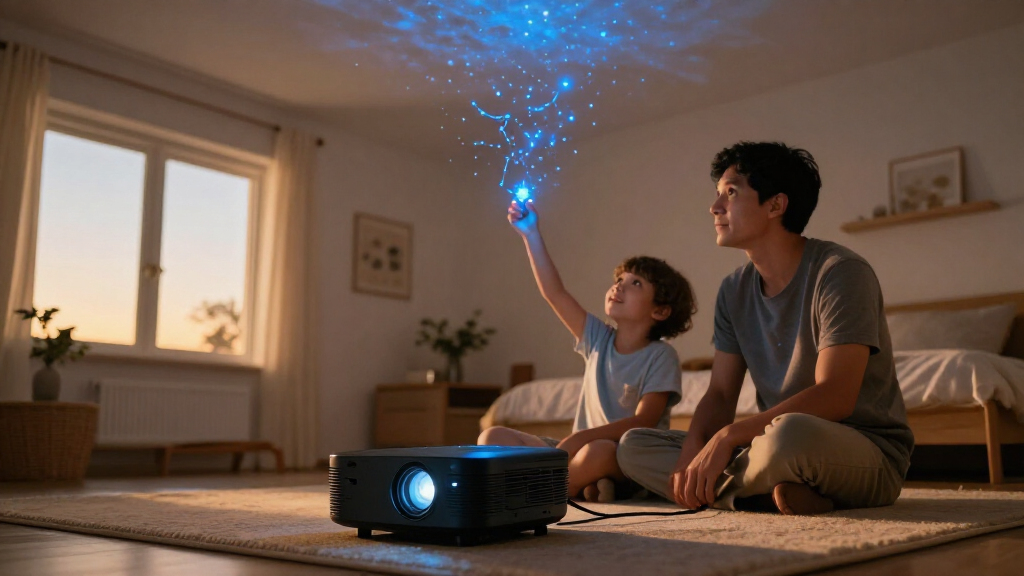
How We Picked
I compared the 14 home planetarium projectors around the outcomes buyers are likely to care about: how the projected content is presented, whether the product leans toward astronomy or decorative ambience, how easily its controls fit a bedtime or family routine, and what its additional features contribute. I also considered practical differences such as rotation, timers, sound, rechargeable operation, adjustable focus, smart-home support, and learning materials. Where a listing emphasizes scene counts, I treated that as variety rather than proof of realism.
The ranking gives priority to versatility and a clear use case, then separates products by who benefits from their particular strengths. The Dark Skys DS-FX leads as the broadest general-purpose recommendation; Govee ranks for connected lighting control, and Thames & Kosmos for educational value. Disc-focused, portable, and sound-equipped models remain strong choices for narrower needs, while models with similar 13-in-1 claims are distinguished by their named controls and features rather than presumed differences in image quality. I avoid treating shared marketing language as evidence of a meaningful performance gap.
Factors to Consider When Choosing Home Planetarium Projectors
Before choosing, decide what you want the ceiling or wall to show and how you’ll use the projector. A bedroom night light, a more astronomy-oriented display, and a family activity call for different strengths; a long feature list cannot settle that choice on its own.
Choose Between Astronomical Content and Ambient Effects
Start by asking whether you want recognizable stars and celestial objects or a changing wash of color across the room. Disc-based designs, including the POCOCO and Thames & Kosmos styles, suit buyers who value specific images and a more instructional feel. Nebula and galaxy effects are usually better for mood lighting than for learning the night sky. A common mistake is to assume that a high scene count means more astronomical detail. Check what the scenes actually depict, and decide whether you would be content with abstract color when the star patterns are not the main attraction.
Match Projection to the Room
A projector that looks effective in a small bedroom may not fill a large ceiling evenly, and wall color and ambient light can change the result. Think about where the unit can sit, whether the beam needs to reach across the room, and whether you want the image on a ceiling, wall, or both. Focus adjustment can help when the projector is placed at different distances, but it does not automatically solve weak contrast or a poorly suited surface. Buyers often focus on maximum scene count and overlook placement. Leave a practical spot for the unit before choosing, especially if its rotation or angle affects where the image lands.
Prioritize the Controls You Will Use
For a projector used at bedtime, a timer and simple controls can be more useful than a long list of effects. Rotation may keep a display moving without repeated manual adjustment, while a remote can help when the unit is across the room. Smart-home compatibility, such as Matter support, is most useful when you already manage lighting through a connected system. Do not pay attention only to whether a feature exists: consider whether it is easy to reach and whether it fits your routine. If you expect to set the projector once and leave it alone, app-heavy control may add little value.
Decide Whether Sound Is a Benefit or a Distraction
Some models pair projections with built-in speakers, sound libraries, or Bluetooth playback. That can suit a child’s room or a standalone relaxation setup, where one device handles both light and audio. It may matter less if you already own a speaker you prefer or want the room quiet at night. A long sound list does not tell you whether the audio will suit your needs, so separate the value of having sound from the quality you expect. Consider whether you can mute it easily and whether audio controls are independent from the light effects.
Think About Power, Placement, and Routine
A rechargeable model can be easier to move between rooms or use away from an outlet, while a plug-in projector makes more sense for a fixed bedside or shelf setup. Portability is valuable only if you expect to relocate the device; otherwise, cable placement and a stable position may matter more. Look at the product’s controls and mounting or placement options before assuming it will work in your preferred spot. Buyers can overlook the small daily friction of reaching a switch or repositioning a projector. Choose the power format that fits your routine rather than treating portability as a bonus everyone needs.
Pay for Useful Versatility, Not Just More Modes
Extra scenes, timers, speakers, discs, and smart controls can expand how a projector is used, but each feature adds value only if it solves a real need. For a family, an astronomy set or varied scenes may support repeated activities; for a sleep routine, a timer and uncomplicated operation may matter more. A premium feature set makes sense when it replaces another device or serves a regular use. A common buying error is comparing mode counts without checking which functions are distinct and which are variations on a similar effect. Set your main use first, then treat secondary features as a tie-breaker.
Frequently Asked Questions
Are disc-based projectors better for learning astronomy than galaxy-light projectors?
They are generally a better fit when you want to view specific celestial images rather than create an atmospheric light effect. A disc-based unit lets you choose among its included projections, while a galaxy-light projector is typically aimed at colorful ambience. That difference does not by itself guarantee scientific accuracy or a guided lesson. Check whether the included material identifies what is being shown and whether it suits the age and interest of the intended viewer. If the main goal is room mood, a disc-focused projector may be more specialized than you need.
Will a projector with more scenes show a more realistic night sky?
Not necessarily. Scene totals describe variety, not image sharpness, scale, or how closely a display resembles the sky. Some scenes may be color or motion variations rather than distinct astronomical views. For a realistic or educational experience, look at the type of projection content and any included discs or explanatory material. If you mainly want a changing bedroom display, variety may be more relevant than realism.
Should I choose a projector with a built-in speaker?
Choose one if you want a compact setup for music, ambient sound, or a child’s room and do not plan to rely on separate audio equipment. It can be less useful if you already have a speaker or want the projector to run silently at bedtime. Check whether sound can be turned off independently, since lighting and audio do not always serve the same routine. Bluetooth playback can add flexibility, but it should not outweigh projection quality if the sky display is your main priority. Treat the speaker as a convenience feature rather than a guarantee of strong audio.
Is smart-home compatibility worth prioritizing for a planetarium projector?
It can be worthwhile if your household already uses a compatible smart-home setup and you want lighting scenes or voice-based control to fit existing routines. The Govee model’s Matter compatibility gives it a different appeal from a basic projector controlled at the unit or by remote. If you only switch the projector on occasionally, connected features may add setup work without changing the experience much. Check which controls remain available without a smart-home connection. For a simple bedtime device, a timer and straightforward controls may be the more useful features.
What should I prioritize for a child’s first home planetarium projector?
Start with ease of operation, a suitable projection style, and whether the child will use the device with an adult or independently. An astronomy set can support conversation and learning, while a projector with multiple scenes or sound may be more entertaining for casual use. Timers and simple controls can make a bedtime routine easier to manage. Avoid assuming that the most feature-packed model is the best first choice; extra settings can go unused or make operation confusing. Match the content to the child’s interest and the way the projector will be used.
Conclusion
I’d choose the Dark Skys DS-FX as the best overall option for buyers who want a versatile home planetarium projector without centering the decision on a single specialty. For connected lighting, the Govee 7-Zone is the best premium-style pick in this lineup; for astronomy learning, I’d look to the Thames & Kosmos set. Buyers seeking a strong mix of features should compare the 25-in-1 Galaxy Projector Pro with simpler 13-in-1 models and pay for the added range only if they will use it. For beginners, a model with clear, familiar controls and a timer is a safer starting point than one chosen for scene count alone. If portability is the priority, the rechargeable POCOCO is the more specific match, while sound-focused buyers can compare the Rossetta and Star Galaxy options. The best choice is the one whose projection style and controls match how you actually plan to use it.
Halloween Picks

Govee Outdoor Halloween Projector Light with 3D Effects

Pumpkin Halloween Fog Machine with 12-Color LEDs, Bluetooth Speaker, and Remote

12-Foot Inflatable Pumpkin Halloween Archway with LED Lights
As an affiliate, we earn on qualifying purchases.