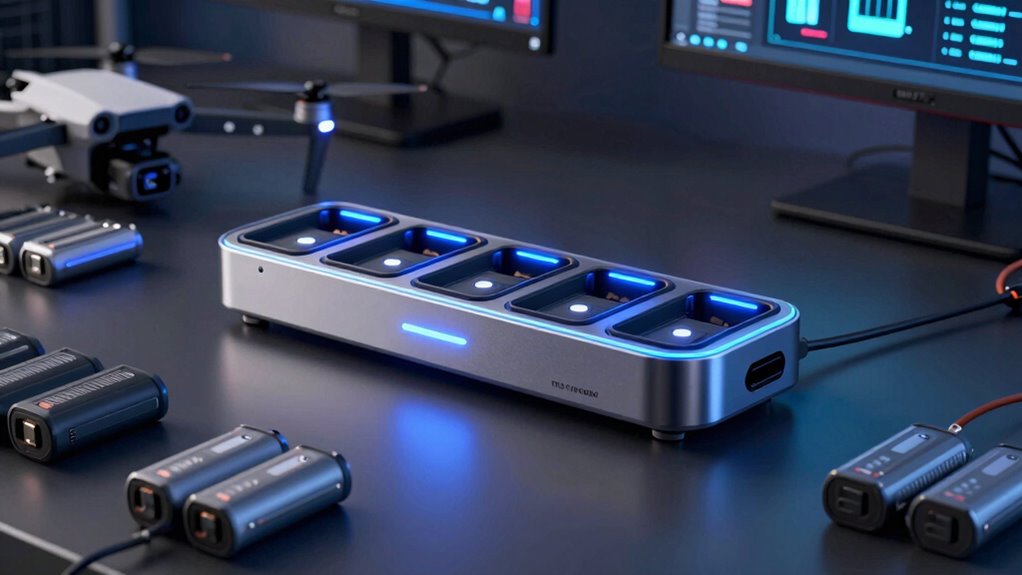

For fast drone battery turnaround, I’d start with the DJI Mavic 4 Pro Parallel Charging Hub for its model-specific parallel charging design, while the LKTOP 300W Matrice 4T/4E hub suits demanding commercial fleets and the DJI Neo Two-Way Charging Hub favors compact travel. The right choice depends on whether you need several batteries ready together, a portable setup, or compatibility with a particular aircraft. High wattage alone does not guarantee shorter waits: the supported charging method, power supply, and battery compatibility all matter. Some hubs also trade speed for storage, battery management, or a smaller footprint. Read on for the full comparison and a pick for each kind of pilot.

Prime made for students and young adults
- Fast, free delivery for dorm and study essentials
- Prime Video and Amazon Music included
- Member-only deals
Key Takeaways
- The lineup is aircraft-specific. DJI Air, Mavic, Mini, Spark, Neo, Matrice, HOVERAir, and Antigravity batteries use distinct hubs, so model compatibility is the first filter.
- Parallel charging can shorten a fleet’s wait. The Mavic 4 Pro Parallel Charging Hub is designed for a different turnaround pattern than sequential multi-battery chargers.
- Power supply affects real-world speed. The Air 3 kit includes two 100W USB-C adapters, while other hubs may require buyers to check what power source is needed separately.
- LCD monitoring adds control, not automatically speed. The Hanatora Spark charger and LYONGTECH Mavic 4 Pro models put charging information in view, which may help manage multiple batteries.
- Compact two-way hubs suit lighter workflows. The Mini 3 Pro and Neo options favor portability and simpler charging needs over high-capacity fleet use.
| LKTOP 200W Air 3/Air 3S Battery Charger Kit with Two 100W USB-C Adapters |  | Best Overall for Air 3 Turnaround | Compatibility: DJI Air 3 and Air 3S batteries; remote controllers | Maximum input power: 200 W | Input voltage: 20 V | VIEW ON AMAZON | See Our Full Breakdown |
| HOVERAir Charging Hub for X1 PRO and X1 PROMAX |  | Best Compact Pick | Compatibility: HOVERAir X1 PRO and X1 PROMAX | Maximum charging power: 65 W | Charging capacity: Up to 2 batteries | VIEW ON AMAZON | See Our Full Breakdown |
| LKTOP 300W Battery Charging Hub for DJI Matrice 4T/4E |  | Best for Matrice Fleet Charging | Compatibility: DJI Matrice 4T/4E | Power: 300 W | Charging capacity: Up to 3 batteries | VIEW ON AMAZON | See Our Full Breakdown |
| DJI Air 3 Battery Charging Hub |  | Best Simple Sequential Charger | Compatibility: DJI Air 3, Air 3S, compatible remote controllers, and smartphones | Charging capacity: Up to 3 batteries, sequentially | Input: 5–20 V, maximum 5 A | VIEW ON AMAZON | See Our Full Breakdown |
| LKTOP 200W Charging Hub for DJI Mavic 3 Series Batteries |  | Best for Mavic 3 Storage and Field Power | Compatibility: DJI Mavic 3 Series batteries and compatible controllers | Input power: 200 W | Maximum USB-C output: 100 W | VIEW ON AMAZON | See Our Full Breakdown |
| DJI 30W USB-C Two-Way Charging Hub for Mini 3 Pro Batteries |  | Best for Mini 3 Pro Kit Management | Compatibility: DJI Mini 4 Pro, Mini 3 Pro, and Mini 3 | Battery capacity: Up to 3 batteries, charged in sequence | Three-battery charge time: About 3 hours with the DJI 30W USB-C Charger | VIEW ON AMAZON | See Our Full Breakdown |
| DJI Spark Battery Charging Hub |  | Best for Older Spark Batteries | Compatible device: DJI Spark | Battery compatibility: Spark Intelligent Flight Battery | Maximum batteries: 3 | VIEW ON AMAZON | See Our Full Breakdown |
| DJI Mavic 4 Pro Parallel Charging Hub |  | Best Overall for Fast Turnaround | Compatible batteries: DJI Mavic 4 Pro Intelligent Flight Battery | Battery capacity: Up to 3 | Charging modes: Simultaneous or sequential | VIEW ON AMAZON | See Our Full Breakdown |
| Antigravity A1 Charging Hub |  | Best USB-C PD/PPS Flexibility | Charging capacity: One battery or up to 3 in sequence | Single-battery charge time: About 45 minutes | Three-battery charge time: About 135 minutes | VIEW ON AMAZON | See Our Full Breakdown |
| DJI Neo Two-Way Charging Hub |  | Best Compact Simultaneous Charging | Compatibility: DJI Neo | Battery capacity: Up to 3 batteries simultaneously | Charge time: About 60 minutes with a charger over 45 W | VIEW ON AMAZON | See Our Full Breakdown |
| Hanatora 4-in-1 LCD Battery Charger for DJI Spark |  | Best for DJI Spark Owners | Compatible device: DJI Spark drone | Number of ports: 4 | Output voltage: 13.05 V | VIEW ON AMAZON | See Our Full Breakdown |
| 4-in-1 Smart Charging Hub for Drone Batteries |  | Best Compact Pick | Size: 18 × 5.5 × 3 cm | Weight: 50 g | Charging capacity: Up to 4 compatible drone batteries | VIEW ON AMAZON | See Our Full Breakdown |
| LYONGTECH 230W LCD Multifunction Battery Charger for DJI Mavic 4 Pro |  | Best for Flexible Power and Battery Care | Compatible device: DJI Mavic 4 Pro | Maximum total output power: 230 W | Charging capacity: Up to 3 batteries and a remote controller | VIEW ON AMAZON | See Our Full Breakdown |
| LYONGTECH 230W Multifunction Battery Charger for DJI Mavic 4 Pro |  | Best for LED Status Checks | Compatible device: DJI Mavic 4 Pro | Maximum output power: 230 W | Charging capacity: Up to 3 batteries and a remote controller | VIEW ON AMAZON | See Our Full Breakdown |
| drone battery charging hub for fast turnaround | Charging capacity | Weight | Compatibility | Charge time |
|---|---|---|---|---|
| LKTOP 200W Air 3/Air 3S Batter | Up to 3 batteries | — | DJI Air 3 and Air 3S batteries; remote controllers | Listed as 40–50 minutes |
| HOVERAir Charging Hub for X1 P | Up to 2 batteries | 0.16 kg | HOVERAir X1 PRO and X1 PROMAX | About 45 minutes for one battery; 60 minutes for two |
| LKTOP 300W Battery Charging Hu | Up to 3 batteries | — | DJI Matrice 4T/4E | 58 minutes for 1; 1 hour 7 minutes for 2; 1 hour 12 minutes for 3 |
| DJI Air 3 Battery Charging Hub | Up to 3 batteries, sequentially | 0.16 kg | DJI Air 3, Air 3S, compatible remote controllers, and smartphones | About 60 minutes per battery with DJI 100W adapter; about 80 minutes with specified 65W chargers |
| LKTOP 200W Charging Hub for DJ | Up to 3 batteries | 1.1 lb | DJI Mavic 3 Series batteries and compatible controllers | — |
| DJI 30W USB-C Two-Way Charging | — | 137 g | DJI Mini 4 Pro, Mini 3 Pro, and Mini 3 | — |
| DJI Spark Battery Charging Hub | — | 2.24 oz | — | — |
| DJI Mavic 4 Pro Parallel Charg | — | 175.6 g | — | 1 battery in 51 minutes; 3 in 90 minutes with the 240W Power Adapter |
| Antigravity A1 Charging Hub | One battery or up to 3 in sequence | — | — | — |
| DJI Neo Two-Way Charging Hub | — | 67 g | DJI Neo | About 60 minutes with a charger over 45 W |
| Hanatora 4-in-1 LCD Battery Ch | — | 590 g | — | 50–60 minutes for 1–2 batteries; 60–70 minutes for 3–4 |
| 4-in-1 Smart Charging Hub for | Up to 4 compatible drone batteries | 50 g | — | — |
| LYONGTECH 230W LCD Multifuncti | Up to 3 batteries and a remote controller | — | — | — |
| LYONGTECH 230W Multifunction B | Up to 3 batteries and a remote controller | — | — | — |
More Details on Our Top Picks
LKTOP 200W Air 3/Air 3S Battery Charger Kit with Two 100W USB-C Adapters
I’d put this kit first for Air 3 and Air 3S pilots who want a faster battery rotation without sourcing the main power adapters separately. It supports up to three batteries and offers storage, standard, and fast-charge modes, while its display shows details such as temperature and charge cycle count. Compared with the DJI Air 3 Battery Charging Hub, which charges batteries in sequence, this LKTOP hub is positioned for simultaneous charging. The tradeoff is that the fast-charge setup calls for two compatible 100W USB-C adapters; the kit includes them, but that adds gear to pack. The stated charge time also varies between 40 and 50 minutes, so I’d treat it as an estimate rather than a fixed turnaround time.
Pros:- Supports up to three Air 3 or Air 3S batteries
- Includes two 100W USB-C adapters
- Offers storage, standard, and fast-charge modes
- Displays battery information and can redistribute charge between batteries
Cons:- Fast charging depends on using two compatible 100W adapters
- Listed charge times vary between 40 and 50 minutes
Best for: Air 3 or Air 3S pilots who regularly rotate three batteries and want adapters included for a high power charging setup.
Not ideal for: Pilots who prioritize a small, simple kit or only need to charge one battery at a time.
- Compatibility:DJI Air 3 and Air 3S batteries; remote controllers
- Maximum input power:200 W
- Input voltage:20 V
- Charging capacity:Up to 3 batteries
- Charge time:Listed as 40–50 minutes
- Charging modes:Storage, standard, and fast charge
- Connector:USB-C
- Included adapters:Two 100W USB-C adapters
Our verdict“Choose this kit if you want a feature-rich Air 3 charging setup with three-battery capacity and adapters in the box.”
HOVERAir Charging Hub for X1 PRO and X1 PROMAX
For HOVERAir X1 PRO and X1 PROMAX owners, this hub keeps the charging routine compact: it can charge one battery in about 45 minutes or two in about 60, then carry extra batteries when unplugged. Its fullest-battery-first priority helps put a ready battery in hand sooner when time is short. That makes its workflow different from the DJI Air 3 Battery Charging Hub, which handles up to three batteries in sequence but serves a different drone family. The HOVERAir hub’s main limitation is its narrow compatibility, and its single USB-C port means this is a focused battery accessory rather than a general multi-device charging station. I’d choose it for a small compatible kit, not for a mixed fleet.
Pros:- Charges one battery in about 45 minutes or two in about 60
- Prioritizes the fullest battery
- LED indicators show battery level and charging progress
- Can carry extra batteries when unplugged
Cons:- Compatible only with HOVERAir X1 PRO and X1 PROMAX batteries
- Single USB-C port limits its usefulness as a broader charging station
Best for: X1 PRO or X1 PROMAX owners who travel light and want one battery prioritized for the next flight.
Not ideal for: Drone operators with DJI batteries or anyone looking to charge batteries from several drone models on one hub.
- Compatibility:HOVERAir X1 PRO and X1 PROMAX
- Maximum charging power:65 W
- Charging capacity:Up to 2 batteries
- Charge time:About 45 minutes for one battery; 60 minutes for two
- Connector:USB Type-C
- Ports:1
- Weight:0.16 kg
- Warranty:1 year
Our verdict“Pick this compact hub if you own a compatible HOVERAir drone and value a ready battery over charging a larger fleet.”
LKTOP 300W Battery Charging Hub for DJI Matrice 4T/4E
This is the specialist choice for Matrice 4T and 4E operators who need to turn around several aircraft batteries from one station. The hub supports three batteries in a stated 72 minutes, with four modes that include fast, full, storage, and silent charging. Its 1.5-inch LCD and up to 100W USB-C output give it more status and device-power utility than the simpler DJI Air 3 Battery Charging Hub. That extra capability comes with a strict compatibility boundary: the listed fit is Matrice 4T/4E, and the charging cables are described as customizable, so cable selection may affect setup. I’d favor it for a dedicated Matrice workflow; pilots with consumer DJI models should choose a hub built for their batteries.
Pros:- Charges up to three Matrice batteries
- Offers storage, fast, full, and silent modes
- LCD shows charging and battery information
- Provides up to 100W USB-C output and includes three charging cables
Cons:- Compatibility is specified for Matrice 4T/4E only
- Cable customization may require checking compatibility before setup
Best for: Matrice 4T or 4E teams that need to manage and charge up to three aircraft batteries at a field station.
Not ideal for: Pilots with other DJI models or buyers who need a confirmed cable fit without checking the cable configuration.
- Compatibility:DJI Matrice 4T/4E
- Power:300 W
- Charging capacity:Up to 3 batteries
- Charge time:58 minutes for 1; 1 hour 7 minutes for 2; 1 hour 12 minutes for 3
- Charging modes:60% storage, 95% fast, 100% full, 100% silent
- Display:1.5-inch IPS LCD
- USB-C output:Up to 100 W
- Included charging cables:3
Our verdict“Choose this hub for a Matrice 4T/4E fleet that can use its three-battery capacity and multiple charging modes.”
DJI Air 3 Battery Charging Hub
I’d choose DJI’s hub for Air 3 or Air 3S owners who want a compact, straightforward way to keep three batteries moving through a charging queue. It charges them in sequence based on remaining power, so the fullest battery can reach completion first; it does not charge all three at once like the LKTOP 200W Air 3/Air 3S kit. The hub can also transfer power between batteries and act as an 82W power bank for compatible devices, which adds utility between flights. Turnaround depends heavily on the adapter: DJI lists about 60 minutes per battery with its 100W USB-C adapter, or about 80 minutes with specified 65W chargers. The tradeoff is clear: simple battery management and device charging, with slower fleet replenishment than a simultaneous-charge setup.
Pros:- Queues up to three batteries by remaining power
- Transfers charge between batteries
- Can power compatible remote controllers and mobile devices
- Compact and lightweight at 0.16 kg
Cons:- Charges batteries sequentially rather than simultaneously
- Charging time depends on the adapter used
- A power adapter is not listed as included
Best for: Air 3 or Air 3S pilots who prefer a compact, straightforward queue and already have a compatible power adapter.
Not ideal for: Pilots who need three batteries charging simultaneously or want an adapter included.
- Compatibility:DJI Air 3, Air 3S, compatible remote controllers, and smartphones
- Charging capacity:Up to 3 batteries, sequentially
- Input:5–20 V, maximum 5 A
- Power bank output:82 W
- Charge time:About 60 minutes per battery with DJI 100W adapter; about 80 minutes with specified 65W chargers
- Dimensions:4.87 × 6.72 × 1.9 in
- Weight:0.16 kg
- Operating temperature:5° to 40° C
Our verdict“Choose DJI’s hub for simple Air 3 battery sequencing and power sharing, but look elsewhere if simultaneous charging is your priority.”
LKTOP 200W Charging Hub for DJI Mavic 3 Series Batteries
Mavic 3 Series pilots who want one station for flight batteries and USB-C gear get the most from this LKTOP hub. It supports up to three batteries, includes a 60% storage mode for batteries being put away, and can deliver up to 100W over USB-C. That storage setting gives it a different emphasis from the LKTOP 200W Air 3/Air 3S kit, which includes two adapters and highlights charge modes and battery information for the Air line. This Mavic model’s stated one-hour charge time is useful as a planning figure, but the product data says timing can vary with mode and battery count. Compatibility is also tied to the Mavic 3 Series, so it is a poor fit for pilots seeking one hub for several drone families.
Pros:- Supports up to three Mavic 3 Series batteries
- 60% storage mode helps prepare batteries for storage
- Up to 100W USB-C output for compatible devices
- Includes an AC cord, USB-C cable, and storage bag
Cons:- Compatibility is focused on DJI Mavic 3 Series batteries
- One-hour charge claim may vary by mode and battery count
Best for: Mavic 3 Series owners who need to charge several batteries and store them at a reduced charge between flying sessions.
Not ideal for: Pilots outside the Mavic 3 Series or those who need a clearly specified charge time for each battery count.
- Compatibility:DJI Mavic 3 Series batteries and compatible controllers
- Input power:200 W
- Maximum USB-C output:100 W
- Charging capacity:Up to 3 batteries
- Listed charging time:About 1 hour
- Storage mode:60%
- Dimensions:5.94 × 2.95 × 2.36 in
- Weight:1.1 lb
Our verdict“Choose this hub if you fly a Mavic 3 Series drone and want battery storage management plus high-power USB-C output.”
DJI 30W USB-C Two-Way Charging Hub for Mini 3 Pro Batteries
The DJI 30W USB-C Two-Way Charging Hub is a practical pick for Mini 3 Pro pilots who want one compact place to store and recharge a small battery set. It handles up to three batteries in sequence and can also charge a remote controller, so you can leave fewer loose items in your kit between flights. With DJI’s 30W USB-C Charger, the stated time for three batteries is about three hours; that supports planned turnaround, but it is slower than the DJI Mavic 4 Pro Parallel Charging Hub, which can charge three batteries in 90 minutes with its 240W adapter. The hub can also act as a mobile power source. Its main tradeoff is charger dependence: the three-hour figure requires a specific 30W charger, and sequential charging is a poor fit for pilots who need several batteries ready quickly.
Pros:- Charges up to three compatible batteries in sequence
- Can charge a remote controller
- Stores batteries for easier carrying
- Can serve as a mobile power source
Cons:- Three-battery charging takes about three hours with the specified 30W charger
- Fast charging depends on a compatible DJI 30W USB-C Charger
- Sequential charging leaves later batteries waiting
Best for: DJI Mini 3 and Mini 3 Pro pilots who want a compact storage and charging hub for a few batteries and a remote controller.
Not ideal for: Pilots who need the shortest possible turnaround or simultaneous charging; this hub charges batteries in sequence.
- Compatibility:DJI Mini 4 Pro, Mini 3 Pro, and Mini 3
- Battery capacity:Up to 3 batteries, charged in sequence
- Three-battery charge time:About 3 hours with the DJI 30W USB-C Charger
- Connector:USB Type-C
- Input voltage:240 V
- Output voltage:5 V
- Dimensions:3.85 × 2.32 × 1.49 in
- Weight:137 g
Our verdict“Choose it for organized Mini 3-series battery storage and planned charging, but pick the DJI Mavic 4 Pro hub if rapid multi-battery turnaround is the priority.”
DJI Spark Battery Charging Hub
For owners of the DJI Spark, this hub offers a useful choice between sequential and simultaneous charging for up to three Spark Intelligent Flight Batteries. Its charging logic adjusts to battery power levels and cell voltage, and limits current when batteries are cold; that gives Spark users more tailored charging than the straightforward sequential approach of the DJI 30W USB-C Two-Way Charging Hub for Mini-series batteries. The tradeoff is strict compatibility: it is designed specifically for Spark batteries, so it has no place in a Mini or Mavic charging setup. The supplied details also do not give a multi-battery charge time, which makes it harder to judge turnaround against newer hubs with stated charging windows. It suits pilots maintaining an existing Spark kit, rather than anyone choosing a hub for a current mixed fleet.
Pros:- Supports up to three Spark batteries
- Offers sequential or simultaneous charging
- Adjusts charging based on battery power and cell voltage
- Limits charging current when batteries are cold
Cons:- Compatible only with DJI Spark Intelligent Flight Batteries
- No charge time is provided in the supplied product details
- Does not serve as a documented power bank or storage hub
Best for: DJI Spark owners who need to recharge several Spark Intelligent Flight Batteries and want the option of simultaneous charging.
Not ideal for: Pilots with Mini, Mavic, or other drone batteries; this hub is built specifically for DJI Spark batteries.
- Compatible device:DJI Spark
- Battery compatibility:Spark Intelligent Flight Battery
- Maximum batteries:3
- Charging modes:Sequential or simultaneous
- Output voltage:25.2 V
- Input voltage:240 V
- Ports:3
- Weight:2.24 oz
- Model number:CP.PT.000870
Our verdict“Choose this hub if you still fly a Spark and want flexible charging for its batteries; for a Mini-series kit, the DJI 30W USB-C hub is the relevant fit.”
DJI Mavic 4 Pro Parallel Charging Hub
This is the strongest fit here for Mavic 4 Pro pilots who need several batteries ready between flights. With the compatible 240W Power Adapter, it can charge one battery in 51 minutes or three in 90 minutes, and supports simultaneous or sequential charging. That gives it a clear speed advantage over the DJI 30W USB-C Two-Way Charging Hub, whose three-battery estimate is about three hours. The hub also makes spare battery power useful away from the drone: it can provide 100W power bank output or transfer remaining charge between batteries. The catch is that the power adapter is not included, and the fastest stated turnaround requires that dedicated 240W unit. It is also specific to Mavic 4 Pro batteries, so its speed does not help pilots with other DJI systems.
Pros:- Charges three batteries in 90 minutes with the 240W adapter
- Supports simultaneous or sequential charging
- Provides up to 100W power bank output
- Can transfer remaining power between batteries
Cons:- Power adapter is not included
- Fastest stated charging requires the compatible 240W adapter
- Compatible only with DJI Mavic 4 Pro Intelligent Flight Batteries
Best for: Mavic 4 Pro pilots who rotate through multiple batteries and can pair the hub with the compatible 240W adapter.
Not ideal for: Pilots using other drone batteries or those who do not want to supply a compatible charger separately.
- Compatible batteries:DJI Mavic 4 Pro Intelligent Flight Battery
- Battery capacity:Up to 3
- Charging modes:Simultaneous or sequential
- Charge time:1 battery in 51 minutes; 3 in 90 minutes with the 240W Power Adapter
- Compatible adapters:DJI Mavic 240W Power Adapter; DJI 100W USB-C Power Adapter
- Power bank output:100 W
- Dimensions:5.79 × 4.69 × 1.93 in
- Weight:175.6 g
- Connector:USB-C
Our verdict“For Mavic 4 Pro pilots equipped with the 240W adapter, this is the lineup’s clearest choice for fast multi-battery turnaround.”
Antigravity A1 Charging Hub
The Antigravity A1 is aimed at pilots who want a folding hub that can share charging duties with their wider USB-C kit. It supports USB-C PD and PPS, can prioritize the battery with the highest charge, and works as a power bank for phones and other devices. A single battery takes about 45 minutes, while three charge in sequence in about 135 minutes. That makes it a more flexible companion-device option than the dedicated DJI Mavic 4 Pro Parallel Charging Hub, but the DJI hub is much faster for three batteries when paired with its 240W adapter. The A1’s sequential charging means a full set takes over two hours, so it is better suited to paced sessions than short breaks between flights. The supplied details do not identify compatible battery models, so buyers should confirm fit before ordering.
Pros:- Supports USB-C PD and PPS charging protocols
- Can prioritize the battery with the highest charge
- Folding design for easier packing
- Can power phones and other devices
Cons:- Three batteries take about 135 minutes to charge sequentially
- Does not charge multiple batteries simultaneously
- Supplied details do not specify battery compatibility
Best for: Antigravity A1 pilots who already use USB-C PD or PPS chargers and want a folding hub that can also top up personal devices.
Not ideal for: Pilots who need three batteries ready in a short window or have not confirmed that their batteries are compatible.
- Charging capacity:One battery or up to 3 in sequence
- Single-battery charge time:About 45 minutes
- Three-battery charge time:About 135 minutes
- Charging protocols:USB-C PD and PPS
- Design:Folding
- Battery priority:Can prioritize the battery with the highest charge
- Additional function:Power bank for phones and other devices
Our verdict“Pick the A1 for USB-C charging flexibility and device backup, but choose the DJI Mavic 4 Pro hub when three-battery turnaround time matters more.”
DJI Neo Two-Way Charging Hub
At 67 g, the DJI Neo Two-Way Charging Hub is the compact pick for pilots who want up to three Neo batteries charging together rather than waiting through a sequence. With a charger over 45W, the stated time is about 60 minutes, which makes this a better match for quick battery rotation than the DJI 30W USB-C Two-Way Charging Hub, whose three Mini-series batteries take about three hours in sequence. The Neo hub can also use stored battery power to charge a smartphone or DJI Goggles, adding a practical backup role on a small kit. Its speed is conditional, though: the required charger is not included in the supplied details, and the multi-battery feature depends on using one over 45W. It is narrowly built for DJI Neo batteries, so it will not help a mixed fleet.
Pros:- Charges up to three batteries simultaneously
- About 60-minute charge time with a charger over 45W
- Can power smartphones and DJI Goggles
- Lightweight at 67 g
Cons:- Three-battery simultaneous charging requires a charger over 45W
- Charging performance depends on the power of the connected charger
- Compatible only with DJI Neo batteries
Best for: DJI Neo pilots who travel light and want to charge three batteries together during a short break, with a compatible charger.
Not ideal for: Owners of other DJI models or Neo pilots with chargers rated 45W or below.
- Compatibility:DJI Neo
- Battery capacity:Up to 3 batteries simultaneously
- Charge time:About 60 minutes with a charger over 45 W
- Input:5–20 V, maximum 3 A
- Charging output:5 V, 2 A
- Ports:3
- Dimensions:4.49 × 2.93 × 1.16 in
- Weight:67 g
- Additional function:Power bank for smartphones and DJI Goggles
Our verdict“Choose it for lightweight, simultaneous charging of Neo batteries, provided your charger exceeds 45W.”
Hanatora 4-in-1 LCD Battery Charger for DJI Spark
For a DJI Spark pilot who needs several batteries ready for repeated flights, this hub’s four charging ports and stated 60–70 minute charge time for three or four batteries make it a more focused turnaround choice than the generic 4-in-1 hub, whose battery compatibility is less specific. The LCD reports voltage, current, and battery status, giving you a clearer view of progress than a basic indicator light. Built-in protection covers several common electrical and heat faults. The tradeoff is its narrow fit: it is designed for Spark batteries, and those batteries are not included. At 590 g, it is also much heavier than the generic hub’s listed 50 g, so it makes more sense for a fixed charging station or Spark kit than for a weight-conscious travel setup.
Pros:- Charges up to four DJI Spark batteries
- LCD shows charging voltage, current, and battery status
- Stated charge time is 60–70 minutes for three or four batteries
- Protection covers overcharging, overcurrent, overvoltage, short circuits, overload, and overheating
Cons:- Compatible with DJI Spark batteries rather than a broad range of drones
- Batteries are not included
- At 590 g, it is substantially heavier than the generic 4-in-1 hub
Best for: DJI Spark pilots who own several batteries and want charging progress visible at a home or field base.
Not ideal for: Pilots using other drone models, or travelers prioritizing a lightweight charger; Spark batteries must be supplied separately.
- Compatible device:DJI Spark drone
- Number of ports:4
- Output voltage:13.05 V
- Maximum output current:6 A
- Input:100–240 V, 50/60 Hz
- Charge time:50–60 minutes for 1–2 batteries; 60–70 minutes for 3–4
- Weight:590 g
- Included:LCD charger; batteries not included
Our verdict“Choose it if your Spark kit has multiple batteries and you want a four-port charger with a detailed status display.”
4-in-1 Smart Charging Hub for Drone Batteries
At just 50 g and 18 × 5.5 × 3 cm, this generic hub is the most portable option in this batch. Its sequenced charging handles up to four compatible batteries in turn, which can simplify a small field kit, while the USB output can top up another device. That approach differs from the Hanatora charger, which is specifically for DJI Spark batteries and gives you LCD charging data; this hub’s listing does not identify supported battery models or provide a charge-time estimate. Fast charging also depends on supplying a suitable high-output power source, so the hub alone does not promise a quick turnaround. I’d pick it for a compact setup only after confirming battery compatibility and power requirements.
Pros:- Very light at 50 g
- Compact dimensions suit a small field kit
- Supports up to four compatible batteries with sequenced charging
- USB output can supply power to another device
Cons:- The listed data does not name supported drone or battery models
- Fast charging depends on a suitable high-output power supply
- No charging time is specified
Best for: Drone owners building a lightweight travel kit who can confirm their batteries match the hub and already have a suitable power supply.
Not ideal for: Buyers who need confirmed compatibility with a named drone, an included power adapter, or a stated charging time.
- Size:18 × 5.5 × 3 cm
- Weight:50 g
- Charging capacity:Up to 4 compatible drone batteries
- Charging sequence:Sequences charging for individual batteries
- Output:8.5 V / 3.5 A × 2
- Input:5–15 V / 3 A; 20 V / 3.25 A
- USB output:5 V / 2.0 A max
- Model number:ICVIHTAZC-D5D5FA17
Our verdict“Consider it for a lightweight setup if you verify compatibility and bring a power supply capable of fast charging.”
LYONGTECH 230W LCD Multifunction Battery Charger for DJI Mavic 4 Pro
This Mavic 4 Pro charger suits pilots who want a turnaround hub that also manages batteries between flights. It handles up to three batteries and a remote controller, with quick-charge, full-charge, storage-charge, and discharge modes; the LCD reports battery voltage and temperature. The storage and discharge options give it a broader maintenance role than the Hanatora Spark charger, which focuses on charging and status monitoring. Its AC, DC, and USB-C inputs add flexibility at home or in the field, though some modes require a separate power source. The 230 W ceiling and listed output configurations give useful capacity, but the product data does not state a specific multi-battery charge time. Buyers also need to provide their own batteries.
Pros:- Charges up to three batteries and a remote controller simultaneously
- Includes quick-charge, full-charge, storage-charge, and discharge modes
- LCD displays battery voltage and temperature
- Accepts AC, DC, and USB-C input
Cons:- Batteries are not included
- Some input modes require separate power sources
- No specific charge time is provided
Best for: DJI Mavic 4 Pro pilots who rotate multiple batteries and want charging, storage, and discharge modes with flexible power inputs.
Not ideal for: Pilots seeking a charger with a stated turnaround time, or a complete battery-and-power-source package.
- Compatible device:DJI Mavic 4 Pro
- Maximum total output power:230 W
- Charging capacity:Up to 3 batteries and a remote controller
- Output:17.2 V DC; up to 4.5 A × 3 or 7.5 A × 2
- Input:AC 100–240 V; DC 12–14 V / 10 A; USB-C 5–20 V, up to 100 W
- Charging modes:Quick charge, full charge, storage charge, and discharge
- USB output:5 V / 3 A
- Dimensions:3.11 × 6.26 × 2.36 in
- Included accessories:AC cable, DC cable, discharger, USB-A to USB-C cable, and USB-C to USB-C cable
Our verdict“Pick this Mavic 4 Pro hub if flexible power input and battery storage or discharge functions matter alongside multi-battery charging.”
LYONGTECH 230W Multifunction Battery Charger for DJI Mavic 4 Pro
This version targets DJI Mavic 4 Pro pilots who want several batteries moving through a field charging routine: it supports up to three batteries and a remote controller, plus full-charge, quick-charge, storage-charge, and discharge modes. It shares the 230 W output and core charging modes of the LCD LYONGTECH model, but this listing specifies LED status indicators and battery-temperature alerts rather than an LCD voltage and temperature display. That makes it a simpler status-check option, while the LCD version offers more detailed readings. A notable limit for fast turnaround is the stated roughly 70 minutes to quick-charge three batteries. Batteries are not included, and the separate input choices mean you need the right AC, DC, or USB-C source for your setup.
Pros:- Charges up to three batteries and a remote controller
- Offers full-charge, quick-charge, storage-charge, and discharge modes
- Accepts AC, DC, and USB-C input
- LED indicators show operating status and battery-temperature alerts
Cons:- Quick charging three batteries takes about 70 minutes
- Batteries are not included
- LED indicators provide less detailed readings than the LCD LYONGTECH model
Best for: Mavic 4 Pro pilots who want multi-battery charging and clear LED operating or temperature alerts at a base or field station.
Not ideal for: Buyers who want detailed LCD battery readings or need three batteries charged faster than the listed roughly 70-minute quick-charge time.
- Compatible device:DJI Mavic 4 Pro
- Maximum output power:230 W
- Charging capacity:Up to 3 batteries and a remote controller
- Input:AC 100–240 V, 230 W max; DC 11–14 V / 10 A max; USB-C 5–20 V, 100 W max
- Output:17.2 V / 4.5 A × 3 or 7.5 A × 2
- Charging modes:Full charge, quick charge, storage charge, discharge, and battery power bank
- USB output:5 V / 3 A
- Dimensions:3.11 × 6.26 × 2.36 in
- Quick-charge time:About 70 minutes for three batteries
Our verdict“Choose this version if LED alerts are enough and you want Mavic 4 Pro multi-battery charging with storage and discharge modes.”

How We Picked
I ranked these hubs by how directly their design supports fast turnaround: the charging approach, number of compatible batteries handled, stated power capacity where available, and whether a suitable power supply is part of the kit. I also weighed aircraft fit, portability, status visibility, and ease of use, since a fast hub is little help if it is awkward to deploy or mismatched to a pilot’s battery routine.
The ranking favors clearly described, model-specific options that reduce charging bottlenecks for their intended users. A high-wattage Matrice hub can suit a commercial fleet but is excessive for a Mini pilot; a compact two-way hub may be more useful for travel than a larger multi-battery unit. Where two products target the same aircraft, I distinguish them by their stated power and display features, while noting that buyers should confirm the included accessories and compatible battery revisions before ordering.
| drone battery charging hub for fast turnaround | Charging capacity |
|---|---|
| LKTOP 200W Air 3/Air 3S Batter | Up to 3 batteries |
| HOVERAir Charging Hub for X1 P | Up to 2 batteries |
| LKTOP 300W Battery Charging Hu | Up to 3 batteries |
| DJI Air 3 Battery Charging Hub | Up to 3 batteries, sequentially |
| LKTOP 200W Charging Hub for DJ | Up to 3 batteries |
| DJI 30W USB-C Two-Way Charging | — |
| DJI Spark Battery Charging Hub | — |
| DJI Mavic 4 Pro Parallel Charg | — |
| Antigravity A1 Charging Hub | One battery or up to 3 in sequence |
| DJI Neo Two-Way Charging Hub | — |
| Hanatora 4-in-1 LCD Battery Ch | — |
| 4-in-1 Smart Charging Hub for | Up to 4 compatible drone batteries |
| LYONGTECH 230W LCD Multifuncti | Up to 3 batteries and a remote controller |
| LYONGTECH 230W Multifunction B | Up to 3 batteries and a remote controller |
Factors to Consider When Choosing Drone Battery Charging Hub For Fast Turnaround
Fast turnaround depends on the whole charging setup, not just the hub. I’d match the hub to the aircraft and daily battery routine first, then check the power source, charging behavior, and field logistics.
Match the Hub to the Exact Aircraft and Battery
Start with the drone’s full model name and battery generation, then verify that the hub lists that exact fit. Product families can have similar names while using different batteries or charging connections. A hub for DJI Mavic 4 Pro is not a substitute for one made for Mavic 3, even if both serve multi-battery workflows. Check whether the listing covers standard, high-capacity, or revised batteries if your aircraft supports more than one type. Buyers with multiple drones should resist assuming one hub can serve the whole fleet. A small compatibility check up front prevents a charger that cannot contribute to turnaround at all.
Understand How Multiple Batteries Are Charged
A multi-slot hub may charge batteries one after another, while a parallel design can charge several at once under supported conditions. That difference matters more when a pilot regularly empties several batteries per flight session. Look for the manufacturer’s description of its charging sequence rather than assuming that several slots mean simultaneous charging. Compare the total time for a full set, when that figure is available, instead of focusing only on the quickest single-battery claim. If you fly one battery at a time, parallel charging may add bulk without improving your routine. For team or commercial work, simultaneous charging can reduce the gap between flight blocks.
Check the Power Supply and Charging Conditions
Hub output is only part of the setup: the adapter, cable, and available outlet can limit the power delivered. Check whether the charger includes its required power supply and whether that supply can operate at the hub’s advertised capacity. A kit with two USB-C adapters may be easier to deploy than a hub that expects a separate high-output source. In the field, confirm that your power station or vehicle outlet supports the needed input. Also review any temperature limits or battery protection behavior, since charging may slow under conditions outside the supported range. Planning around the actual power source avoids discovering a bottleneck after landing.
Balance Charging Speed Against Portability
Large, high-output hubs make more sense at a base station or for a crew carrying several batteries than in a minimalist day pack. Compact two-way hubs can be easier to pack, though they may serve fewer batteries or depend on a modest adapter. Think about where charging happens: a desk, a vehicle, a remote launch point, or a mix of locations. A lighter setup can improve field readiness even if it does not have the greatest output. Conversely, a bulky hub is worthwhile when it lets a crew prepare the next set while batteries are still in use. The best fit is the one that matches the pace and place of your operation.
Decide Whether an LCD or Battery Management Features Matter
A screen can make it easier to see charge status across several batteries, particularly when multiple pilots share a charging station. It does not by itself show that a charger will complete the job faster. Consider whether you need per-battery information, straightforward status lights, or a simple hub that takes up less space. For a solo pilot with a small battery set, an LCD may add little to the routine. For a fleet operator, visible status can help assign batteries and avoid sending a partially charged pack into a demanding flight. Treat displays as workflow tools and check what information they actually provide.
Plan for Battery Rotation, Not Just Charging
Fast turnaround also depends on how many batteries you own and how quickly your aircraft consumes them. A hub cannot replace a battery that is still cooling, in use, or waiting for a power source. Estimate how many fully charged packs you need for a typical sortie block, then compare that with the hub’s supported capacity and your charging window. Avoid buying extra slots that do not match your battery inventory. For longer workdays, a rotation plan can be more useful than chasing the highest stated wattage. Keep batteries within the manufacturer’s charging and storage guidance as part of that plan.
Frequently Asked Questions
Does a charging hub with more slots always give me faster turnaround?
No. Slot count tells you how many batteries the hub can hold, but it does not tell you whether they charge simultaneously or in sequence. Check the hub’s charging method and any stated time for a complete set. If you only need one battery ready at a time, extra slots may mainly improve convenience. For a crew cycling several batteries, simultaneous charging can better match the pace of flight operations.
Should I choose a hub with a higher wattage rating?
Only if your drone, batteries, and power supply can use that output. A high wattage figure does not guarantee the same charging speed across different battery systems, and some hubs divide available power among connected batteries. Verify the compatible aircraft and charging behavior before comparing wattage. Also check whether the necessary adapter is included. A lower-output kit with a suitable power supply may fit a portable workflow better than a larger unit that needs extra equipment.
Can one charging hub work with batteries from different drone models?
Do not assume so. Charging hubs are generally designed around a particular aircraft or battery family, and similar-looking models can use incompatible batteries. Check the manufacturer’s supported model list and battery revisions for each hub. If you operate more than one drone, separate compatible hubs may be the dependable choice. A universal or multifunction label is not enough to confirm safe compatibility.
Is an LCD charger worth choosing for a small drone kit?
An LCD can help when you manage several batteries and need to see charge progress at a glance. For a small kit with one pilot and a clear charging routine, basic status indicators may be enough. The display is a monitoring benefit rather than proof of faster charging. Compare the charger’s actual battery support, power requirements, and portability first. Choose the screen when the information helps you organize battery rotation.
What should I check before relying on a hub for a full day of field work?
Confirm the exact battery compatibility, the number of batteries the hub can charge at once, and whether its power supply is included. Then verify that your field power source can provide the required input for the whole session. Account for charging pauses required by the battery maker, including temperature-related limits. Carry enough batteries to cover periods when packs are in use or unavailable for charging. A hub helps keep a rotation moving, but it cannot remove those operational constraints.
Conclusion
For most pilots whose aircraft is compatible, I’d choose the DJI Mavic 4 Pro Parallel Charging Hub as the best overall fit for a fast multi-battery workflow. The LKTOP 200W Air 3/Air 3S kit is the best value-oriented pick for those models because its two 100W USB-C adapters are part of the package. Beginners with a Mini 3 Pro can keep things simple with the DJI 30W USB-C Two-Way Hub, while commercial Matrice 4T/4E teams have a purpose-built high-output option in the LKTOP 300W hub. For visible battery status, compare the LCD-equipped Hanatora Spark and LYONGTECH Mavic 4 Pro chargers; for a compact setup, consider the DJI Neo hub. Match the final choice to your exact drone, power source, and battery rotation before placing an order.
Halloween Picks
halloween
As an affiliate, we earn on qualifying purchases.