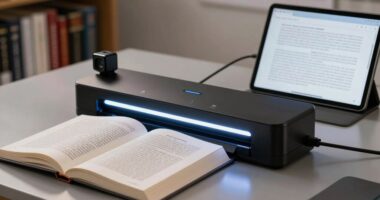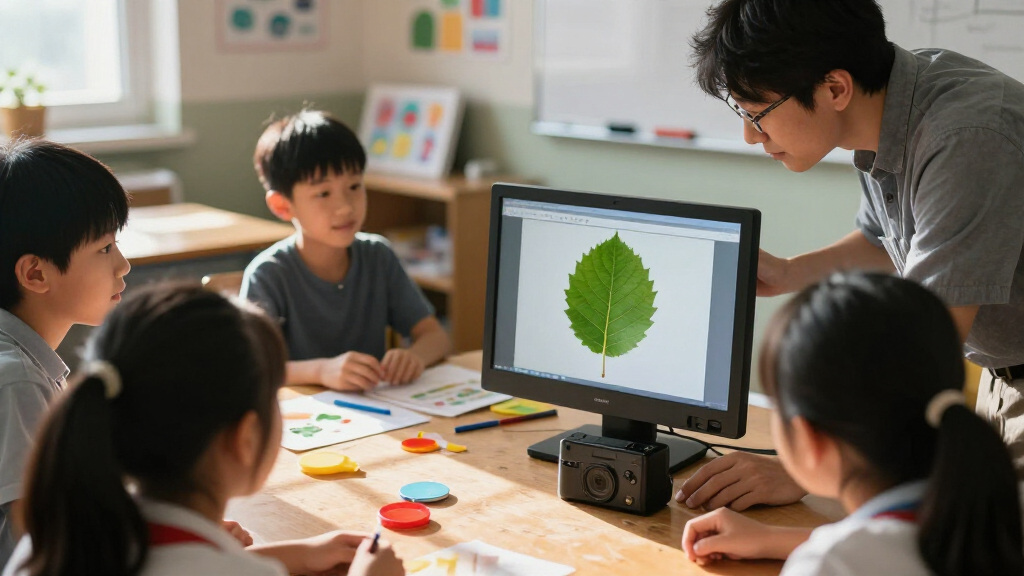

For most teachers, the IPEVO V4K is my best overall pick for its classroom-focused document camera design and 8MP image capture. The JOYUSING 8MP Wireless stands out for teachers who need more connection options, while the Innex DC500 offers a higher-resolution 4K alternative. The main tradeoffs are image detail versus quick setup, wired simplicity versus wireless flexibility, and portability versus the adjustable hardware needed to position materials. The right choice depends on how you teach, what devices you connect, and whether you show worksheets, books, or hands-on demonstrations. Read on for the full comparison and recommendations by classroom need.

Prime made for students and young adults
- Fast, free delivery for dorm and study essentials
- Prime Video and Amazon Music included
- Member-only deals
Key Takeaways
- Connection options change classroom flexibility: The JOYUSING 8MP Wireless includes WiFi, USB, VGA, and HDMI, while many picks are USB-focused; check your classroom display before choosing.
- Higher resolution is not the only classroom advantage: The Innex DC500 pairs 16MP capture with 4K output, but a teacher who mainly shares printed worksheets may get more value from simple setup and positioning.
- Autofocus can reduce interruptions: The PAKOTOO includes autofocus and an LED light, while the AIKOR uses manual focus, making their approaches better suited to different teaching routines.
- Several models serve similar USB-first roles: The OKIOCAM S2-4K, OKIOCAM S-4K, and OKIOCAM T-4K are all 8MP USB options, so buyers should compare their specific form factors and classroom setup needs rather than choosing by brand name alone.
- Microphones and lighting matter when the camera doubles as a webcam: The Kitchbai and THUSTAR list dual microphones, and the Kitchbai also includes adjustable LED lighting; those extras matter most for hybrid lessons and close-up demonstrations.
| JOYUSING 8MP Wireless Document Camera with WiFi, USB, VGA, and HDMI |  | Best for Wireless Teaching | Still resolution: 8 MP | Video: 1080p at 30 fps | Battery: 7200 mAh; up to 6 hours | VIEW LATEST PRICE | See Our Full Breakdown |
| Innex DC500 16MP 4K USB Document Camera, Webcam, and Scanner |  | Best for Detailed Document Work | Image sensor: 16 MP; 4608 × 3456 at 15 fps | Video: 4K UHD at 30 fps; Full HD at 60 fps | Capture area: A3 | VIEW LATEST PRICE | See Our Full Breakdown |
| OKIOCAM S2-4K Ultra HD 8MP USB Document Camera |  | Best for Low-Light Classrooms | Sensor: 8 MP Sony Exmor R back-illuminated CMOS | Maximum image resolution: 3264 × 2448 pixels | Frame rate: Up to 30 fps | VIEW LATEST PRICE | See Our Full Breakdown |
| PAKOTOO 8MP USB Document Camera with Autofocus and LED Light |  | Best for Simple Desktop Lessons | Resolution: 8 MP, 2448P | Connection: USB 2.0; USB-C cable included | Maximum coverage: 16.5 × 11.6 inches (A3) | VIEW LATEST PRICE | See Our Full Breakdown |
| JOYUSING V500S-4K 4K 13MP Document Camera |  | Best for 4K Classroom Presentations | Model: V500S-4K | Video: 4K | Still resolution: 13 MP | VIEW LATEST PRICE | See Our Full Breakdown |
| OKIOLABS OKIOCAM T-4K 8MP USB Document Camera |  | Best for Large-Format Materials | Sensor: 8MP Sony Exmor R CMOS | Maximum Resolution: 3264 × 2448 | Frame Rate: 30 fps at Full HD; 25 fps at max resolution | VIEW LATEST PRICE | See Our Full Breakdown |
| AIKOR 2MP USB Document Camera and Webcam with Manual Focus |  | Best Budget-Friendly Starter | Image Sensor: 2MP CMOS | Video Resolution: 1080p | Frame Rate: Up to 30 fps | VIEW LATEST PRICE | See Our Full Breakdown |
| IPEVO V4K 8MP Ultra High Definition USB Document Camera |  | Best Overall | Resolution: 8MP, up to 3264 × 2448 | Frame Rate: 30 fps at Full HD; 15 fps at 3264 × 2448 | Maximum Shooting Area: 13.46 × 10.04 in | VIEW LATEST PRICE | See Our Full Breakdown |
| OKIOCAM S-4K 8MP USB Document Camera |  | Best Compact Traveler | Sensor: 8MP Sony Exmor R CMOS | Maximum Resolution: 3264 × 2448 | Frame Rate: 30 fps at Full HD; 15 fps at max resolution | VIEW LATEST PRICE | See Our Full Breakdown |
| Kitchbai 4K USB Document Camera with Dual Microphones and Adjustable LED Lighting |  | Best for Dim Classrooms and Close-Ups | Resolution: 8MP, up to 2448P | Frame Rate: 30 fps | Maximum Coverage Area: A3 (listed dimensions appear inconsistent) | VIEW LATEST PRICE | See Our Full Breakdown |
| THUSTAR 8MP Document Camera and Webcam with Dual Microphones |  | Best for Hybrid Teaching | Resolution: 8MP (2448P) | Video frame rate: Up to 30 fps | Microphones: Dual built-in silicon microphones | VIEW LATEST PRICE | See Our Full Breakdown |
| TreasLin 15MP Document Camera with HDMI and USB-C |  | Best for Direct Projector Connection | Resolution: Up to 4K at 15 fps; 1080p/720p at 30 fps | Camera: 15 megapixels | Maximum coverage: A3 (16.5 × 11.7 in) | VIEW LATEST PRICE | See Our Full Breakdown |
| INSWAN INS-1 USB Document Camera and Webcam |  | Best Software Bundle | Resolution: 8 MP | Video capture: Up to 1080p at 30 fps | Focus: Autofocus with macro capability | VIEW LATEST PRICE | See Our Full Breakdown |
| USB Document Camera with LED Light and Manual Focus |  | Best Budget Classroom Pick | Maximum resolution: 1944P | Refresh rate: Up to 30 fps | Focus: Manual | VIEW LATEST PRICE | See Our Full Breakdown |
| HUE HD Pro USB Document Camera, Blue |  | Best for Younger Grades and Tutoring | Resolution: Full HD 1080p | Focus: Manual | Focal range: 1 cm to infinity | VIEW LATEST PRICE | See Our Full Breakdown |
| portable document cameras for teacher | Focus | Compatibility | Lighting |
|---|---|---|---|
| JOYUSING 8MP Wireless Document | — | — | — |
| Innex DC500 16MP 4K USB Docume | — | — | — |
| OKIOCAM S2-4K Ultra HD 8MP USB | Autofocus; minimum focus distance 2 inches | — | — |
| PAKOTOO 8MP USB Document Camer | Button-activated autofocus | Windows PCs, Macs, Chromebooks | LED with 3 brightness levels |
| JOYUSING V500S-4K 4K 13MP Docu | Autofocus | Windows XP/7/8/10/11; macOS 10/11/12/13/14 | Brightness-enhanced LED |
| OKIOLABS OKIOCAM T-4K 8MP USB | Autofocus with 6× digital zoom | Chromebook, Mac, PC | — |
| AIKOR 2MP USB Document Camera | Manual | Windows, Mac, Chromebook (computer required) | — |
| IPEVO V4K 8MP Ultra High Defin | — | Mac, Windows, Chromebook | — |
| OKIOCAM S-4K 8MP USB Document | — | — | — |
| Kitchbai 4K USB Document Camer | Single-press autofocus | Windows 7/8/10/11, macOS 10.11+, Chrome OS 38+ | 3 adjustable brightness levels |
| THUSTAR 8MP Document Camera an | — | Windows, macOS, Chrome OS | 14-bead ring light, 3 brightness levels |
| TreasLin 15MP Document Camera | — | Windows, macOS, Chrome OS, Linux | Built-in LED light |
| INSWAN INS-1 USB Document Came | Autofocus with macro capability | — | Built-in LED, 7 brightness levels |
| USB Document Camera with LED L | Manual | Windows 7/8/10/11, Mac OS 10.12+, Chromebook 38.00+ | 3-level LED brightness and 5-level fill light |
| HUE HD Pro USB Document Camera | Manual | — | Built-in LED lights |
More Details on Our Top Picks
JOYUSING 8MP Wireless Document Camera with WiFi, USB, VGA, and HDMI
The JOYUSING 8MP Wireless Document Camera suits teachers who move between classroom displays or want to present without keeping the camera tethered to a computer. Its WiFi, USB, VGA, and HDMI connections give it more ways to fit an older projector or a newer teaching setup than the USB-only Innex DC500. The battery runs for up to six hours, which can cover a school day of lessons if the camera is charged between uses, and SD card support gives teachers a way to save captures locally. The tradeoff is a fixed aperture and manufacturer software that must be downloaded, so setup may take more effort than a simple USB connection. Its 1080p video also lacks the 4K detail offered by the Innex and JOYUSING V500S-4K.
Pros:- WiFi, USB, VGA, and HDMI cover a wide range of classroom equipment.
- Battery lasts up to six hours for cable-free lessons.
- 1080p video at 30 fps is suited to live demonstrations.
- SD/SDHC/SDXC support allows expandable local storage.
Cons:- Fixed aperture offers no adjustment for changing lighting conditions.
- Requires downloading software from the manufacturer’s website.
- 1080p video has less detail than the 4K JOYUSING V500S-4K.
Best for: Teachers who present in rooms with mixed display connections and want the option to teach without a cable.
Not ideal for: Teachers who need the sharpest 4K image, or who want software-free setup and adjustable aperture control.
- Still resolution:8 MP
- Video:1080p at 30 fps
- Battery:7200 mAh; up to 6 hours
- Connections:WiFi, USB, VGA, HDMI
- Storage:SD/SDHC/SDXC cards
- Video format:MP4
- Image format:JPEG
- Compatible systems:Windows, macOS, Chromebook, Android
Our verdict“Choose this model if wireless operation and flexible classroom connections matter more than 4K detail or quick software setup.”
Innex DC500 16MP 4K USB Document Camera, Webcam, and Scanner
The Innex DC500 is the strongest fit here for teachers who scan, annotate, or share oversized worksheets as often as they show them live. Its A3 capture area accommodates larger pages, while dual autofocus and automatic 180-degree rotation reduce adjustments when materials are repositioned. The bundled software adds OCR, recording, annotation, and document conversion, making this more of a teaching and scanning workstation than the simpler PAKOTOO 8MP. It connects over USB, though, so it gives up the JOYUSING 8MP model’s wireless and HDMI options. There is also a frame-rate tradeoff: the 16MP still capture is limited to 15 fps, while 4K video reaches 30 fps. Teachers who only need to display handwritten work may find its software features unnecessary.
Pros:- A3 capture area accommodates oversized worksheets and teaching materials.
- 4K video at 30 fps supports detailed live presentation.
- Dual autofocus modes and automatic rotation reduce manual adjustments.
- Companion software includes OCR, annotation, recording, and conversion tools.
Cons:- 16MP image capture is limited to 15 fps.
- Advanced OCR and document tools depend on companion software.
- USB-only connectivity offers fewer display options than the JOYUSING 8MP.
Best for: Teachers who regularly digitize A3 materials, use OCR, or annotate documents during lessons.
Not ideal for: Teachers who need wireless or HDMI connections, or who want a simple camera with minimal software setup.
- Image sensor:16 MP; 4608 × 3456 at 15 fps
- Video:4K UHD at 30 fps; Full HD at 60 fps
- Capture area:A3
- Autofocus:AF-C continuous; AF-S single
- Orientation:Automatic 180-degree rotation
- Connection:USB
- Software:Ideao VisualCam for PC; IdeaoCam Chrome extension
- OCR:Over 100 languages
Our verdict“Pick the Innex DC500 if document digitizing and annotation are central to your teaching, and its USB-only setup fits your classroom.”
OKIOCAM S2-4K Ultra HD 8MP USB Document Camera
The OKIOCAM S2-4K makes sense for teachers who need clear capture in a classroom where lighting is not always easy to control. Its back-illuminated Sony Exmor R sensor is designed to help in low light, and the camera streams at up to 30 fps while capturing images at 3264 × 2448 pixels. The adjustable arm covers letter-size pages and near-Ledger materials, a little less than the A3 coverage listed for the Innex DC500 and PAKOTOO 8MP. Compatible software adds pointer tracking, annotation, recording, and picture-in-picture, giving it more presentation tools than the PAKOTOO’s button-based controls alone. Its digital zoom is software-based, so it depends on compatible software, and iPad use requires both the included USB-C adapter and iPadOS 17 or later.
Pros:- Back-illuminated sensor is designed for clearer capture in low light.
- Autofocus and streaming up to 30 fps support live demonstrations.
- Adjustable arm covers letter-size and near-Ledger documents.
- Compatible software includes pointer tracking, annotation, recording, and picture-in-picture.
Cons:- Software-based digital zoom depends on compatible software.
- iPad use requires the included USB-C adapter and iPadOS 17 or later.
- Capture area is smaller than the A3 Innex DC500 and PAKOTOO 8MP.
Best for: Teachers presenting worksheets in dim or unevenly lit rooms who want a camera that works across computers and iPad.
Not ideal for: Teachers who need native iPad compatibility with older iPadOS versions or a larger A3 capture area.
- Sensor:8 MP Sony Exmor R back-illuminated CMOS
- Maximum image resolution:3264 × 2448 pixels
- Frame rate:Up to 30 fps
- Capture area:15.1 × 11.2 inches
- Focus:Autofocus; minimum focus distance 2 inches
- Digital zoom:Up to 10×
- Connection:USB; USB-C adapter included for iPad
- Compatible platforms:Windows, macOS, Chrome OS, iPadOS 17 and above
- Weight:0.5 kg
Our verdict“Choose the S2-4K for low-light presentation and broad platform support if its smaller capture area fits your materials.”
PAKOTOO 8MP USB Document Camera with Autofocus and LED Light
The PAKOTOO 8MP keeps classroom adjustments close at hand: teachers can trigger autofocus, change among three LED brightness levels, and flip the image with buttons. Its foldable, multi-joint arm covers up to A3, giving it more reach than the OKIOCAM S2-4K’s listed capture area. That makes it a practical choice for presenting large worksheets or arranging objects under the camera without relying on software for basic image orientation. The tradeoff is a more limited connection and feature set than the JOYUSING 8MP Wireless: PAKOTOO is USB-only, has no zoom, and does not support iPad. It also requires manually selecting the USB camera in the computer’s system, so teachers should expect a setup step before class rather than assuming it will appear automatically.
Pros:- Foldable multi-joint arm adjusts to different document and object positions.
- A3 coverage accommodates large classroom materials.
- Button-controlled autofocus and image flipping support quick adjustments.
- Three LED brightness levels and ten exposure levels offer lighting control.
Cons:- No zoom or HDMI connection.
- Does not support iPad.
- Requires manually selecting the USB camera on the computer.
Best for: Teachers using a Windows PC, Mac, or Chromebook who want physical controls and A3 coverage for everyday lessons.
Not ideal for: Teachers who present from an iPad, need HDMI or zoom, or expect automatic camera selection.
- Resolution:8 MP, 2448P
- Connection:USB 2.0; USB-C cable included
- Maximum coverage:16.5 × 11.6 inches (A3)
- Lighting:LED with 3 brightness levels
- Exposure adjustment:10 levels
- Focus:Button-activated autofocus
- Image reversal:Up/down and left/right via buttons
- Compatibility:Windows PCs, Macs, Chromebooks
Our verdict“Choose the PAKOTOO if you want hands-on controls and A3 coverage in a USB classroom setup that does not require zoom or iPad support.”
JOYUSING V500S-4K 4K 13MP Document Camera
The JOYUSING V500S-4K is aimed at teachers who want sharper live presentations and detailed still images from a single camera. It combines 4K video with 13MP capture, autofocus, A3 coverage, an adjustable multi-joint arm, and an LED light, so a teacher can move from a full worksheet to a close-up demonstration without changing cameras. Compared with the USB-only Innex DC500, this model’s appeal is a presentation-focused combination of lighting, touch buttons, and a built-in microphone; the supplied data does not list the Innex’s OCR or document conversion tools here. The V500S-4K does require a software download from JOYUSING, and OCR is listed for Windows only. Teachers using macOS should weigh that platform limit if document recognition is part of their workflow.
Pros:- 4K video and 13MP still capture provide detailed presentation images.
- Autofocus and a multi-joint arm support quick shifts between page views.
- A3 capture size accommodates large worksheets and teaching materials.
- Built-in microphone and LED light support video lessons and web conferencing.
Cons:- Software must be downloaded from the manufacturer’s website.
- OCR is listed for Windows only.
- Wireless or HDMI connectivity is not specified in the product data.
Best for: Teachers who present detailed A3 materials over video and want 4K capture, autofocus, and a built-in microphone.
Not ideal for: Teachers who rely on OCR on macOS, or who need wireless connections or documented software-free setup.
- Model:V500S-4K
- Video:4K
- Still resolution:13 MP
- Focus:Autofocus
- Maximum capture size:A3
- Microphone:Built-in digital microphone
- Lighting:Brightness-enhanced LED
- Compatibility:Windows XP/7/8/10/11; macOS 10/11/12/13/14
- Warranty:1 year manufacturer
Our verdict“Pick the V500S-4K if 4K presentation quality and A3 coverage matter more than wireless use or macOS OCR.”
OKIOLABS OKIOCAM T-4K 8MP USB Document Camera
Most portable document cameras top out at letter or A4 paper, which is a real problem for teachers working with textbooks, spreadsheets, or ledger-size workbooks. This model stands out for its 13.86 × 18.11 inch capture area, large enough to show a fully open book without repositioning the page mid-lesson. Compared with the OKIOCAM S-4K, the T-4K trades a little portability for that bigger footprint and adds a 6× digital zoom plus AI-assisted pointing in software. The 8MP Sony Exmor R sensor also holds up better in dim classrooms than the AIKOR 2MP. The tradeoffs are modest but real: zoom is digital only, so heavy magnification softens detail, and the carrying pouch costs extra — an odd omission for a camera aimed at traveling between classrooms.
Pros:- Captures ledger-size materials and open book pages in one frame
- 8MP Sony Exmor R sensor delivers detail and solid low-light performance
- Plug-and-play across Chromebook, Mac, PC, and interactive displays
- Software bundle includes annotation, recording, and AI-assisted pointing
Cons:- Digital zoom only — no optical zoom for crisp close-ups
- Carrying pouch sold separately, which adds cost for mobile teachers
Best for: Teachers who regularly display open textbooks, ledger-size workbooks, or wide spreadsheets
Not ideal for: Teachers who rely heavily on zoomed-in details — digital-only zoom degrades image sharpness at high magnification
- Sensor:8MP Sony Exmor R CMOS
- Maximum Resolution:3264 × 2448
- Frame Rate:30 fps at Full HD; 25 fps at max resolution
- Maximum View Area:13.86 × 18.11 in
- Focus:Autofocus with 6× digital zoom
- Compatibility:Chromebook, Mac, PC
Our verdict“If your lessons hinge on showing full textbook spreads or oversized materials, this is the capture area to get.”
AIKOR 2MP USB Document Camera and Webcam with Manual Focus
For a first document camera or a tight departmental budget, this option covers the basics without demanding much setup. The 360-degree adjustable arm that extends to 20.4 inches makes it easy to angle toward a worksheet, a whiteboard sketch, or your own face for hybrid lessons, and the built-in noise-reducing microphone means you don’t need a separate mic for video calls. That said, the gap between this and the IPEVO V4K is mostly image quality: 2MP and 1080p is fine for live demonstrations, but small text and fine diagrams look noticeably softer. Manual focus also means you’ll be tweaking the ring every time you swap materials — a small friction the OKIOCAM S-4K’s autofocus eliminates. It also won’t work with iPads or phones, so it’s strictly a computer accessory.
Pros:- Flexible 360-degree arm extending to 20.4 inches for versatile framing
- Built-in noise-reducing microphone covers video calls without extra gear
- Works with Windows, Mac, Chromebook, and major conferencing apps
- Lightweight at 1.1 lbs for moving between classrooms
Cons:- Manual focus requires readjustment whenever materials change
- Requires a computer — no iPad or phone support
- 2MP sensor limits clarity for small text and fine details
Best for: Student teachers or departments buying multiple units who need basic 1080p sharing on a budget
Not ideal for: Anyone displaying dense small text or using an iPad — the 2MP sensor and computer-only requirement will frustrate both
- Image Sensor:2MP CMOS
- Video Resolution:1080p
- Frame Rate:Up to 30 fps
- Focus:Manual
- Connectivity:USB, USB-C
- Adjustable Arm:360-degree rotation; extends to 20.4 in
- Weight:1.1 lbs
- Compatibility:Windows, Mac, Chromebook (computer required)
Our verdict“A sensible low-cost entry point for live 1080p demonstrations, as long as you accept manual focus and computer-only use.”
IPEVO V4K 8MP Ultra High Definition USB Document Camera
This is the pick I’d point most teachers toward first, because it gets the fundamentals right where cheaper models compromise. The Sony CMOS sensor at 8MP handles varied classroom lighting gracefully, and its fast autofocus keeps live demonstrations smooth in a way the AIKOR’s manual focus simply can’t match. The multi-jointed stand is sturdy enough to survive daily desk use and folds reasonably flat for storage. Compared with the OKIOCAM T-4K, the shooting area is smaller at 13.46 × 10.04 inches, so oversized books will need page-by-page framing, but for letter-size handouts, student work, and manipulatives it’s ample. Two caveats temper the recommendation: it behaves as a standard UVC camera, so you need software that recognizes it as a video source, and the listed requirements call for an Intel Core i5 — aging school laptops may struggle at maximum resolution.
Pros:- 8MP Sony CMOS sensor delivers sharp, detailed captures
- Fast autofocus minimizes interruptions during live lessons
- Streams at 30 fps in Full HD for smooth video
- Multi-jointed stand is stable and easy to reposition
Cons:- Requires software that recognizes UVC video sources
- Listed system requirements specify an Intel Core i5 processor
Best for: Teachers who want a dependable, high-resolution daily driver for handouts, student work, and live annotation
Not ideal for: Schools running older or low-powered computers — the i5 requirement and UVC software dependency can cause headaches
- Resolution:8MP, up to 3264 × 2448
- Frame Rate:30 fps at Full HD; 15 fps at 3264 × 2448
- Maximum Shooting Area:13.46 × 10.04 in
- Image Sensor:Sony CMOS
- Connection:USB, standard UVC camera
- Compatibility:Mac, Windows, Chromebook
Our verdict“The most balanced choice for everyday classroom use — great image quality and fast focus, provided your computer isn’t ancient.”
OKIOCAM S-4K 8MP USB Document Camera
At 269 grams and under 8 inches long, this is the model to grab if your camera lives in a tote bag rather than on a dedicated desk. It still carries the same 8MP Sony Exmor R sensor as its sibling the OKIOCAM T-4K, so image quality doesn’t suffer for the smaller frame — you’re mainly giving up capture width, since it fits letter-size materials in landscape rather than the T-4K’s ledger-size coverage. Automatic focus and exposure remove the fiddling that manual-focus models like the AIKOR demand, and OKIOPoint tracking in the OKIOCAM Live software lets you highlight where you’re pointing — genuinely useful when modeling handwriting or math steps. Just know that maximum-resolution video drops to 15 fps, and the tracking feature is locked to the company’s own software rather than working everywhere.
Pros:- Featherweight 269 g design that fits easily in a bag
- 8MP Sony Exmor R sensor matches its larger sibling’s image quality
- Autofocus and auto exposure with no manual fiddling
- OKIOPoint tracking helps viewers follow along with your finger
Cons:- Maximum-resolution video limited to 15 fps
- OKIOPoint tracking requires OKIOCAM Live software
- Smaller capture area than the OKIOCAM T-4K
Best for: Traveling or itinerant teachers who move between rooms or schools and pack their gear daily
Not ideal for: Teachers displaying oversized books or wanting high-resolution recording at full frame rate — the small footprint and 15 fps cap limit both
- Sensor:8MP Sony Exmor R CMOS
- Maximum Resolution:3264 × 2448
- Frame Rate:30 fps at Full HD; 15 fps at max resolution
- Connectivity:USB 2.0
- Compatible Devices:Chromebooks, interactive whiteboards, Mac, Windows
- Weight:269 g
- Dimensions:1.61 × 3.15 × 7.32 in
Our verdict“The lightest way to carry genuine 8MP quality between classrooms, with only frame-rate and capture-width compromises.”
Kitchbai 4K USB Document Camera with Dual Microphones and Adjustable LED Lighting
Lighting is the detail most document camera makers ignore, and it’s where this model earns its place. The built-in LED light with three brightness levels keeps student work readable in classrooms where overhead fluorescents are off for projections — something neither the IPEVO V4K nor the OKIOCAM S-4K addresses. Add a macro distance of about 4 inches for close-up shots of coins, leaves, or circuit boards, plus dual noise-reducing microphones, and this becomes a strong pick for science demos and hybrid lessons. The single-press autofocus button is a different philosophy from continuous autofocus: it’s predictable, but you’ll press it every time materials move. The published maximum coverage area includes a suspicious dimension (16.5 × 116 in), so treat the A3 claim with mild skepticism and expect closer to the T-4K’s coverage in practice.
Pros:- Adjustable LED lighting with three brightness levels for dim rooms
- Macro shooting from under 4 inches for small objects and specimens
- Dual noise-reducing microphones built in for recorded lessons
- Foldable multi-joint design with plug-and-play setup
Cons:- Autofocus requires a button press rather than running continuously
- Published maximum coverage dimensions appear inconsistent and may not match real-world A3 capture
Best for: Science teachers and anyone presenting in dim rooms who needs onboard lighting and macro close-ups
Not ideal for: Teachers who want set-and-forget focusing — the button-press autofocus interrupts the flow of fast-paced lessons
- Resolution:8MP, up to 2448P
- Frame Rate:30 fps
- Maximum Coverage Area:A3 (listed dimensions appear inconsistent)
- Lighting:3 adjustable brightness levels
- Focus:Single-press autofocus
- Macro Distance:3.94 in minimum
- Microphones:Dual built-in silicon microphones
- Connectivity:USB-C
- Compatibility:Windows 7/8/10/11, macOS 10.11+, Chrome OS 38+
Our verdict“The lighting and macro features make it the go-to for science demos and dim rooms, if you can live with press-to-focus operation.”
THUSTAR 8MP Document Camera and Webcam with Dual Microphones
Teachers who split their week between live classrooms and video lessons need a camera that handles both jobs without fiddling, and this THUSTAR model covers that spread well. The dual noise-reducing microphones are the standout here — compared with the INSWAN INS-1, which carries only a single built-in mic, this one picks up voice more cleanly when you are narrating over a document while remote students listen in. The 14-bead ring light with three brightness levels is genuinely useful for dim classrooms, and the multi-joint stand folds flat enough to slip into a tote between buildings.
The tradeoff is focus control: autofocus is button-triggered rather than continuous, so a demo with moving objects will occasionally need a tap. The IPEVO V4K handles that scenario more gracefully. Still, for teachers presenting from a fixed spot with occasional focus adjustments, this pick makes sense.
Pros:- Dual noise-reducing microphones capture clear narration during video lessons
- Foldable multi-joint stand offers flexible positioning for documents and 3D objects
- Three-level ring light adapts to dim classroom lighting
- Broad compatibility with Windows, macOS, Chrome OS, and conferencing apps
Cons:- Autofocus requires a button press rather than adjusting continuously
- Video tops out at 30 fps, which can feel slightly choppy during fast motion
Best for: Hybrid and remote teachers who present documents over video calls and need solid voice pickup
Not ideal for: Teachers doing frequent live demonstrations with moving 3D objects, since button-triggered autofocus interrupts the flow
- Resolution:8MP (2448P)
- Video frame rate:Up to 30 fps
- Microphones:Dual built-in silicon microphones
- Lighting:14-bead ring light, 3 brightness levels
- Maximum capture area:A3
- Minimum focus distance:3.94 inches
- Compatibility:Windows, macOS, Chrome OS
- Connectivity:USB, plug and play
Our verdict“A sensible pick for hybrid teachers who prioritize microphone quality and lighting flexibility over continuous autofocus.”
TreasLin 15MP Document Camera with HDMI and USB-C
Most document cameras in this roundup — the OKIOCAM S2-4K, the PAKOTOO 8MP, and others — assume you will present through a laptop. The TreasLin takes a different path: its HDMI output plugs straight into a projector or classroom display, no computer required. That matters for teachers who work in rooms with an aging projector and no reliable laptop cart, or who simply want fewer failure points between the document and the screen.
The 15MP sensor resolves fine print sharply, and the TF card slot lets you save student work snapshots on the spot. Be aware that 4K capture runs at only 15 fps, so live video looks smoother if you drop to 1080p — a reasonable trade the Innex DC500 handles better if smooth 4K matters more to you than standalone HDMI output.
Pros:- HDMI output connects directly to projectors, monitors, and TVs without a computer
- 15MP sensor captures detailed stills of student work
- TF card slot enables standalone image storage
- Works across Windows, macOS, Chrome OS, and Linux
Cons:- 4K mode is limited to 15 fps, making 1080p the better choice for live video
- Mac users need an adapter for USB connection
Best for: Teachers presenting directly to projectors or TVs without relying on a laptop
Not ideal for: Mac-based classrooms, since the USB connection requires a separate adapter
- Resolution:Up to 4K at 15 fps; 1080p/720p at 30 fps
- Camera:15 megapixels
- Maximum coverage:A3 (16.5 × 11.7 in)
- Connections:USB and HDMI
- Compatibility:Windows, macOS, Chrome OS, Linux
- Storage:TF card slot
- Lighting:Built-in LED light
Our verdict“The pick for teachers who want to bypass the laptop entirely and drive a projector straight from the camera.”
INSWAN INS-1 USB Document Camera and Webcam
Hardware is only half of a document camera — what you can annotate, record, and manipulate on screen determines how useful it is day to day. The INS-1 stands out in this lineup for its bundled Documate software, which adds annotation tools, recording, and image controls that most budget rivals leave you to source separately. Compared with the THUSTAR 8MP, which relies on your conferencing app’s basic features, this model gives teachers a proper presenting toolkit out of the box.
The 8MP sensor with true autofocus and macro capability handles everything from workbook pages to small science specimens, and the LED offers seven brightness levels rather than the usual three. The main limitation is connectivity: iPad users need a USB-C port, and the USB-A plug rules out older Lightning tablets. Chromebook and laptop users have nothing to worry about.
Pros:- Bundled Documate software adds annotation, recording, and image controls
- True autofocus with macro capability for close-up work
- Seven LED brightness levels for fine lighting control
- Plug-and-play USB connection across Windows, Mac, iPad, and Chromebook
Cons:- iPad connection only works with USB-C models
- USB-A connection may need adapters on newer port-limited laptops
Best for: Teachers who want built-in annotation and recording software for interactive lessons without buying extra apps
Not ideal for: Classrooms using older Lightning-port iPads, since connection requires USB-C
- Resolution:8 MP
- Video capture:Up to 1080p at 30 fps
- Focus:Autofocus with macro capability
- Viewing area:14.72 x 11 inches
- Lighting:Built-in LED, 7 brightness levels
- Microphone:Built-in
- Connection:USB-A
- Compatible devices:Windows PC, Mac, iPad with USB-C, Chromebook
Our verdict“The strongest choice for teachers who value classroom-ready annotation and recording software as much as the camera itself.”
USB Document Camera with LED Light and Manual Focus
For departments buying several units at once, or teachers funding gear from their own pockets, this unnamed-brand visualizer keeps the fundamentals intact at the low end of the category. It covers the document camera, visualizer, and webcam roles in one USB device, and the lighting setup is surprisingly granular — a 3-level LED plus a separate 5-level fill light, more adjustment than the HUE HD Pro offers, which helps in windowless rooms where you control every lumen.
The obvious compromise is manual focus. Unlike the autofocus-equipped INSWAN INS-1, you will twist the lens yourself whenever the page height changes, which interrupts live demos. For teachers who mostly show flat workbooks at a fixed distance, that is a minor annoyance; for anyone juggling objects at varying heights, it becomes a real friction point.
Pros:- Combines document camera, visualizer, and webcam functions in one device
- Granular lighting control with 3-level LED and 5-level fill light
- Image mirroring and inversion for flexible setup
- Plug-and-play with Windows, Mac, and Chromebook
Cons:- Manual focus slows down live presentations when distance changes
- 1944P resolution trails the 4K options in this roundup for fine detail
Best for: Budget-conscious teachers or departments buying multiple units for flat-document work at a fixed distance
Not ideal for: Teachers frequently switching between pages, books, and 3D objects, since manual focus needs constant adjusting
- Maximum resolution:1944P
- Refresh rate:Up to 30 fps
- Focus:Manual
- Lighting:3-level LED brightness and 5-level fill light
- Image adjustment:Left/right mirror and image inversion
- Compatibility:Windows 7/8/10/11, Mac OS 10.12+, Chromebook 38.00+
- Connectivity:USB
Our verdict“A workable budget choice if your lessons stick to flat documents and you can live with twisting the lens yourself.”
HUE HD Pro USB Document Camera, Blue
Elementary teachers and tutors have different needs than high-school presenters: less A3 coverage, more grab-and-go portability and kid-friendly handling. The HUE HD Pro’s flexible gooseneck bends into any angle and the camera even detaches from its base to hold by hand — something no multi-joint stand model in this roundup, including the THUSTAR, can match. The manual-focus wide-angle lens works from 1 cm to infinity, which is perfect for showing a page, a seedling, or a math manipulative up close.
The compromises are real, though. There is no zoom, so framing relies entirely on repositioning the neck, and 1080p resolution trails the 8MP and 4K cameras elsewhere in this guide when you need to project tiny text. The three-year warranty is a rarity in this category and offsets some of that for schools planning long-term use.
Pros:- Flexible neck and detachable body allow handheld demonstrations
- 1 cm-to-infinity focal range handles extreme close-ups
- Three-year warranty exceeds typical coverage in this category
- Broad OS support including Linux
Cons:- No zoom function — framing depends entirely on physical repositioning
- Bundled HUE Intuition software requires Windows or macOS
Best for: Elementary teachers and tutors who want a grabbable, hand-holdable camera for close-up demos and one-on-one sessions
Not ideal for: Teachers projecting dense small text to a large room, since 1080p and no zoom limit fine detail
- Resolution:Full HD 1080p
- Focus:Manual
- Focal range:1 cm to infinity
- Lens:Wide angle
- Maximum capture area:A3
- Microphone:Built-in, noise reduction
- Lighting:Built-in LED lights
- Compatible OS:Windows, Chrome OS, macOS, Linux
- Warranty:3 years
Our verdict“Choose this for hands-on younger-grade classrooms and tutoring where portability beats pixel count; skip it for large-room fine-text projection.”

How We Picked
I ranked these cameras around a teacher’s daily workflow: placing a page or object under the lens, getting a clear image on a classroom display or computer, and adjusting the view without slowing a lesson. I weighed stated resolution and focus type alongside connection choices, lighting, microphones, portability cues, and whether the product is also presented as a webcam or scanner. For classroom use, a useful mix of dependable image capture and manageable setup carries more weight than the largest resolution figure alone.
The ranking reflects the differences visible in the listed features, not hands-on testing. Models with multiple connection paths or a strong blend of classroom flexibility and image detail rank ahead of more specialized or less fully specified options. I also treated product naming carefully: where the listing does not describe a stand, software, or operating-system support, I avoid assuming those capabilities. This makes the comparison most useful as a shortlist to check against your own computer, projector, and teaching routine.
Factors to Consider When Choosing Portable Document Cameras For Teachers
Choosing a classroom document camera is less about chasing the biggest number and more about making it easy for students to see what you are teaching. I would start with the display connection and teaching format, then weigh image detail, focus, lighting, and transport needs.
Match the connections to your classroom
Before comparing camera resolution, check what you need to connect: a classroom computer, projector, interactive display, or student-facing video call. A USB camera may suit a computer-centered room, while a model listing HDMI or VGA can offer a more direct route to some display setups. Wireless connections can reduce cable clutter, but they add a network and setup dependency that may not fit every school’s restrictions. Do not assume that a connector listed on the product guarantees compatibility with your exact display; check the ports and supported software. If you move between rooms, favor a connection routine you can repeat quickly. A short setup check before purchase can prevent a camera that is portable but awkward to use where you teach.
Choose image detail for the materials you show
Resolution matters most when students need to read small print, inspect fine diagrams, or see details in a demonstration. For ordinary worksheets and textbook pages, a clear, stable view may matter more than a maximum 4K or megapixel figure. The camera’s actual output can also depend on the software, display, and connection in use, so a high capture specification does not automatically mean students will see more detail. Think about the back row and any remote learners, not just the preview on your laptop. If your lessons rely on handwriting or small labels, leave room in your choice for focus and lighting performance as well. Match the camera to the hardest-to-see material you teach regularly.
Decide how much focus adjustment you want
Autofocus can help when you alternate between a flat page and objects held closer to the lens. It may also save lesson time if you reposition materials often. Manual focus gives the teacher direct control, which can suit a fixed setup or a teacher who prefers to set the focus once and leave the camera in place. Either approach can be frustrating if it does not match how often your subject distance changes. Consider whether students will handle objects under the camera or whether you will mainly display books and worksheets. Look for clear focus controls and think through a typical lesson before treating autofocus as an automatic upgrade.
Plan for lighting and sound in hybrid lessons
Classroom lights can cast shadows from a teacher’s hand or leave glossy pages difficult to read. Built-in or adjustable LED lighting can help with close-up work, but placement and brightness control affect whether it improves the image. A document camera with microphones may also serve video lessons, though microphone presence alone does not tell you how clearly it captures speech in a busy room. If students join remotely, assess the camera as part of the full setup: speaking distance, room noise, computer audio, and how the document view appears on screen. Teachers using the camera only with an in-room projector may have little reason to prioritize microphones. Decide which problem you are solving before paying attention to bundled extras.
Balance portability with stability
A camera that travels between classrooms needs more than a small footprint: it should be quick to set down, aim, and pack away without losing a useful viewing angle. More adjustable hardware can help position books and three-dimensional objects, yet it may take more room in a teaching bag or on a crowded desk. A compact unit can be easier to carry but less convenient if it does not place the lens where your materials need it. Consider where it will live between lessons and whether you will use it with large textbooks, lab objects, or only loose pages. Check the product’s listed dimensions and mounting or stand details instead of assuming the word portable describes the whole setup. The best balance depends on how often you move it and what you place beneath the lens.
Check software, school devices, and support needs
Teachers often share computers with school IT policies, so software compatibility can shape the buying decision as much as the camera itself. Confirm that the camera works with your operating system and the classroom display or conferencing software you use. A camera described as a webcam may offer broader use, but that label does not settle whether every feature works in your preferred app. Also check what is included, such as cables, software, and a stand, because missing pieces can add setup work. If several teachers will share the device, simple controls and a repeatable connection process can matter more than advanced settings. Treat listed compatibility and included accessories as items to verify before purchase.
Frequently Asked Questions
Should I choose 4K or a lower-resolution document camera for teaching?
I would choose based on the smallest details students need to read, rather than the 4K label by itself. For worksheets and textbook pages, a well-positioned camera with clear focus may be enough. Higher resolution can help with fine diagrams or close-up demonstrations, but the classroom display and connection also affect what students actually see. The Innex DC500 and JOYUSING V500S-4K list 4K capabilities, while several 8MP models may suit routine paper sharing. If possible, compare sample output on the same type of display you use at school.
Is a wireless document camera a better choice for a classroom?
Wireless can make placement more flexible and reduce visible cables, which is useful when the teaching surface is away from the computer. It also depends on a reliable network and may require extra setup or school approval. The JOYUSING 8MP Wireless lists WiFi along with USB, VGA, and HDMI, giving it more connection paths than USB-focused options. A wired model can be the simpler choice when the camera stays at one desk or network access is restricted. Choose wireless for a real placement need, not just to avoid a cable you can easily manage.
Do I need autofocus if I mostly show worksheets and books?
If the camera stays over flat pages at a consistent distance, manual focus may be perfectly workable once you set it. Autofocus is more useful when you frequently switch between a page, a tool, and an object held closer to the lens. The PAKOTOO lists autofocus, while the AIKOR specifies manual focus, illustrating that these products suit different teaching rhythms. Autofocus can also adjust at moments when you would rather keep the image steady, depending on the camera and software. Think about how often your subject moves before making focus type a deciding factor.
Can one document camera work for both in-person and remote teaching?
Many models in this roundup are also described as webcams, which can make a single device useful for showing materials in the classroom and on a video call. The INSWAN INS-1, THUSTAR, and Kitchbai listings include webcam use, and the THUSTAR and Kitchbai also list dual microphones. You should still verify how the camera appears in the conferencing software and whether its microphone suits your room. A separate computer webcam may remain better for face-to-face framing while the document camera points down at teaching materials. One device can cover both roles, but the best framing for each use may differ.
What should I check before buying a camera for a school projector?
First identify the projector’s available inputs and whether the camera connects directly or needs a computer in between. The JOYUSING 8MP Wireless lists VGA and HDMI as well as USB, and the TreasLin lists HDMI and USB-C, while many other options are USB models. Confirm that the camera’s output mode and any required software work with the projector setup your school actually has. Check cable length and whether adapters are needed, since these details can affect where you can place the camera. If your classroom uses a managed computer, ask whether you can install or run the required camera software.
Conclusion
For a balanced classroom choice, I would start with the IPEVO V4K as best overall, then compare its USB setup with the broader connections on the JOYUSING 8MP Wireless if you regularly switch displays. For a value-minded shortlist, the OKIOCAM S-4K and PAKOTOO offer 8MP USB capture, with autofocus and LED lighting called out on the PAKOTOO; verify current bundle details and compatibility before deciding. Teachers seeking a more advanced image specification should look at the Innex DC500 or JOYUSING V500S-4K. For beginners, I would favor a straightforward USB model whose software works with the school computer, such as an OKIOCAM S2-4K. If you need wireless flexibility, direct display connections, or a camera that also supports remote lessons, choose around those needs first: the JOYUSING 8MP Wireless, TreasLin, Kitchbai, and THUSTAR each list features that address different setups.
Halloween Picks
halloween
As an affiliate, we earn on qualifying purchases.