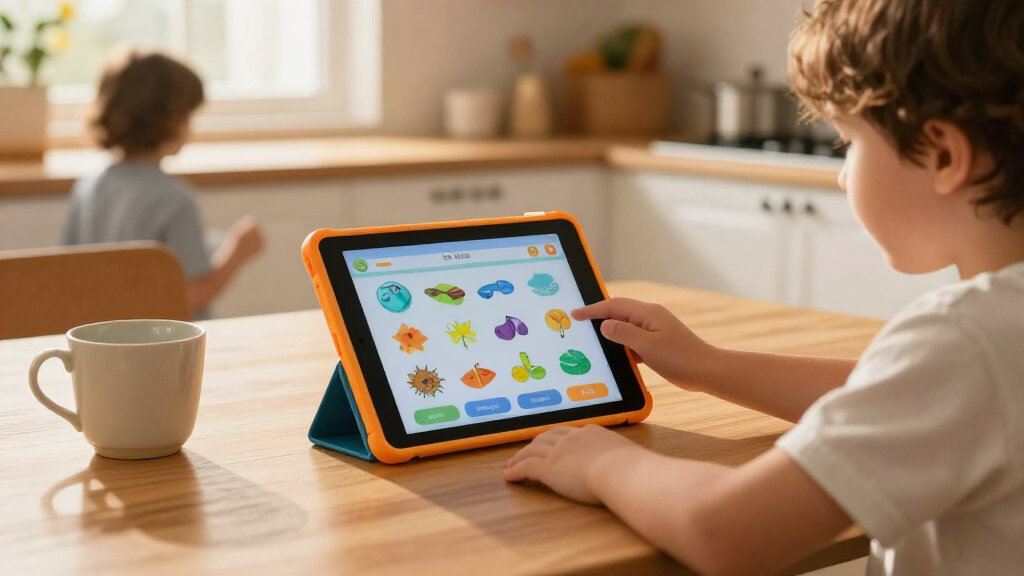
For families seeking electronic learning tablets for kids, the best choice depends on whether learning apps, guided activities, or simple toddler play matter most. I’d put the Amazon Kids Tablet 8.7-inch with Paw Patrol Bumper first for families who want a general-purpose tablet with a kid-focused case, while the LeapFrog LeapPad Academy suits children who benefit from dedicated learning activities. For younger toddlers, the hahaland 5-Language Learning Tablet Toy offers a simpler, screen-light alternative. The main tradeoff is between open-ended Android flexibility and purpose-built learning play, with age fit, parental controls, durability, and screen use also shaping the decision. Read on for the full breakdown of all 14 options and how I’d match them to different needs.

Prime made for students and young adults
- Fast, free delivery for dorm and study essentials
- Prime Video and Amazon Music included
- Member-only deals
Key Takeaways
- The lineup splits into two kinds of learning device: Android tablets support broader app and media use, while LeapFrog and VTech products focus on guided activities or toy-like interactions.
- The Amazon Kids Tablet is the strongest general-purpose pick: its 8.7-inch display and Paw Patrol bumper pair a larger viewing area with a child-oriented protective design.
- LeapFrog’s dedicated devices suit structured practice: the LeapPad Academy and focused literacy toys are more learning-centered than the Android options, but offer less general-purpose flexibility.
- Age and interaction style matter more than screen size alone: toddlers may get more from simple buttons, sounds, and language activities than from a full Android tablet.
- Large Android models are not automatically the best upgrade: the Evermyth and COLORROOM offer larger screens and listed memory or storage figures, but families should weigh portability, child controls, and actual app needs.
| GuaiyeyeAP Kids Educational Learning Tablet with 3-Inch Color Screen |  | Best for Portable Preschool Practice | Brand: GuaiyeyeAP | Model: Spg200 | Age range: 4 years and up | VIEW LATEST PRICE | See Our Full Breakdown |
| Amazon Kids Tablet 8.7-inch with Paw Patrol Bumper |  | Best for a Ready-to-Use Content Library | Display: 8.7 inches | Storage: 64 GB | Battery life: Up to 14 hours of video playback | VIEW LATEST PRICE | See Our Full Breakdown |
| hahaland 5-Language Learning Tablet Toy for Toddlers Ages 1–3 |  | Best Screen-Free Starter | Recommended age: 12 months–3 years | Screen: No screen | Languages listed: English, French, Spanish, German, and Italian | VIEW LATEST PRICE | See Our Full Breakdown |
| LeapFrog 2-in-1 LeapTop Touch Learning Toy |  | Best for Laptop-Style Play | Age range: 2–5 years | Learning modes: ABCs, Numbers, Games, Music, and Messages | Keyboard: Letters A–Z and numbers 1–10 | VIEW LATEST PRICE | See Our Full Breakdown |
| Trayoo 7-Inch Kids Tablet, 32GB, Blue |  | Best Expandable-Storage Value | Display: 7-inch IPS HD, 1024 × 600 resolution | Processor: Allwinner quad-core | RAM: 2 GB | VIEW LATEST PRICE | See Our Full Breakdown |
| Evermyth 10-Inch Android 16 Kids Tablet with Stylus and Protective Case, 24GB RAM, 64GB Storage |  | Best for a Big Screen and Creative Play | Operating system: Android 16 | Screen size: 10 inches | Processor: A333, up to 1.8GHz | VIEW LATEST PRICE | See Our Full Breakdown |
| LeapFrog LeapPad Academy Kids’ Learning Tablet, Pink |  | Best for a Guided Learning Start | Operating system: Android 10 | Screen size: 7 inches | Processor: Qualcomm quad-core, up to 1.5 GHz | VIEW LATEST PRICE | See Our Full Breakdown |
| VTech Genio Bilingual JuniorBook Learning Laptop for Kids |  | Best for Bilingual Computer Skills | Age range: 5 years and up | Activities: More than 80 | Languages: English and Spanish | VIEW LATEST PRICE | See Our Full Breakdown |
| LeapFrog Mr. Pencil’s Scribble, Write and Read |  | Best for Early Writing Practice | Recommended age: 36 months–5 years | Activities: Letter and number tracing, name writing, word building, phonics, guided drawing, and free draw | Writing tool: Stylus | VIEW LATEST PRICE | See Our Full Breakdown |
| TOPELOTEK 7-Inch Kids Tablet, 2GB RAM, 32GB Storage |  | Best for Compact Offline Learning | Generation: 3rd Generation | Screen size: 7 inches | RAM: 2GB | VIEW LATEST PRICE | See Our Full Breakdown |
| LeapFrog Touch and Learn eReader, Teal |  | Best for Early Literacy | Age recommendation: 3 years and up | Stories: 10 | Display: LCD, 800 × 600 | VIEW LATEST PRICE | See Our Full Breakdown |
| COLORROOM 10.1-Inch Android 15 Kids Tablet, 10GB RAM, 64GB Storage, Pink |  | Best for a Big Screen and Expandable Storage | Operating system: Android 15 | Screen: 10.1 inches | Resolution: 1280 × 800 | VIEW LATEST PRICE | See Our Full Breakdown |
| PEICHENG 7-Inch Kids Tablet, Android 12, 4GB RAM, 32GB Storage, Parental Controls, Blue |  | Best Compact Android Starter | Operating system: Android 12 | Display: 7-inch IPS | Resolution: 1024 × 600 | VIEW LATEST PRICE | See Our Full Breakdown |
| LeapFrog LeapPad Academy Kids’ Learning Tablet, Green |  | Best Structured Learning Tablet | Recommended age: 3–8 years | Operating system: Android 10 | Screen: 7 inches; shatter-safe | VIEW LATEST PRICE | See Our Full Breakdown |
| electronic learning tablets for kid | Storage |
|---|---|
| GuaiyeyeAP Kids Educational Le | — |
| Amazon Kids Tablet 8.7-inch wi | 64 GB |
| hahaland 5-Language Learning T | — |
| LeapFrog 2-in-1 LeapTop Touch | — |
| Trayoo 7-Inch Kids Tablet | 32 GB, expandable up to 1 TB via Micro SD |
| Evermyth 10-Inch Android 16 Ki | 64GB; expandable up to 1TB via TF card, not included |
| LeapFrog LeapPad Academy Kids’ | — |
| VTech Genio Bilingual JuniorBo | — |
| LeapFrog Mr. Pencil’s Scribble | — |
| TOPELOTEK 7-Inch Kids Tablet | 32GB; expandable up to 512GB |
| LeapFrog Touch and Learn eRead | 32 GB |
| COLORROOM 10.1-Inch Android 15 | 64GB; expandable to 1TB with a MicroSD card |
| PEICHENG 7-Inch Kids Tablet | 32GB; supports MicroSD cards up to 512GB |
| LeapFrog LeapPad Academy Kids’ | — |
More Details on Our Top Picks
GuaiyeyeAP Kids Educational Learning Tablet with 3-Inch Color Screen
The GuaiyeyeAP is a compact, activity-led choice for preschoolers who need practice with early concepts rather than a general-purpose Android tablet. Its activities span letters, numbers, first words, math, music, and drawing, with 50 games adding variety. Compared with the screen-free hahaland 5-Language Learning Tablet Toy, this has a color screen and rechargeable battery; the hahaland offers more hands-on spoken-language activities without screen use. GuaiyeyeAP’s 8-ounce build is easier to carry than the larger LeapFrog 2-in-1 LeapTop Touch, but its 3-inch display leaves little room for viewing and interaction. It is also designed for one player, so it suits individual practice better than shared play. Choose it for short, portable learning sessions, not as a roomy tablet for extended use.
Pros:- Covers letters, numbers, first words, math, music, and drawing in one device
- Includes 50 games for variety between learning activities
- Lightweight 8-ounce design and ergonomic grip support portability
- Built-in rechargeable battery avoids regular disposable-battery changes
Cons:- The 3-inch screen provides limited viewing and interaction space
- Designed for one player, so it is not suited to sibling or group play
- Its focused activity format is less flexible than Android tablets such as the Trayoo 7-Inch Kids Tablet
Best for: Caregivers of preschoolers who want a lightweight, rechargeable device for short early-learning sessions on trips or while out of the house
Not ideal for: Families wanting a large display, multiplayer activities, or an Android tablet that can run a broad range of apps
- Brand:GuaiyeyeAP
- Model:Spg200
- Age range:4 years and up
- Screen size:3 inches
- Learning activities:Letters, numbers, words, math, music, and drawing
- Number of games:50
- Battery:Built-in 1800 mAh rechargeable lithium-ion battery
- Weight:8 ounces
Our verdict“Choose this for a young child who needs portable, self-contained preschool activities and can work with a very small screen.”
Amazon Kids Tablet 8.7-inch with Paw Patrol Bumper
This is the strongest fit here for families who want a full Android tablet paired with child-focused content and remote parental controls. The 8.7-inch display and 64 GB storage give children more room for videos, books, and downloaded activities than the GuaiyeyeAP’s 3-inch screen or the Trayoo’s 7-inch display. A one-year Kids+ subscription is included, with content aimed at ages 3–5, and the Parent Dashboard lets adults manage screen time and review content remotely. The Paw Patrol bumper and kickstand also make hands-free viewing more practical. The tradeoff is that subscription access auto-renews unless canceled, and the included library’s stated age focus may not match older children. Google Play access adds flexibility, but parents still need to manage the content and subscription.
Pros:- 8.7-inch display offers more viewing space than the GuaiyeyeAP and Trayoo tablets
- 64 GB storage supports keeping downloaded content available away from Wi-Fi
- Remote screen-time limits and content review are available through the Parent Dashboard
- Paw Patrol bumper includes a kickstand for hands-free viewing
Cons:- The included one-year Kids+ subscription auto-renews unless canceled
- Included Kids+ content is aimed at ages 3–5, which may limit its fit as children grow
- A general-purpose Android tablet requires ongoing adult decisions about apps and content
Best for: Families with children around ages 3–5 who want a larger-screen Android tablet, downloadable content, and remote parental controls
Not ideal for: Parents avoiding recurring subscriptions or shoppers seeking a screen-free, single-purpose learning toy
- Display:8.7 inches
- Storage:64 GB
- Battery life:Up to 14 hours of video playback
- Operating system:Android
- Included subscription:1-year Kids+ subscription; auto-renews unless canceled
- Subscription content age range:Ages 3–5
- Parental controls:Remote screen-time limits and content review via Amazon Kids Parent Dashboard
- Included accessory:Paw Patrol kid-proof bumper with built-in kickstand
Our verdict“Pick this for a preschool-age child whose family wants a larger Android screen, built-in protection, and a managed content library.”
hahaland 5-Language Learning Tablet Toy for Toddlers Ages 1–3
For toddlers not yet ready for a display, the hahaland offers a tactile introduction to early learning rather than trying to imitate a standard tablet. Its 39 interactive icons lead into 90+ activities about animals, shapes, letters, numbers, colors, and music, with learning, quiz, music, and pretend-play modes. Spoken words in multiple languages give children a chance to hear different vocabulary while pressing and exploring. Compared with the GuaiyeyeAP, it avoids screen time and is aimed at younger children; GuaiyeyeAP is a better match once a child is ready for a color display and more independent game play. The hahaland is limited to one player and its listed language information is inconsistent: the specs name five languages, while the description also refers to three-language support. Its toddler age range means older preschoolers may outgrow it quickly.
Pros:- Screen-free design supports hands-on exploration without a display
- More than 90 activities cover a broad range of early concepts
- Four modes include learning, quiz, music, and pretend play
- BPA-free ABS plastic is specified for the body
Cons:- The recommended age range of 12 months–3 years limits its usefulness for older children
- Language details are inconsistent between the five-language specification and the description’s three-language reference
- One-player design does not support shared or competitive play
Best for: Caregivers of children ages 1–3 seeking a screen-free, button-based toy for early concepts, sounds, and language exposure
Not ideal for: Families shopping for an older preschooler, a visual color-screen experience, or a device for multiple children to use together
- Recommended age:12 months–3 years
- Screen:No screen
- Languages listed:English, French, Spanish, German, and Italian
- Activity modules:90+
- Interactive icons:39
- Play modes:Learning, Quiz, Music, and Pretend Play
- Material:BPA-free ABS plastic
- Number of players:1
Our verdict“Choose this for a toddler who is too young for a conventional screen tablet and will benefit from simple, screen-free exploration.”
LeapFrog 2-in-1 LeapTop Touch Learning Toy
The LeapFrog 2-in-1 LeapTop Touch stands out for children who enjoy copying grown-up computer routines while practicing basics. Its swiveling screen changes the toy from a keyboard-style laptop into a touch tablet, and the five modes cover letters, numbers, games, music, and messages. Name spelling and pretend email give the activities a personal angle that the GuaiyeyeAP’s broader set of games does not emphasize. It is also designed for ages 2–5, making it a more natural fit for younger preschoolers than the Trayoo Android tablet, which offers app access and more general-purpose use. The LeapTop is a learning toy, not a flexible app device, and regular play calls for three AA batteries; the included batteries are for demonstration, with new ones recommended. At 1.3 pounds, it is less light than the GuaiyeyeAP for travel.
Pros:- Swiveling screen converts between laptop-style keyboard play and tablet-style touch play
- Five modes cover letters, numbers, games, music, and messages
- Customizable name spelling makes letter practice more personal
- Take-along handle supports carrying between rooms or on trips
Cons:- Requires three AA batteries for regular use, and new batteries are recommended after the demonstration set
- Its focused toy activities offer less flexibility than the Android-based Trayoo tablet
- At 1.3 pounds, it is heavier than the GuaiyeyeAP portable learning tablet
Best for: Parents of children ages 2–5 who want a pretend laptop format with guided letter, number, music, and message activities
Not ideal for: Families who want rechargeable power, a broad app library, or a particularly lightweight travel device
- Age range:2–5 years
- Learning modes:ABCs, Numbers, Games, Music, and Messages
- Keyboard:Letters A–Z and numbers 1–10
- Battery requirement:3 AA batteries
- Battery inclusion:Included for demonstration; new batteries recommended for regular use
- Dimensions:2.05 x 10.08 x 6 inches
- Item weight:1.3 pounds
- Warranty:90 days against manufacturer defects
Our verdict“Choose this for a preschooler who likes keyboard play and guided pretend-computer activities more than open-ended apps.”
Trayoo 7-Inch Kids Tablet, 32GB, Blue
The Trayoo 7-Inch Kids Tablet is a practical pick for families who want a conventional Android device with parental controls and room to add storage. Its 32 GB capacity expands up to 1 TB with a Micro SD card, which can help keep downloaded learning apps and media available without relying on Wi-Fi. Compared with the Amazon Kids Tablet 8.7-inch, it has a smaller display, less listed onboard storage, and a shorter stated battery life, but it offers expandable storage and app and website blocking. Preloaded creative and educational content gives children a starting point, while Google Play access broadens the options. The limits are its 1024 × 600 display and 2 GB of RAM, which may constrain demanding apps or heavy multitasking. Its stated battery life is up to eight hours, so it is less suited to long stretches away from charging than the Amazon tablet.
Pros:- 32 GB onboard storage can be expanded up to 1 TB with a Micro SD card
- Parental controls include daily time limits and app and website blocking
- Preloaded creative and educational content provides a starting selection
- Protective case is included
Cons:- 1024 × 600 resolution is modest compared with larger or higher-resolution tablet displays
- 2 GB of RAM may limit performance with demanding apps
- Up to 8 hours of battery life is shorter than the Amazon Kids Tablet’s stated video playback time
Best for: Families seeking a 7-inch Android tablet for learning apps and media, with parental controls and the option to add substantial storage
Not ideal for: Buyers who prioritize a sharper display, demanding app performance, or longer stated battery life over expandable storage
- Display:7-inch IPS HD, 1024 × 600 resolution
- Processor:Allwinner quad-core
- RAM:2 GB
- Storage:32 GB, expandable up to 1 TB via Micro SD
- Battery life:Up to 8 hours
- Battery capacity:3500 mAh
- Parental controls:Daily time limits and app and website blocking
- Connectivity:Wi-Fi
Our verdict“Choose the Trayoo if expandable storage and app controls matter more to your family than a larger screen or stronger listed performance.”
Evermyth 10-Inch Android 16 Kids Tablet with Stylus and Protective Case, 24GB RAM, 64GB Storage
The Evermyth combines a 10-inch display with a stylus, making it a better fit for children who want to draw, write, and use learning apps on one device. Its UKIDOZ Kids Space and parental controls give caregivers tools to manage content and screen time, while the adjustable stand lets kids watch lessons hands-free. Compared with the 7-inch TOPELOTEK Kids Tablet, the larger screen offers more room for drawing and reading, but is less compact for small hands and travel. The case adds drop-resistant protection, and storage can expand up to 1TB with a separately purchased TF card. One spec caveat is the advertised 24GB RAM: the listing does not explain that configuration, so I would not choose it on that number alone.
Pros:- 10-inch screen and included stylus support drawing, writing, and reading activities.
- Kids Space and parental controls provide options for managing content and screen time.
- Protective case includes a 180-degree adjustable stand and drop-resistant features.
- Storage can expand up to 1TB with a TF card.
Cons:- The advertised 24GB RAM configuration is not explained in the product data.
- TF card for storage expansion is sold separately.
- Larger screen may be less convenient for younger children to carry than a 7-inch tablet.
Best for: Families seeking a larger-screen Android tablet for children who will use a stylus for drawing, writing practice, and learning apps.
Not ideal for: Caregivers who want a small, easily portable device or need a clearly explained memory configuration and included storage expansion.
- Operating system:Android 16
- Screen size:10 inches
- Processor:A333, up to 1.8GHz
- RAM:24GB (configuration not further explained)
- Storage:64GB; expandable up to 1TB via TF card, not included
- Battery:6000mAh
- Connectivity:Wi-Fi 6, Bluetooth 5.4
- Included accessories:Protective case, stylus, charger, USB-A to USB-C cable
- Age range:3–12 years
Our verdict“Choose the Evermyth if a large screen and stylus matter more than compact size or a fully transparent RAM specification.”
LeapFrog LeapPad Academy Kids’ Learning Tablet, Pink
The LeapPad Academy makes sense for families who want a child-focused learning library rather than a general-purpose Android tablet. Its more than 20 educator-approved apps cover reading, math, writing, coding, and creativity, while parental controls help caregivers manage time and app access. The 7-inch shatter-safe screen, removable bumper, kickstand, and included stylus suit younger children better than the larger Evermyth, which offers more room but a broader tablet-style experience. The tradeoff is a more contained ecosystem: extra games, videos, music, and eBooks from the App Center cost extra, and LeapFrog Academy access beyond its three-month trial requires a subscription. I’d favor this for structured early learning, not for families expecting a full library of ongoing content at no additional cost.
Pros:- Includes more than 20 educator-approved apps across several learning subjects.
- Parental controls support time limits and app management.
- Shatter-safe screen and removable bumper with kickstand suit child use.
- Includes a stylus and a three-month LeapFrog Academy trial.
Cons:- Additional games, videos, music, and eBooks from the App Center are sold separately.
- LeapFrog Academy content requires a subscription after the trial.
- Its 7-inch screen offers less room for reading and drawing than the 10-inch Evermyth.
Best for: Parents of children ages 3–8 who prefer a dedicated, guided learning device with included educational apps and caregiver controls.
Not ideal for: Families looking for unrestricted Android app access or a large included content library without paid add-ons or a subscription.
- Operating system:Android 10
- Screen size:7 inches
- Processor:Qualcomm quad-core, up to 1.5 GHz
- Age range:3–8 years
- Included apps:More than 20 educator-approved apps
- Battery:Rechargeable lithium-ion, 12.2 watt-hours
- Included accessories:Removable silicone bumper with kickstand, stylus, USB Type-C cable, wall adapter
- Warranty:2-year limited warranty
Our verdict“Pick the LeapPad Academy for a guided early-learning experience, provided its paid content options fit your plans.”
VTech Genio Bilingual JuniorBook Learning Laptop for Kids
The VTech Genio JuniorBook is the clearest choice here for children who need practice with a keyboard and bilingual activities, rather than a touchscreen tablet. Its full-size QWERTY keyboard and cursor controller introduce basic computer navigation, and more than 80 preloaded activities work offline in English and Spanish. That makes it more self-contained than the LeapPad Academy, whose extra content may involve separate purchases or a subscription. The tradeoff is that the JuniorBook is a learning laptop, not a tablet: children do not get a touchscreen or the flexibility of an Android app library. It also runs on four AA batteries, with the included batteries intended for demonstration. I’d choose it for structured practice and language exposure, but skip it if the goal is a conventional tablet with a rechargeable battery.
Pros:- More than 80 preloaded activities cover subjects including math, science, language arts, and music.
- Activities are available in English and Spanish, with over 200 vocabulary words.
- Works offline, so activities do not require an internet connection.
- Full-size QWERTY keyboard and ambidextrous cursor controller teach basic computer skills.
Cons:- Requires four AA batteries, and included demonstration batteries are not intended for regular use.
- No touchscreen or general-purpose tablet app access.
- At 1.9 pounds, it is heavier than a small learning toy.
Best for: Families with children ages 5 and up who want offline English-and-Spanish activities alongside early keyboard and cursor practice.
Not ideal for: Parents seeking a touchscreen tablet, rechargeable power, or access to a broad library of Android apps.
- Age range:5 years and up
- Activities:More than 80
- Languages:English and Spanish
- Vocabulary:Over 200 words
- Keyboard:Full-size QWERTY
- Cursor controller:Right- or left-hand use
- Internet requirement:None; activities are preloaded
- Power:4 AA batteries
- Dimensions and weight:11.3 x 7.5 x 1.4 inches; 1.9 pounds
Our verdict“Choose the JuniorBook for offline bilingual learning and keyboard practice, not for a touchscreen tablet experience.”
LeapFrog Mr. Pencil’s Scribble, Write and Read
Mr. Pencil’s Scribble, Write and Read focuses on one early-learning job: helping young children trace letters, numbers, and their own names with a stylus. Animated responses make tracing feel interactive, while word-building, phonics, guided drawing, and free-draw activities extend the play beyond handwriting. Compared with the LeapPad Academy, this is a much narrower, simpler learning tool rather than a tablet with a broader app collection and parental controls. That focus can suit preschoolers who are not ready for a full tablet, but it also limits how long the device may stay useful as a child’s interests grow. It runs on three AA batteries; demo batteries are included, but new ones are recommended for regular use. I’d treat it as a focused practice toy, not a replacement for a general learning tablet.
Pros:- Practices uppercase and lowercase letters, numbers, and personalized name writing.
- Stylus-led tracing gives young children a hands-on way to practice early writing.
- Word-building and sound-it-out activities introduce spelling and phonics.
- Includes guided drawing and free-draw activities.
Cons:- Requires three AA batteries, and new batteries are recommended for regular use.
- Focused on early writing and literacy rather than a broad range of tablet activities.
- The 90-day warranty is shorter than the LeapPad Academy’s two-year limited warranty.
Best for: Caregivers of preschoolers ages 3–5 who want guided letter, number, name-writing, and early phonics activities.
Not ideal for: Families wanting a screen-based tablet with multiple apps, caregiver controls, or activities suited to older school-age children.
- Recommended age:36 months–5 years
- Activities:Letter and number tracing, name writing, word building, phonics, guided drawing, and free draw
- Writing tool:Stylus
- Power:3 AA batteries
- Battery note:Demo batteries included; new batteries recommended for regular use
- Material:Plastic
- Included components:Mr. Pencil’s Scribble, Write and Read; Quick Start Guide
- Warranty:90-day warranty against manufacturer defects
Our verdict“Choose Mr. Pencil for focused preschool writing practice, but choose the LeapPad Academy for a broader learning tablet.”
TOPELOTEK 7-Inch Kids Tablet, 2GB RAM, 32GB Storage
The TOPELOTEK 7-inch Kids Tablet pairs a compact size with preloaded offline educational content, so it suits families who want lessons and games available without relying on an internet connection. Its parental controls include screen-time limits and content filtering, while the rotatable kickstand helps children watch or use activities hands-free. Compared with the larger Evermyth, this model is easier to carry and has a more modest spec sheet; its 2GB RAM is a meaningful limit for multitasking and demanding apps. The 32GB storage can expand up to 512GB, though the listing does not say that an expansion card is included. The 3500mAh battery is listed for an average of eight hours, and the stated warranty is only a one-month free return. I’d prioritize it for simple, portable learning over long-term flexibility.
Pros:- Preloaded educational activities, games, and videos can be used offline.
- Parental controls include screen-time limits, learning goals, privacy locks, and content filters.
- Drop-resistant design and rotatable kickstand suit child use.
- 32GB storage can be expanded up to 512GB.
Cons:- 2GB RAM may limit multitasking and use with demanding apps.
- The stated warranty is a one-month free return.
- The 7-inch screen provides less room for reading and drawing than the Evermyth’s 10-inch display.
Best for: Families wanting a compact children’s tablet with offline learning content, parental controls, and a built-in stand for home or travel.
Not ideal for: Buyers who expect demanding multitasking, need a longer stated warranty, or want the larger drawing and reading area of the Evermyth.
- Generation:3rd Generation
- Screen size:7 inches
- RAM:2GB
- Storage:32GB; expandable up to 512GB
- Processor:Allwinner
- Battery:3500mAh; listed average life of 8 hours
- Included components:Tablet, Type-C cable, charger, manual
- Warranty description:One-month free return
Our verdict“Pick the TOPELOTEK for compact offline learning and caregiver controls, but not for demanding app use or a long stated warranty.”
LeapFrog Touch and Learn eReader, Teal
The LeapFrog Touch and Learn eReader is the most focused literacy choice here: its 10 stories mix classic fairy tales with phonics activities built around vowels and word building. Story quizzes, games, and reading-themed songs give preschoolers several ways to revisit those skills, while the touchscreen keeps interaction simple. Compared with the LeapPad Academy, this eReader is narrower in scope: it centers on reading rather than adding subjects such as math, writing, and coding. That focus can suit a child who is just starting to explore books, but it also limits its usefulness as a broader learning tablet. It uses three AA batteries rather than a rechargeable battery, and the included demo batteries are not intended for regular use. Choose it for guided, story-led practice, not for a general-purpose tablet experience.
Pros:- Combines 10 stories with phonics activities, games, quizzes, and songs
- Five stories focus on vowels and word building
- Touchscreen interaction is designed for young children
- Compact, lightweight format is easy for small hands to hold
Cons:- Requires three AA batteries, and the included demo batteries are intended for initial use only
- Literacy-focused content offers less subject variety than the LeapPad Academy
- Designed for children ages 3 and up, so it is not a fit for younger toddlers
Best for: Preschoolers ages 3 and up who enjoy being read to and are beginning phonics and word-building activities
Not ideal for: Families seeking a rechargeable device, broad subject coverage, or access to a large library of apps and media
- Age recommendation:3 years and up
- Stories:10
- Display:LCD, 800 × 600
- Input:Touchscreen
- Connectivity:USB
- Storage:32 GB
- Power:3 AA batteries; demo batteries included
- Dimensions and weight:8.8 × 6.3 × 1.2 inches; 14.4 ounces
Our verdict“Pick this for a preschooler who benefits from a dedicated mix of stories and early phonics, rather than a multipurpose tablet.”
COLORROOM 10.1-Inch Android 15 Kids Tablet, 10GB RAM, 64GB Storage, Pink
The COLORROOM C30 suits families who want a larger screen for learning apps, videos, and shared activities. Its 10.1-inch display gives more room than the 7-inch PEICHENG Q8K, which can make text and on-screen controls easier to see, while Google Kids Space and parental controls support child-focused content and screen-time limits. The 64GB internal storage can be expanded with a separately purchased MicroSD card, a practical advantage for families who download content for trips. Its 1280 × 800 resolution is a tradeoff: the screen is spacious, but it is not a high-resolution display. The included EVA case and advertised 8–12-hour battery life add convenience, though actual runtime can vary with use. Compared with the LeapPad Academy, this is a more general Android tablet, not a device centered on a curated set of learning apps.
Pros:- 10.1-inch screen offers more viewing and touch space than the 7-inch PEICHENG Q8K
- Google Kids Space and parental controls support content filtering and screen-time limits
- 64GB storage can be expanded up to 1TB with a separately purchased MicroSD card
- Includes an EVA case and has a 6000mAh battery with 8–12 hours advertised use
Cons:- MicroSD card for additional storage is sold separately
- 1280 × 800 resolution is modest for a 10.1-inch screen
- General Android app access is less tightly focused on learning than the LeapPad Academy
Best for: Families with children who use a range of learning and entertainment apps and want a larger screen with room for downloaded content
Not ideal for: Buyers who prefer a small, specialized learning device or want expandable storage included without purchasing a separate card
- Operating system:Android 15
- Screen:10.1 inches
- Resolution:1280 × 800
- Processor:Octa-core
- Memory:10GB (4GB + 6GB)
- Storage:64GB; expandable to 1TB with a MicroSD card
- Battery:6000mAh; advertised 8–12 hours
- Connectivity:Wi-Fi, Bluetooth, USB-C, 3.5mm audio
Our verdict“Choose the COLORROOM if screen size, flexible Android apps, and expandable storage matter more than a dedicated learning curriculum.”
PEICHENG 7-Inch Kids Tablet, Android 12, 4GB RAM, 32GB Storage, Parental Controls, Blue
The PEICHENG Q8K makes sense for families who want a compact Android tablet with kid-specific controls, without moving up to the larger COLORROOM C30. Its 7-inch IPS screen, included protective case, and adjustable stand suit short learning sessions at a table or on the go. Parents can manage profiles, apps, web access, and screen time, giving this model more control features than a simple toy such as the LeapFrog Touch and Learn eReader. It also supports Google Play apps and accepts a MicroSD card up to 512GB, though that card is not listed as included. The compromise is its 1024 × 600 resolution, which leaves less detail than the COLORROOM’s larger 1280 × 800 display. Its small screen favors portability over roomy reading or shared viewing, and Wi-Fi rather than cellular connectivity is the listed connection option.
Pros:- Parental controls cover screen time, child profiles, apps, and web filtering
- Compact 7-inch IPS display is easier to carry than the COLORROOM C30’s 10.1-inch screen
- Protective case with adjustable stand is included
- MicroSD expansion supports cards up to 512GB
Cons:- 1024 × 600 resolution is limited compared with the COLORROOM C30
- No cellular connectivity is listed, so online features depend on Wi-Fi
- The MicroSD card for expanded storage is not listed as included
Best for: Caregivers looking for a portable first Android tablet with separate child profiles, app controls, and an included stand case
Not ideal for: Families who need a larger, sharper screen for extended reading or want internet access away from Wi-Fi
- Operating system:Android 12
- Display:7-inch IPS
- Resolution:1024 × 600
- Processor:Quad-core
- Memory:4GB (2GB + 2GB expansion)
- Storage:32GB; supports MicroSD cards up to 512GB
- Cameras:2MP front; 5MP rear
- Connectivity and ports:Wi-Fi, Bluetooth, USB Type-C, 3.5mm headphone jack
- Included accessory:Protective case with adjustable stand
Our verdict“Pick the PEICHENG for a portable, controllable Android starter tablet when a compact screen matters more than higher resolution or cellular access.”
LeapFrog LeapPad Academy Kids’ Learning Tablet, Green
The LeapFrog LeapPad Academy is the strongest fit in this group for families who want learning content to lead, rather than simply having a child-safe Android tablet. Its more than 20 educator-approved apps cover reading, math, writing, coding, and problem-solving, giving it broader subject coverage than the Touch and Learn eReader, which concentrates on stories and phonics. A stylus, shatter-safe 7-inch screen, and bumper with kickstand support hands-on activities and tabletop use. Parental controls let caregivers manage apps and screen time. The tradeoff is a more bounded content setup: additional games, videos, music, and eBooks are sold separately, and the LeapFrog Academy trial lasts three months. Its Android 10 platform and modest cameras also make it less appealing as a general-purpose tablet than the newer COLORROOM C30. I’d choose it for guided learning, not maximum media flexibility.
Pros:- More than 20 educator-approved apps cover reading, math, writing, coding, and problem-solving
- Includes a stylus and a removable bumper with built-in kickstand
- Shatter-safe screen and parental controls are designed for child use
- Rechargeable battery and three-month LeapFrog Academy trial are included
Cons:- Additional games, videos, music, and eBooks are sold separately
- LeapFrog Academy trial is limited to three months
- Android 10 is older than the Android 12 PEICHENG Q8K and Android 15 COLORROOM C30
Best for: Families with children ages 3–8 who want a learning-led tablet covering several school-readiness subjects, with a stylus and caregiver controls
Not ideal for: Buyers who want broad general-purpose Android use, a newer operating system, or ongoing access to extra content without separate purchases
- Recommended age:3–8 years
- Operating system:Android 10
- Screen:7 inches; shatter-safe
- Included learning apps:More than 20
- Included accessories:Removable silicone bumper with kickstand, stylus, USB Type-C cable, wall adapter
- Battery:Rechargeable lithium-ion
- Connectivity:Wi-Fi 802.11n, USB
- Cameras:2MP rear; 0.3MP front
- Warranty:2-year limited warranty
Our verdict“Choose the LeapPad Academy when structured, multi-subject learning matters more than open-ended Android flexibility.”
How We Picked
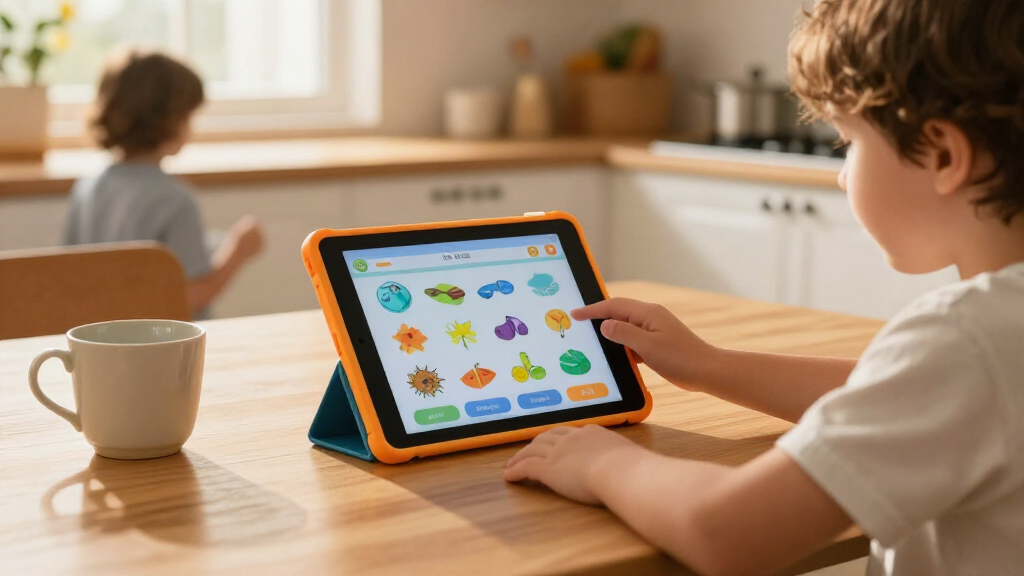
I compared these 14 electronic learning tablets and learning toys by how well their formats match children’s ages and likely use. I weighed the value of guided educational content against the flexibility of Android, then looked at usability, screen size, included protection or accessories, storage information, and whether the product appears suited to short practice sessions or broader tablet use. I also treated toddler-focused products differently from full tablets: a compact, straightforward learning toy can be a better fit for a very young child than a device with more apps and settings.
The ranking favors products with a clear role and a useful balance of learning, usability, and child suitability. The Amazon Kids Tablet leads as a versatile family option; LeapFrog’s Academy models rank strongly for structured learning; and the hahaland toy stands out for toddlers who need a simpler format. Android alternatives remain useful for families who want broader app access, but listed specifications alone do not prove faster performance or better learning value. Products with narrower functions, less clearly specified learning ecosystems, or a less distinct advantage sit lower rather than being treated as interchangeable picks.
Factors to Consider When Choosing Electronic Learning Tablets For Kids
Before choosing, decide what role the device should play in your child’s day. A learning toy, a dedicated educational tablet, and an Android tablet can all support learning, but they differ in content, supervision needs, and how much else a child can do on them. These questions can help prevent a mismatch that a longer feature list won’t fix.
Match the Device to Your Child’s Age and Attention Span
Start with what your child can operate independently, not the age range implied by a product’s marketing. Toddlers often do better with clear buttons, short activities, and immediate audio feedback than with menus and app switching. Older children may be ready for a touchscreen and longer reading or creative sessions. A device that is too basic can lose its appeal quickly, while a full tablet may introduce settings and content choices a young child cannot manage. If siblings will share it, choose based on the youngest user’s ability to handle it and set access for older children separately.
Choose Between Guided Learning and Open App Access
Purpose-built learning devices generally keep children within a narrower set of activities, which can make practice feel straightforward and reduce the number of decisions they face. Android tablets can support a wider mix of educational apps, videos, and general media, but parents need to select and manage that content. Don’t assume that a tablet labeled educational arrives with the right curriculum or that every app will suit your child’s age. Check which activities are included, whether new content requires downloads, and whether the tablet supports the apps your family already plans to use. Pay for flexibility only if you expect to manage it.
Treat Parental Controls as a Setup Task, Not a Box Feature
Parental controls vary in what they actually manage: app access, browsing, screen time, downloads, or profiles may each be handled differently. Before buying, confirm which controls are built into the device and which depend on an account, subscription, or separate setup. A child-oriented case does not make a tablet’s content safe by itself. Plan to configure restrictions and test them before handing the device over, especially if the tablet can access the web or install apps. If you want minimal setup, a dedicated learning toy may be a better fit than a flexible Android model.
Look Beyond Screen Size and Memory Numbers
A larger display can make shared reading, drawing, and video easier to see, but it can also make a tablet heavier and less convenient for small hands. Memory and storage figures matter most when they support the apps, offline content, and multitasking your child actually needs. Product listings may describe RAM or storage in ways that are not directly comparable, so avoid choosing on a headline number alone. Ask whether the device has enough room for downloaded activities and whether storage can be expanded. For a child who mostly uses a few simple learning activities, portability and controls may matter more than a larger screen.
Plan for Durability, Charging, and Shared Use
Children’s devices face drops, sticky fingers, and frequent handoffs, so the included case and the availability of replacement protection deserve attention. Check whether the case protects the corners and whether the device remains easy to hold with it attached. Charging routines matter too: a tablet that often needs charging can interrupt a trip or a planned learning session. For shared households, profiles and parental settings can prevent one child’s activity from changing another’s experience. Think about where the device will be used—at home, in the car, or on visits—before choosing a large model over a compact one.
Set a Screen Routine Before You Buy
An educational label does not mean unlimited screen time is useful, and a tablet should not be expected to replace conversation, books, play, or hands-on activities. Decide when the device will be available and what kind of use counts as learning in your household. Short sessions tied to a clear goal—such as practicing letters or reading together—can be easier to manage than unrestricted access. If your child tends to move quickly from learning apps to entertainment, tighter controls or a dedicated device may help. This routine can also show whether you need a full tablet at all or whether a small interactive learning toy is enough.
Frequently Asked Questions
Should I choose a dedicated learning tablet or an Android tablet for my child?
Choose a dedicated learning tablet when you want a more focused set of activities and fewer choices for your child to navigate. An Android model makes more sense if you plan to use a mix of educational apps, reading tools, and general media, and are comfortable managing access. The tradeoff is that flexibility usually brings more setup and supervision. Compare the actual included activities and app access rather than relying on the word “educational” in a product name. For a young or easily distracted child, a narrower experience may be more useful than a device with broader capabilities.
Is a 7-inch tablet large enough for a child’s learning activities?
A 7-inch screen can work well for one child using simple apps, tapping activities, or short reading sessions, and its smaller size may be easier for little hands to hold. A larger display can help with shared reading, drawing, or viewing details, but it may be less comfortable to carry. The best size depends on the activity and where the tablet will be used, not just the child’s age. If possible, consider how the device feels with its protective case attached. Don’t pay for a bigger screen if portability and independent handling matter more to your family.
What should I check before buying an Android tablet for a child?
Check how parental controls work, whether they cover app downloads and web access, and whether setup requires an account or ongoing service. Confirm the tablet supports the apps your child will use and has enough storage for any content you want available offline. Look for clear information about the included case, charging, and available software support. A large RAM or storage figure by itself does not tell you how well the tablet will run a particular app. The parent’s willingness to manage settings is part of the buying decision, not an afterthought.
Are learning tablets suitable for children who are not yet reading?
Yes, but choose activities built around listening, images, sounds, and simple touch interactions rather than menus that require independent reading. A toddler-focused learning toy or a guided device can be easier to use than a general Android tablet. At this age, adult participation may make activities more useful, especially for talking through letters, words, or language sounds. Check whether instructions are spoken and whether buttons have clear responses. If your child mainly wants to press, listen, and repeat, a full-size tablet may offer more complexity than needed.
Do I need to buy a higher-capacity tablet for offline learning?
Only if you plan to download a substantial number of apps, books, videos, or lessons for use without a connection. A child who uses a small set of built-in activities may not benefit much from extra storage. Before choosing, check whether the tablet supports expandable storage and whether downloaded content can be removed easily. Offline access can be especially helpful for travel, but it requires planning and space. Match capacity to the content you expect to keep installed rather than treating the largest listed number as the best choice.
Conclusion
For most families wanting one versatile device, I’d choose the Amazon Kids Tablet 8.7-inch with Paw Patrol Bumper as the best overall pick. For value, the LeapFrog Touch and Learn eReader is a sensible choice when a child needs focused, simple practice rather than a full tablet. The Evermyth 10-Inch Android Tablet is the best premium-style option for families who want a larger screen and broader Android use, provided they are ready to manage apps and settings. For beginners and very young children, I’d start with the hahaland 5-Language Learning Tablet Toy because its toy-like format is less complicated than a general tablet. For structured learning, choose the LeapFrog LeapPad Academy; for a bilingual laptop-style experience, look at the VTech Genio Bilingual JuniorBook. The right pick comes down to whether your child needs guided practice, toddler-friendly interaction, or a broader tablet that adults will actively supervise.